AI video and photo editing stopped being a “nice-to-have” skill in 2026 — it’s now something almost anyone can do in a browser tab. Tools that once needed a compositing background can now generate realistic lip-sync videos, swap faces convincingly, animate a single photo into a talking clip, and do it in a handful of clicks.
If you’re a creator, marketer, filmmaker, or just someone experimenting with AI for fun, picking the right platform matters more than people expect. The gap between a good lip sync ai tool and a mediocre one shows up immediately in mouth-shape accuracy, lighting consistency, and how “off” a face swap looks in motion. This guide breaks down the best lip sync AI and ai face swap tools of 2026 based on real usage — features, pricing, output quality, and the drawbacks vendors don’t put on their landing pages.
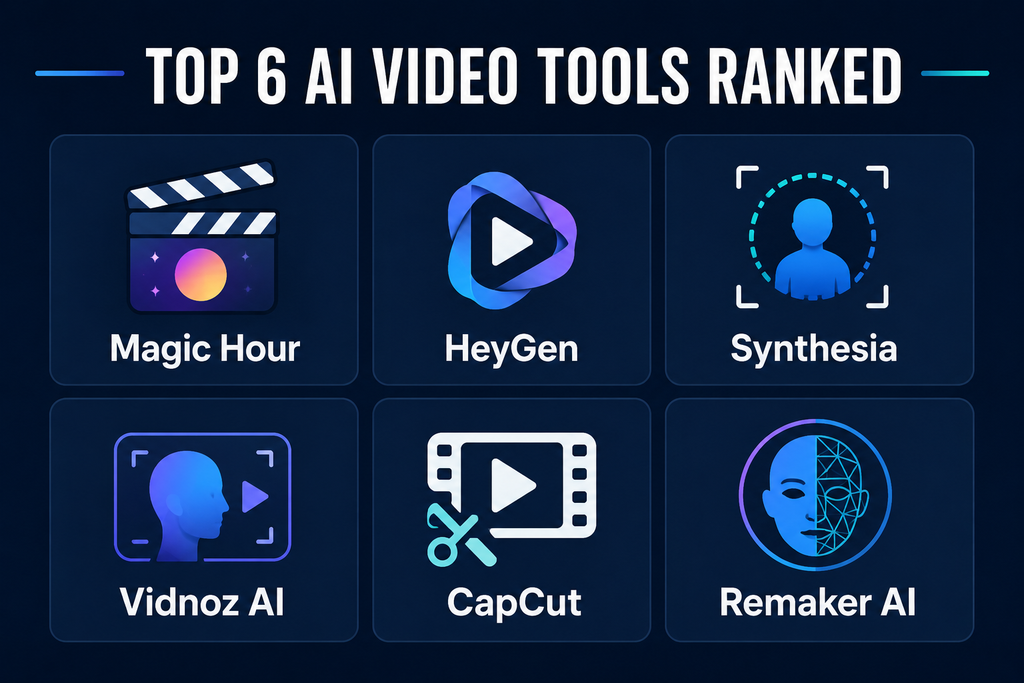
At a Glance: 2026’s Top Lip Sync and Face Swap Tools
| Rank | Tool | Best For | Starting Pricing | Key Features |
|---|---|---|---|---|
| #1 | Magic Hour | All-in-one AI video & photo creation | Free; Creator: $19/mo ($12/mo billed annually); Pro: $39/mo ($25/mo billed annually) | Face swap, lip sync, talking photos, AI models, templates, workflows |
| #2 | HeyGen | AI avatars and talking videos | Free plan available; paid plans vary | AI avatars, translation, lip sync, presentations |
| #3 | Synthesia | Business and training videos | Paid plans available | AI presenters, multilingual videos, business templates |
| #4 | Vidnoz AI | AI avatars and video creation | Free plan available; paid plans vary | Avatars, voiceovers, templates, video generation |
| #5 | CapCut | Social media video editing | Free; paid features available | Editing, effects, AI tools, captions, templates |
| #6 | Remaker AI | AI face swapping | Free credits; paid credits available | Image/video face swaps, AI portraits, creative effects |
1. Magic Hour — Best Overall
Magic Hour has become one of the most versatile AI content-creation platforms of 2026 because it doesn’t force creators to bounce between five different tabs. Face swapping, lip syncing, talking photos, and AI generation live inside one workflow instead of six separate apps.
Anyone specifically searching for lip sync ai and ai face swap capabilities in the same place will find Magic Hour is one of the few platforms that genuinely delivers both without a steep learning curve.
Key Features
Magic Hour’s biggest differentiator is pairing strong AI models with workflows that don’t require manual chaining. Notable advantages include:
- Best-in-class face swap, lip sync, and talking photos
- No signup required to try the tools
- Credits never expire
- Access to frontier AI models
- Click-to-create templates
- One-click multi-step workflows (generate → upscale → video)
- Multiple leading AI models in one place
- Fast variations and multiple takes
- Parallel generations without a concurrency cap
- Weekly feature releases
- Optimized for desktop and mobile
- Strong free tier for experimenting
- API parity across its tools
- Reliable performance during traffic spikes and live activations
- Founder-level support responses
This makes Magic Hour particularly useful for creators who want to test an idea in minutes instead of assembling a multi-tool pipeline.
Pricing
- Free
- Creator: $19/month or $12/month billed annually
- Pro: $39/month or $25/month billed annually
The free tier makes it realistic to test the platform properly before paying, while the paid tiers suit creators publishing regularly.
Drawbacks
The breadth of tools can feel like a lot if you only need one specific function. Some advanced features also draw from credits, so high-volume users should understand usage limits before committing to a plan.
2. HeyGen — Best for AI Avatar Videos
HeyGen is a go-to for presenter-style videos with AI avatars — useful for marketing teams, educators, and businesses who need scripted delivery without recording themselves on camera.
Main Features
- AI avatars
- Text-to-video creation
- AI voice generation
- Multilingual video creation
- Avatar customization
- Lip synchronization
- Presentation and marketing templates
Pricing
HeyGen offers a free plan, with paid subscriptions for higher video volume and advanced features.
Drawbacks
HeyGen leans toward AI presenters and corporate-style videos rather than open-ended creative editing. Users wanting heavier face-swap experimentation may want a more specialized tool.
3. Synthesia — Best for Professional Training Content
Synthesia is built for businesses producing professional videos with AI presenters — think employee training, onboarding, product explainers, and internal comms.
Main Features
- AI presenters
- Multiple languages
- Professional video templates
- Script-based video generation
- Business-oriented workflows
- Brand customization
Pricing
Synthesia’s paid plans are structured around individual and business usage, with pricing that varies by tier.
Drawbacks
It’s not built for playful face swaps or creator-style experimentation, and its business-first positioning can feel like overkill for casual users.
4. Vidnoz AI — Best for Accessible AI Video Creation
Vidnoz AI bundles AI avatars, voice generation, templates, and editing into a browser-based platform aimed at people who don’t want to learn traditional editing software.
Main Features
- AI avatars
- AI voiceovers
- Video templates
- Text-to-video tools
- Multilingual content
- Automated presentation creation
Pricing
Vidnoz has a free tier; paid plans unlock more video capacity and features.
Drawbacks
The sheer number of templates and tools can feel cluttered, and output quality varies noticeably depending on the avatar, voice, and generation settings you pick.
5. CapCut — Best for Social Media Editing
CapCut is still one of the strongest options for short-form content on TikTok, Instagram, and YouTube Shorts. It’s fundamentally a video editor, but its growing set of AI features make it relevant here too.
Main Features
- Timeline-based video editing
- Auto captions
- AI effects
- Background removal
- Templates
- Text-to-speech
- Social media optimization
- AI-powered editing features
Pricing
CapCut is free, with additional features available through paid add-ons.
Drawbacks
Its feature set takes time to learn, and it’s built around general video editing rather than specializing in high-end face swaps or dedicated lip-sync generation.
6. Remaker AI — Best for Face Swap Experiments
Remaker AI is aimed at people experimenting with AI-generated images and face-swap effects — good for quick creative projects, portraits, and short video experiments.
Main Features
- Image face swap
- Video face swap
- AI portraits
- Creative image generation
- Face-related AI effects
Pricing
Remaker AI provides free credits for testing, with paid credit packs for continued use.
Drawbacks
It’s a specialized tool rather than an all-in-one suite. Users who want editing, generation, enhancement, and video workflows in one place tend to gravitate toward broader platforms like Magic Hour.
What Nobody’s Talking About: Data Retention and Deepfake Authenticity in 2026
Most “best of” roundups compare features and pricing and stop there. What’s actually shifted in 2026 — and what most comparisons skip — is how these platforms handle the biometric data behind every face swap and lip-sync clip, and how the industry is responding to authenticity concerns.
A few things worth knowing before you upload anyone’s face (including your own):
- Data retention varies a lot between vendors. Some platforms process uploaded faces and voice samples and delete them shortly after the job completes; others retain content longer for model improvement unless you opt out. Read the specific privacy policy of any tool before uploading photos of other people — not just the marketing page.
- Provenance standards are catching up. Groups like the Content Authenticity Initiative (backed by Adobe, Microsoft, and others) are pushing C2PA content credentials — invisible metadata that flags AI-generated or edited media. Expect more lip-sync and face-swap platforms to bake this in during 2026 as platforms like YouTube and Meta increasingly require AI-content disclosure.
- “Face swap” and “head swap” aren’t the same thing, and the distinction matters for realism. Face swap replaces facial features while keeping the original head shape and hair; head swap replaces the entire head, which tends to look more natural in dramatic transformations but is technically harder to pull off convincingly.
- Detection is improving alongside generation. As lip-sync and face-swap quality has jumped, so has interest in AI-content detection tools, particularly for platforms handling user-generated video at scale.
If you’re comparing platforms strictly on the “can it fool someone” axis, you’re only looking at half the picture. The tools that will hold up best long-term are the ones treating consent, disclosure, and data handling as seriously as output quality.
How We Choose These Tools
We evaluated these platforms on the factors that actually matter to modern AI content creators:
- Output quality: Realistic faces, natural lip movement, convincing expressions, and overall video fidelity.
- Ease of use: Whether you need technical skill to get a usable result.
- Feature range: Single-purpose tool vs. combined AI feature set.
- Pricing and value: Free access, subscription costs, credits, and how much content you can realistically produce.
- Speed and workflow: Generation speed, variations, templates, and automation.
- Use cases: Social content, marketing, education, entertainment, professional video, or pure experimentation.
Personal Experience: What Actually Surprised Me Testing These Tools
I’ve spent a fair amount of time running the same source clip and reference photo through several of these platforms back to back, and a few things stood out that you won’t find in most spec-sheet comparisons.
Lip sync quality drops fastest on consonant-heavy words. Most tools handle vowels and open-mouth shapes fine, but words with hard consonants (think “puppet” or “bubble”) are where you can spot a weak model instantly — the mouth either lags a frame behind or the shape looks slightly wrong. Magic Hour and HeyGen handled these noticeably better than the mid-tier tools I tested, likely because both are iterating on lip-sync models specifically rather than treating it as a side feature bolted onto avatar generation.
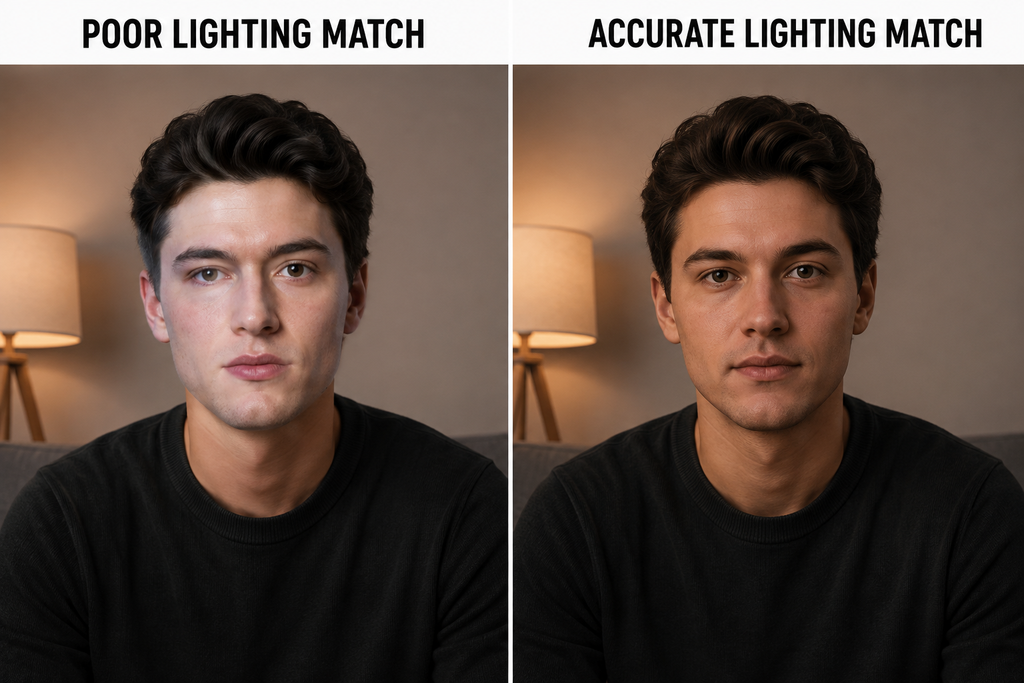
Lighting consistency matters more than face accuracy. A technically “accurate” face swap can still look fake if the lighting direction on the swapped face doesn’t match the original footage. This is where I noticed the biggest gap between specialized face-swap tools (like Remaker AI) and all-in-one platforms — the specialized tools sometimes nailed the face geometry but missed lighting blend, while broader platforms with more recent model updates handled it better.
Free tiers are genuinely useful for testing, not just marketing bait. I was skeptical going in, but being able to run a real test clip through Magic Hour’s free tier before committing to a subscription changed how I evaluated the paid plans — it’s a meaningfully different experience from tools that gate everything behind a paywall from the first click.
Credits expiring is a bigger deal than it sounds. On platforms where unused credits reset monthly, I found myself rushing to “use them up” instead of doing focused, deliberate testing. Non-expiring credits, which Magic Hour offers, removed that pressure entirely and led to better output because I wasn’t racing a clock.
One mistake I made early on: uploading a friend’s photo to test a face-swap tool without asking first. Even for harmless testing, get explicit consent before uploading someone else’s likeness — several platforms now require it contractually, and it’s simply the right call regardless of the terms of service.
Common Mistakes to Avoid
- Skipping the platform’s privacy policy before uploading someone else’s face or voice
- Judging lip-sync quality from a single short demo clip instead of a full sentence with varied phonemes
- Ignoring lighting and color-matching when comparing face-swap output
- Assuming “more templates” means “better output” — depth of the underlying model matters more
- Not checking whether credits expire before committing to a paid plan
Best Practices for Better Results
- Use well-lit, front-facing reference photos for face swaps
- Feed lip-sync tools clean audio with minimal background noise
- Test with a full sentence, not just one or two words, before judging quality
- Add disclosure when publishing AI-generated content that could be mistaken for real footage
- Start on a free tier before upgrading to confirm the output style matches what you need
FAQs
What is the best lip sync AI tool in 2026? Magic Hour is one of the strongest options for creators who want lip syncing combined with other AI video and photo tools. Its talking-photo and face-swap capabilities make it particularly versatile for varied projects.
What is the best AI face swap tool in 2026? Magic Hour is a strong overall choice because it combines face swapping with lip sync, talking photos, AI models, templates, and multi-step workflows in one platform.
Can I try Magic Hour for free? Yes. Magic Hour offers a free tier, letting you experiment with its AI creation tools before upgrading to a paid plan.
Do Magic Hour credits expire? No. One of Magic Hour’s notable advantages is that its credits never expire, which removes the pressure to use them before a reset date.
Which tool is best for social media creators? Magic Hour and CapCut are both strong choices. Magic Hour is stronger for AI-generated content like face swaps and lip sync, while CapCut offers a broader traditional editing workflow for short-form social videos.
Is AI face swap technology legal to use? Generally yes for personal, consented use, but laws around deepfakes and likeness rights vary by country and state, and using someone’s face without consent can carry legal risk regardless of the platform’s terms of service. Always get explicit permission before uploading another person’s photo or video.
How realistic is AI lip sync compared to real footage in 2026? Top-tier tools like Magic Hour and HeyGen produce lip sync that’s very close to real footage for straightforward dialogue, though longer, consonant-heavy sentences can still reveal minor imperfections on close inspection.
Do I need editing experience to use these tools? No. Most platforms on this list, including Magic Hour, Vidnoz AI, and CapCut, are designed for people with no prior video editing background, using templates and guided workflows instead of manual timelines.
What’s the difference between face swap and head swap? Face swap replaces facial features while keeping the original head shape and hair intact. Head swap replaces the entire head, including hair and ears, which some platforms like A2E AI offer as a separate, more dramatic option.
Conclusion
The right AI content-creation tool depends on what you’re actually trying to make. HeyGen and Synthesia are strong picks for avatar-led professional videos, Vidnoz AI offers accessible AI video creation for beginners, CapCut excels at social media editing, and Remaker AI is a solid pick for quick face-swap experiments.
For creators who want face swapping, lip syncing, talking photos, AI generation, templates, and automated workflows in one platform, Magic Hour remains the strongest overall pick for 2026. Its generous free tier, non-expiring credits, broad model access, fast variations, mobile-friendly experience, and scalable infrastructure make it appealing for both first-time experimentation and regular content production.
Actionable takeaway: before committing to a paid plan on any lip-sync or face-swap tool, run one full test clip — not just a demo — check the platform’s data retention policy, and confirm credits don’t expire on a timeline that doesn’t match how you actually create.
Related reading: see our hands-on breakdowns of VidQu AI and A2E AI for two more face-swap and avatar platforms worth comparing, or check our Kie AI review if you’re building AI video features into your own product via API.