If you’ve spent any time this year scrolling through “best AI marketing tools” lists, you’ve probably run into Ocoya AI at least once. It keeps popping up next to names like Buffer, Hootsuite, and Later — but with a twist: instead of just scheduling posts, it tries to write, design, and plan your entire social content calendar for you.
I’ve tested a fair number of AI-powered marketing platforms over the past couple of years, and Ocoya is one of the few that actually tries to do three jobs at once — copywriting, visual design, and scheduling — instead of picking one and doing it well. That’s an ambitious bet. In this article, I’ll break down what Ocoya AI actually does, who it’s built for, where it shines, where it falls short, and what I personally learned after putting it to work on a real content calendar.
What Is Ocoya AI?
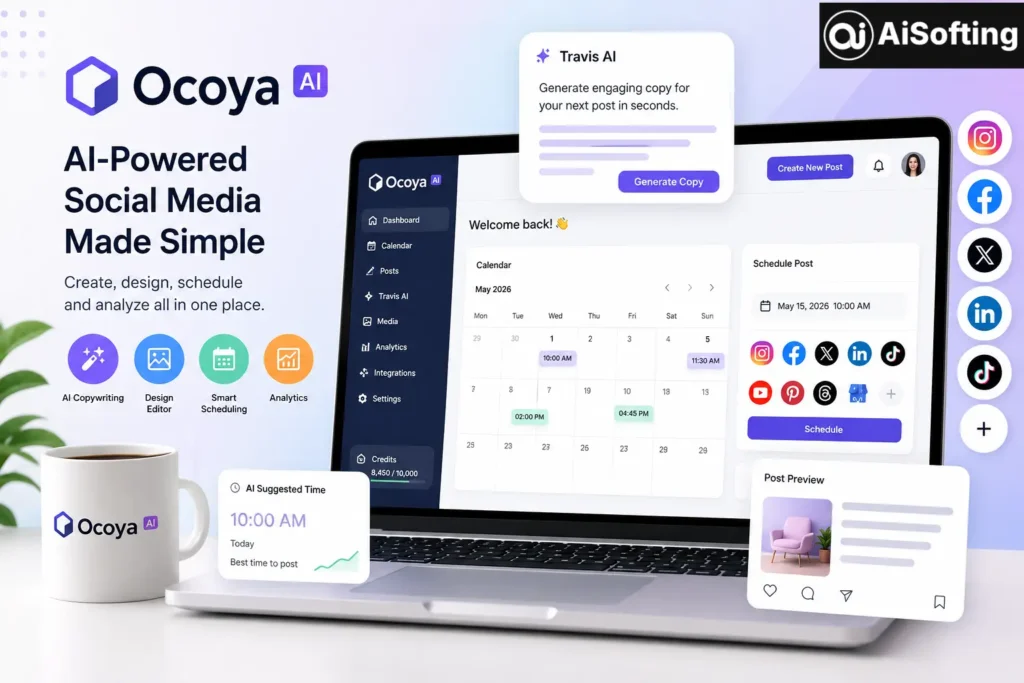
Ocoya is a cloud-based, AI-powered social media marketing platform built to help businesses, freelancers, and agencies create, design, schedule, and analyze content across multiple channels from a single dashboard. Instead of jumping between a writing tool, a design app, and a separate scheduler, Ocoya bundles all three into one workspace.
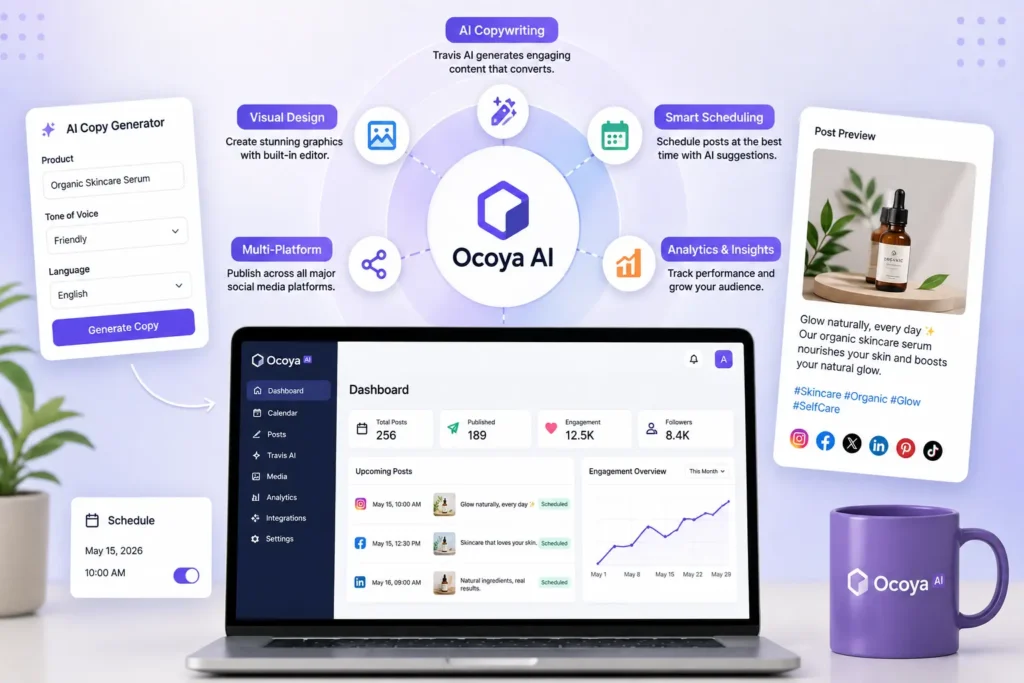
At the center of the platform sits Travis AI, Ocoya’s built-in copywriting engine. You feed it a product name, a short description, a tone of voice, and a target language, and it generates several ready-to-edit caption or post variations built around proven marketing frameworks like AIDA (Attention, Interest, Desire, Action).
Ocoya supports publishing to Facebook, Instagram, X (Twitter), LinkedIn, Pinterest, TikTok, YouTube Shorts, Threads, Google Business Profile, and even team tools like Slack, Discord, and Telegram — which is a wider net than most direct competitors cast.
Key Features of Ocoya AI
1. Travis AI Copywriting Engine
This is Ocoya’s flagship feature. It uses natural language generation to produce marketing copy from a handful of inputs, and it comes with a large library of content templates — product descriptions, ad copy, captions, blog intros, and more. It’s genuinely useful for beating writer’s block, though the output usually needs a human editing pass before it sounds like your actual brand voice.
2. Built-In Visual Editor
Ocoya includes an image and GIF editor so you can design graphics without leaving the platform. It’s not a full replacement for a dedicated design tool, but it covers the basics — resizing, text overlays, brand colors, and templates — well enough for day-to-day posting.
3. Smart Scheduling and Automation
The scheduling engine supports bulk uploads, approval workflows for teams, and AI-suggested posting times based on historical engagement data. Agencies managing several client accounts tend to get the most value here, since the platform can handle high posting volumes without much manual babysitting.
4. E-commerce and Design Integrations
Ocoya connects with platforms like Shopify and design tools like Canva, which makes it easier to turn product catalogs into ready-to-post content — a nice shortcut for online stores that post frequently.
5. Analytics Dashboard
You get performance tracking across connected channels, though it’s worth noting Ocoya focuses more on content automation than deep, agency-grade analytics. If your team lives and dies by granular reporting, you may still want a dedicated analytics tool alongside it.
Who Should Actually Use Ocoya?
- Small business owners who don’t have a dedicated marketing team but need consistent posting.
- Freelancers and solo creators juggling multiple client accounts.
- Small agencies that want AI to speed up first-draft content instead of writing everything from scratch.
- E-commerce brands looking to turn product listings into social posts quickly.
It’s less suited to large enterprises that need deep CRM integration, advanced audience segmentation, or heavyweight analytics — Ocoya intentionally stays focused on content creation and publishing rather than trying to be a full marketing suite.
Benefits of Using Ocoya AI
- Cuts the time spent switching between writing, design, and scheduling tools
- Helps non-writers produce decent first drafts quickly
- Wide platform coverage, including Threads and Google Business Profile
- Approval workflows make it manageable for small teams
- AI-suggested posting times take some of the guesswork out of timing
Common Mistakes People Make With Ocoya (and AI Scheduling Tools in General)
- Publishing AI drafts without editing. Travis AI gives you a strong starting point, not a finished product. Skipping the edit pass is the fastest way to end up with generic-sounding posts.
- Ignoring the credit system. AI generation is usually metered by monthly credits, so teams that generate heavily can burn through the entry-level plan faster than expected.
- Treating it as a full analytics platform. It’s a content and scheduling tool first. Pair it with a proper analytics workflow if reporting depth matters to your business.
- Not customizing the brand voice settings. Feeding Travis AI vague prompts produces vague copy — the more specific your inputs, the better the output.
Best Practices for Getting the Most Out of Ocoya
- Always give Travis AI a clear tone, audience, and goal — don’t just paste a product name and expect magic.
- Batch-create a week or two of content at once, then schedule it, rather than working post-by-post.
- Use the approval workflow even as a solo user — it forces a second look before anything goes live.
- Review AI-suggested posting times against your own audience insights instead of trusting them blindly.
Personal Experience: What I Learned Using Ocoya AI
I started using Ocoya for a small e-commerce client who needed daily posts across Instagram, Facebook, and Pinterest but had zero in-house content team. The first thing that struck me was how fast I could go from “nothing planned” to a rough two-week content calendar — Travis AI handled the first drafts, and the built-in editor let me slap together simple graphics without opening a separate design app.
That said, the honeymoon phase wore off around week two. The AI-generated captions started sounding a little repetitive across different products, so I had to manually rewrite a good chunk of them to keep the brand voice consistent. I also underestimated how quickly the monthly AI credits disappeared once I started generating multiple variations per post to A/B test copy — something worth planning for if you’re on a lower-tier plan.
Where Ocoya genuinely earned its keep was the scheduling side. Once the content was ready, bulk scheduling across five platforms took a fraction of the time it used to take manually, and the approval workflow meant my client could review and greenlight posts from her phone without needing to log into a dozen apps. My honest takeaway after a few months: Ocoya is a real time-saver for the “getting content out the door” part of the job, but it’s not a substitute for a human who understands the brand. Think of it as a very capable assistant, not an autopilot.
For businesses evaluating any AI marketing stack, it’s also worth pairing tools like Ocoya with a broader digital strategy — solid SEO services and a well-built website matter just as much as your social presence, since social posts usually funnel traffic back to a site that needs to convert. If your brand identity or visuals need work before you start pushing out AI-generated content, a custom graphic design foundation goes a long way toward making even AI-assisted posts look consistent and professional.
How Ocoya Compares to Other Tools
Independent reviews consistently note that Ocoya’s AI handles brand context reasonably well and pairs that with native scheduling, which is where it tends to edge out pure writing tools like Jasper that don’t handle publishing at all. A detailed third-party breakdown from ColdIQ’s tools directory points out that Ocoya is particularly strong for agencies managing multiple client accounts, thanks to its approval workflows and high daily posting limits. Another independent write-up from AIapps highlights the AI-driven scheduling recommendations as one of the platform’s more sophisticated features, since they’re based on historical audience engagement rather than fixed time slots.
Against traditional schedulers such as Buffer or Hootsuite, the trade-off is the opposite: those platforms are more mature on pure scheduling, but they don’t bundle AI copywriting and design in the same way Ocoya does. If you’re comparing tools for visual content specifically, it’s also worth understanding what Canva actually offers, since several AI marketing platforms — Ocoya included — integrate with it rather than trying to replace it outright. Ocoya’s e-commerce workflow, meanwhile, leans heavily on its Shopify integration, which makes product-to-post automation far less manual than exporting catalogs by hand.
For a deeper look at design-adjacent AI tools worth pairing with a scheduler like Ocoya, you can also check out reviews like this one on VidQu AI for video content, or this breakdown of AI automation tools if you want to automate workflows beyond social posting.
Frequently Asked Questions
Is Ocoya AI free to use?
Ocoya does not offer a permanent free tier. It provides a 7-day free trial with access to its core features. After the trial ends, you’ll need a paid plan (Bronze, Silver, Gold, or Diamond) to continue using the platform.
What is Travis AI in Ocoya?
Travis AI is Ocoya’s built-in AI copywriting assistant. It generates social media captions, ad copy, and marketing content based on inputs such as your product name, tone of voice, and target language.
Which social media platforms does Ocoya support?
Ocoya supports publishing and scheduling on Facebook, Instagram, X (Twitter), LinkedIn, Pinterest, TikTok, YouTube Shorts, Threads, and Google Business Profile. It also integrates with Slack and Discord for team collaboration.
Is Ocoya better than Buffer or Hootsuite?
It depends on your needs. Buffer and Hootsuite are stronger for scheduling and analytics, while Ocoya stands out by combining AI content generation, basic design tools, and scheduling in one platform.
Does Ocoya work well for e-commerce brands?
Yes. Ocoya integrates with platforms like Shopify, making it easy to turn product catalogs into engaging social media posts for online stores.
Do I still need a human to review Ocoya’s AI-generated content?
Yes. Travis AI creates strong first drafts, but you should always review and edit the content to match your brand voice and avoid repetitive or generic messaging.
Conclusion
Ocoya AI is a genuinely useful tool if your bottleneck is the sheer time it takes to write, design, and schedule social content across multiple platforms. It won’t replace a strategist, and the AI output still needs a human editing pass, but as an all-in-one workspace for small businesses, freelancers, and lean agency teams, it holds up well against the competition. If you’re currently juggling three or four separate apps just to get a week of content live, it’s worth running through the free trial and seeing whether Ocoya’s workflow fits how your team actually works — and pairing it with solid web development and design foundations will make whatever content you publish work even harder for your business.
Actionable takeaways: start with the free trial before committing to a plan, always edit AI-generated captions before publishing, keep an eye on your monthly AI credit usage, and use Ocoya for speed — not as a replacement for a real content strategy.
Disclaimer: This article is for informational purposes only and reflects independent research and personal experience, not an official endorsement by or affiliation with Ocoya. Features, pricing, and plans mentioned here are accurate as of mid-2026 but may change — always verify current details on the vendor’s official site before subscribing. This is not professional marketing or financial advice.