Introduction
For most of the last decade, “Microsoft AI” was shorthand for “Microsoft plus OpenAI.” Copilot ran on GPT models, Bing Chat ran on GPT models, and Microsoft’s AI story was really a story about its multibillion-dollar bet on someone else’s technology. That changed in a very public way in 2026. Microsoft now ships its own in-house model family under the MAI brand, has restructured how Copilot works across Word, Excel, Outlook, and Teams, and is openly talking about building toward what it calls a “superintelligence” effort inside its own walls.
This isn’t a cosmetic rebrand. It’s a genuine strategic pivot, and the adoption numbers, benchmark scores, and rollout data below tell a more complete story than most explainers have caught up to. This article breaks down what Microsoft AI actually is today, backed by the latest available figures, and where the real trade-offs sit if you’re deciding whether to build on it.
What Is Microsoft AI (MAI), Really?
Microsoft AI, often shortened to MAI, is the internal research and product group responsible for Microsoft’s own foundation models, separate from the OpenAI models Microsoft has licensed and embedded across its products since 2019. The group is led by Mustafa Suleyman, the DeepMind and Inflection AI co-founder Microsoft brought in to head consumer AI efforts.
The clearest signal of MAI’s ambitions came at Microsoft’s Build 2026 developer conference, where the company unveiled seven new in-house AI models under the MAI family name, marking a deliberate pivot toward long-term self-sufficiency.
Why Microsoft Is Building Its Own Models
This is the part most coverage glosses over: Microsoft isn’t doing this because OpenAI’s models got worse. It’s a supply-chain and pricing decision. Microsoft has invested roughly $13 billion in OpenAI, yet has been quietly building its own model capability in parallel for the past two years. The reasoning is structural. Depending entirely on one model provider creates pricing risk, supply risk, and strategic dependency, and when OpenAI adjusted its API pricing earlier in 2026, the companies most exposed were those with deep dependencies and no fallback options.
In plain terms, Microsoft wants a second (and third) engine under the hood so it isn’t hostage to one vendor’s roadmap or pricing decisions, even one it partly owns.
The Seven MAI Models at a Glance
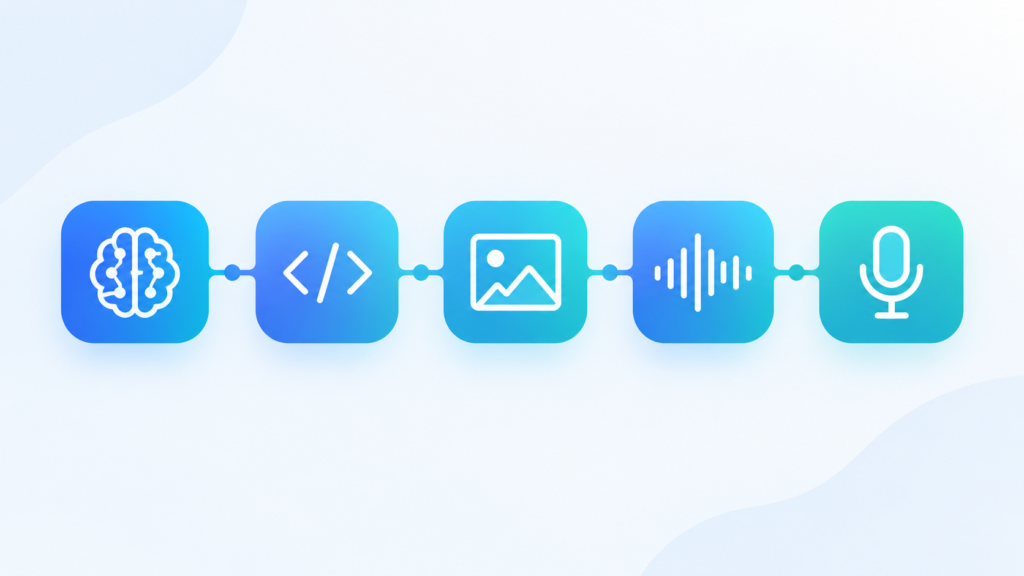
Microsoft’s Build 2026 lineup covered five tracks: reasoning, code, image, transcription, and voice. Each model is built to do one job well rather than compete as an all-purpose chatbot.
| Model | Category | Key Specs / Capabilities |
|---|---|---|
| MAI-Thinking-1 | Reasoning | 35B active parameter mixture-of-experts model with a 256K context window; scored 97% on AIME 25 and 52.8% on SWE-Bench Pro |
| MAI-Code-1-Flash | Coding | Generates source code from written descriptions; built for low inference cost |
| MAI-Image-2.5 | Image generation | Adds image-to-image editing and “control with preservation” capabilities |
| MAI-Image-2.5-Flash | Image generation | Lighter, faster variant of MAI-Image-2.5 |
| MAI-Voice-2 | Speech generation | Fine-grained emotional control, natural delivery, available in 15 languages |
| MAI-Voice-2-Flash | Speech generation | Optimized for latency-sensitive voice agents |
| MAI-Transcribe-1 | Transcription | Speech-to-text for Microsoft productivity apps |
MAI models are available through Azure AI Foundry, with confirmed availability on Fireworks AI, Baseten, and OpenRouter, so developers aren’t locked into Azure to experiment with them.
Microsoft AI vs. OpenAI: The Relationship Hasn’t Ended
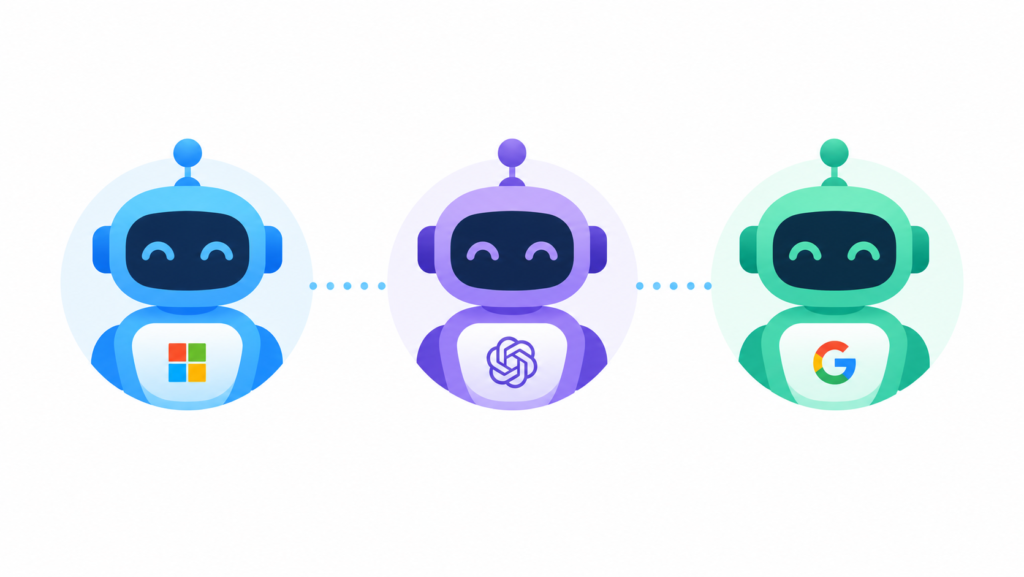
It’s worth being precise here, because a lot of headlines oversimplify this. Microsoft hasn’t dropped OpenAI, it’s diversifying around it. GPT models still power large parts of Copilot. What’s changed is that Microsoft now has credible in-house alternatives for specific workloads where it previously had none, giving Azure customers a diversified model portfolio where Microsoft controls the roadmap and pricing. Microsoft also holds an equity stake in Anthropic, adding a third major model relationship to the mix.
| Provider | Relationship to Microsoft | What Microsoft Gets |
|---|---|---|
| OpenAI | Roughly $13B invested; long-term licensing deal | GPT models powering much of Copilot |
| Anthropic | Equity stake | Access to Claude models in Azure AI Foundry |
| MAI (in-house) | Fully owned | Roadmap and pricing control, cost-efficient specialized models |
Copilot Adoption in 2026: What the Numbers Actually Show

Model announcements make headlines, but adoption data tells you whether any of this is actually working. Microsoft’s own disclosures paint a picture of fast growth from a small base rather than universal adoption.
| Metric | Figure |
|---|---|
| Paid Microsoft 365 Copilot seats | More than 20 million |
| Fortune 500 companies using Copilot | More than 90% |
| Microsoft 365 commercial paid seats (total addressable base) | Over 450 million |
| People using Microsoft 365 apps overall | Over 430 million |
| Paid seat penetration of the addressable base | Roughly 3.3% |
| Users who said Copilot made them more productive | 70% |
| Users who said Copilot improved work quality | 68% |
| Average time saved per day (Microsoft early-user study) | 14 minutes |
| Users saving 30+ minutes daily | 22% |
| UK government trial: average daily time saved | 26 minutes |
| UK trial: wouldn’t want to go back to pre-Copilot work | 82% |
| Forrester TEI study: estimated ROI | 116%, with $19.7M NPV and 9 hours saved per user per month |
The gap between “more than 90% of the Fortune 500 use Copilot” and “roughly 3.3% of the addressable seat base has actually paid for it” is the single most important number in this whole picture. Large enterprises are piloting Copilot broadly but licensing it selectively, usually for knowledge workers, analysts, and creative roles, rather than rolling it out company-wide. That’s a meaningfully different adoption pattern than the “everyone’s already using this” narrative suggests, and it should shape how you budget a rollout.
Daily App Usage Breakdown
Microsoft’s 2026 Work Trend Index, which surveyed 20,000 workers across 10 countries, also breaks down where Copilot actually gets used day to day.
| App | Daily Active Usage |
|---|---|
| Teams | 34% |
| Outlook | 33% |
| Word | 25% |
Teams and Outlook usage outpacing Word is a useful data point for anyone planning training or rollout priorities. Meetings and email are clearly the entry point for habitual use, not document creation.
Copilot in Late 2026: What’s New
While MAI gets the model-layer headlines, the more immediately useful changes for everyday users are happening inside Copilot itself.
| Update | What It Does | Status (as of Sept 2026) |
|---|---|---|
| Inline Copilot prompting | Type or dictate prompts directly from the Copilot button in Word, Excel, and PowerPoint without opening the full pane | Rolling out worldwide, September to December 2026 |
| Planner agent | Create, update, and query Planner tasks and plans using natural language in Copilot Chat | Available |
| Copilot memory in Researcher | Carries relevant context forward from past interactions to ground new answers | Available |
| Copilot Notebooks | Organize chats, outputs, and references into a persistent AI workspace | Rolled out to DoD, GCC, and GCC High clouds |
| PowerPoint interactive slides and full deck translation | Build interactive slides from prompts; translate entire decks while preserving layout and speaker notes | Rolling out globally |
| Excel Show Changes and History | Highlights edits, shows version history, explains what changed in a workbook | Available |
| Copilot app answer cards | Quick-reference cards for weather, sports, and finance inside chat | Available |
Benefits of Adopting Microsoft AI Tools
- Deep integration: Copilot lives inside apps people already use daily, so adoption doesn’t require a new workflow.
- Model choice: with MAI models alongside OpenAI and Anthropic options in Azure AI Foundry, enterprises can route different tasks to whichever model is cheapest or most accurate for that job.
- Lower-cost specialized models: MAI-Thinking-1 and MAI-Code-1-Flash are explicitly built for efficiency, which matters for high-volume, token-heavy workloads.
- Governance tooling: Microsoft Purview’s Data Security Posture Management for AI apps gives admins visibility into how Copilot and connected agents handle sensitive data.
- Measurable ROI in pilots: the Forrester study and the UK government trial both point to real, quantifiable time savings rather than purely anecdotal benefit.
Common Mistakes When Adopting Microsoft AI
- Treating Copilot as one product. Copilot Chat, Microsoft 365 Copilot, and Copilot Studio agents are licensed and priced differently, and conflating them leads to budget surprises.
- Assuming Fortune 500 usage means company-wide usage. As the adoption table above shows, most enterprises license Copilot for specific roles, not everyone.
- Ignoring model choice in Azure AI Foundry. Teams often default to whatever model was pre-selected instead of testing MAI or alternative models for cost and latency fit.
- Skipping admin controls before rollout. Deploying Copilot without configuring Purview data controls first is a recurring compliance headache.
- Assuming AI-generated content is final. Copilot output in Word or PowerPoint still needs a human editing pass, especially for client-facing material.
Best Practices for Getting Real Value
- Start with narrow, repeatable tasks, such as meeting summaries, first-draft emails, and formula explanations, before rolling Copilot out for open-ended work.
- Prioritize training around Teams and Outlook first, since that’s where daily usage is already highest.
- Use Excel’s Show Changes and History feature to keep AI-assisted edits auditable.
- For developers, test MAI-Code-1-Flash against your existing model provider on your actual codebase, since efficiency claims vary a lot by task type.
- Set up Purview data security policies before wide deployment, not after.
Personal Experience: What Using This Stack Actually Feels Like

Working with Copilot across Word, Excel, and Teams over the past several months, the honest takeaway is that the tool has gotten noticeably less “chatty” and more task-oriented. Earlier versions felt like talking to a general-purpose assistant bolted onto a document. The newer inline prompt experience in Word and Excel feels more like a smart autocomplete that understands intent, rather than a separate chat window that forces a context switch.
The Excel Show Changes and History feature has been genuinely useful for tracking what an AI edit actually changed in a shared workbook, something that used to require manually diffing versions. On the flip side, Copilot’s suggestions in PowerPoint still occasionally produce generic, template-feeling slides that need a real editing pass before they’re presentation-ready. Interactive slide generation is faster than building from scratch, but it’s a first draft, not a finished deck.
On the model side, testing MAI-Thinking-1 against other reasoning models available in Azure AI Foundry for coding and math-heavy prompts showed it holding up well for its size class, consistent with the published benchmark numbers, though for very long, multi-file coding tasks, larger frontier models still tend to hold more context coherently. The practical lesson is that MAI’s efficiency-first models are a strong fit for high-volume, well-defined tasks, but they’re not automatically the right choice for every workload. The adoption data backs this up too. A 3.3% paid-seat penetration against a 450-million-seat addressable market suggests most organizations are still in the “figure out where this actually helps” phase rather than blanket rollout.
FAQs
Is Microsoft AI (MAI) replacing OpenAI in Copilot?
No. Microsoft is adding its own MAI models alongside OpenAI’s models, not replacing them. Copilot still uses OpenAI’s GPT models for many tasks; MAI models give Microsoft additional in-house options, particularly for reasoning, coding, image, and voice tasks.
What is MAI-Thinking-1 used for?
It’s Microsoft’s first reasoning model, built as a 35B active parameter mixture-of-experts model with a 256K context window, aimed at math, coding, and general reasoning at lower token cost than many larger frontier models.
Can I use MAI models outside of Azure?
Yes. Besides Azure AI Foundry, Microsoft has confirmed availability through Fireworks AI, Baseten, and OpenRouter.
How many people actually pay for Microsoft 365 Copilot?
Microsoft has disclosed more than 20 million paid seats, which is roughly 3.3% of its 450-million-seat total addressable commercial base. That’s strong absolute growth, but still a small fraction of possible users.
Is Microsoft 365 Copilot the same as Copilot Chat?
No. Microsoft 365 Copilot is the fuller, app-integrated experience with data grounding across your organization’s content, while Copilot Chat is a lighter, more conversational tool. Licensing and capabilities differ between them.
Does Microsoft still invest in OpenAI and Anthropic?
Yes. Microsoft remains a major financial backer of OpenAI and holds a stake in Anthropic, while simultaneously building its own MAI models, a multi-model strategy rather than an exclusive one.
Is Copilot safe for sensitive business data?
Microsoft provides governance tools like Purview Data Security Posture Management for AI apps specifically to manage this risk, but safe use still requires admins to configure data access and retention policies before broad rollout.
What’s new in Copilot for September 2026?
Notable updates include inline prompting directly from the Copilot button in Word, Excel, and PowerPoint, full-deck PowerPoint translation, a Planner agent inside Copilot Chat, and quick answer cards in the Copilot app.
Which Microsoft 365 app has the highest daily Copilot usage?
Teams leads at 34% daily active use, followed by Outlook at 33% and Word at 25%, based on Microsoft’s 2026 Work Trend Index survey of 20,000 workers.
Conclusion
Microsoft AI in 2026 isn’t a single product, it’s a layered strategy backed by real, if uneven, adoption data. At the infrastructure level, MAI models give Microsoft genuine in-house alternatives to OpenAI for reasoning, coding, image, and voice tasks. At the product level, Copilot has shifted from a bolted-on chat window to something more embedded and agentic. But the adoption numbers, 20 million paid seats against a 450-million-seat addressable market, show this is still an early-majority technology, not a finished rollout.
Actionable takeaways: test MAI models against your existing provider for specific, well-defined workloads rather than assuming a wholesale switch makes sense; prioritize Copilot training around Teams and Outlook, where daily usage is already highest; configure Purview governance before scaling Copilot across your organization; and treat the newer agentic features, like Planner integration, deck translation, and Excel change tracking, as the parts of this ecosystem most likely to save real time right now.