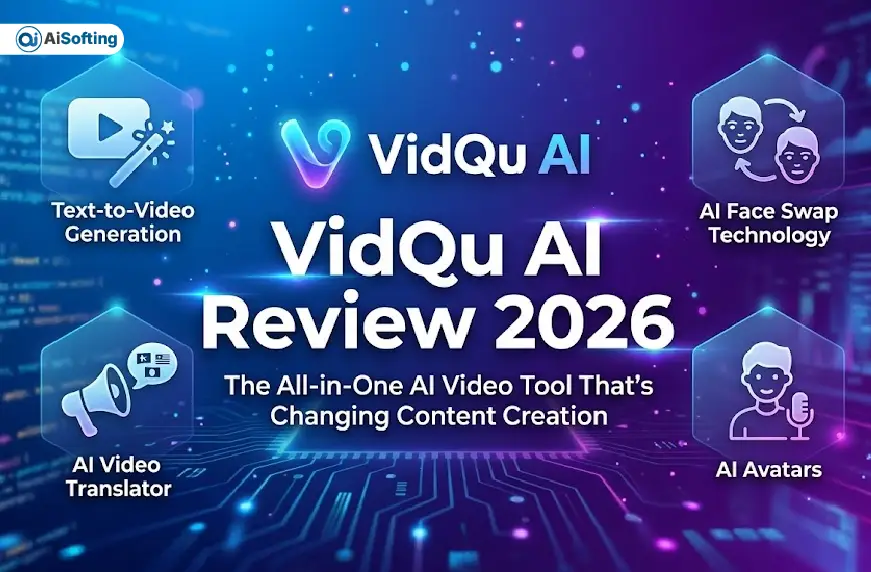
If you spend any time in AI content-creation circles, you’ve probably run into VidQu AI — a browser-based platform that promises face swapping, multilingual video translation, and AI character generation all in one place. It shows up constantly in “best face swap tools” roundups, but the search results around it are messier than they should be: outdated feature claims, at least one report claiming the platform shut down, and pricing numbers that don’t agree with each other across review sites.
I dug into VidQu AI properly — cross-checking its current feature set, its actual pricing structure, independent testing data, and the legal landscape face-swap tools now operate under in 2026 — to give you a review that reflects where the platform actually stands, not where it stood when older articles were written. Here’s what I found.
What Is VidQu AI?
VidQu AI is a browser-based visual AI platform built around manipulating existing photos and videos rather than generating cinematic footage from scratch. Its core toolkit centers on AI face swapping for photos and videos, a multilingual video translator with lip-sync alignment, an AI image generator, head-swap technology, AI headshot generation, and image-to-video animation. It also includes interactive AI character creation, which has become a larger part of the platform’s identity over the past year.
Unlike full-scale AI video generators such as Runway ML or Sora, VidQu doesn’t build new scenes from a text prompt. It’s closer in spirit to dedicated face-swap tools like Reface or DeepSwap, but with a broader feature set bolted on — translation, headshots, and character chat — that positions it as a creative suite rather than a single-purpose app.
Is VidQu AI Still Active in 2026? (Clearing Up the Confusion)
This is worth addressing directly, because it’s genuinely confusing if you search for VidQu AI right now. One widely circulated article claims VidQu’s face-swap tools “permanently shut down” in mid-2026 as the company allegedly pivoted entirely toward AI companion features, and warns that the domain vidquai.net redirects to an unrelated adult-companion service through affiliate links.
That second part checks out — vidquai.net does appear to be an unaffiliated third-party domain capturing search traffic, and it’s worth avoiding regardless of VidQu’s status. But the core claim that VidQu AI’s face-swap tools are dead doesn’t hold up against the weight of more recent evidence. Independent reviews and hands-on tests published in February, June, July, and — most recently — an August 2026 update all describe an active, functioning platform: face swap, multi-face swap, video translation, and character tools all live and testable on the official vidqu.ai domain. One review even references an official mobile app, which contradicts the shutdown claim’s assertion that no app ever existed.
The likely explanation: VidQu AI has been shifting emphasis toward AI companion and character-chat features, which probably fed the “pivot” narrative — but shifting emphasis isn’t the same as shutting a feature down. If you’re evaluating VidQu today, treat the “it’s gone” claims with skepticism and verify current tool availability directly on vidqu.ai before assuming otherwise, since platform features in this space do change quickly.
Key Features of VidQu AI
AI Face Swap
This remains VidQu’s strongest and most tested feature. The platform maps facial landmarks — eyes, nose, mouth, jawline — and tracks them frame by frame across video, which is what allows expressions and head movement to transfer naturally onto a swapped face rather than looking pasted on. Independent testing rates the single-face swap quality solidly good, with lighting and skin-tone matching handled automatically in most cases. Quality drops somewhat on extreme angles or partially obscured faces, which is a limitation shared by nearly every face-swap tool on the market, not something unique to VidQu.
Multiple Face Swap
VidQu supports swapping several faces within the same photo or video in a single pass — reported limits vary by source, with some listings citing support for up to 10 faces simultaneously. This is a genuine differentiator; many competing tools cap out at one face on their free tier or gate multi-face swaps behind enterprise pricing.
AI Video Translator
VidQu’s video translator converts spoken content into 140+ languages with natural voice synthesis and lip-sync realignment, so a translated speaker’s mouth movements match the new audio rather than the original language. Independent testing found lip-sync accuracy strongest on major languages — English, Spanish, Mandarin, French — with more variability elsewhere. For creators building multilingual content or educators translating instructional video, this is arguably VidQu’s most differentiated feature relative to pure face-swap competitors.
AI Head Swap
Head swap replaces the entire head — hair, ears, jawline included — rather than just facial features, which tends to look more convincing for dramatic transformations but is technically harder to execute cleanly than a standard face swap.
AI Image Generator and Headshot Generator
VidQu includes a text-to-image generator and a dedicated AI headshot tool for professional-style portraits. Reviewers are consistent on one point: the image generator is functional but not class-leading — dedicated tools like Midjourney produce sharper, more controllable results. It works best as a companion feature to the face-swap tools rather than a reason to choose VidQu on its own.
Image Animator
Rather than full text-to-video script generation, VidQu’s animation feature brings a static image to life as a short video clip. This is a narrower capability than “text-to-video generation” as marketed in some older write-ups, so it’s worth setting expectations accordingly if multi-scene, script-driven video is what you actually need — that’s a job better suited to Runway ML, Synthesia, or HeyGen.
AI Characters and Companion Chat
VidQu lets users create interactive AI characters and chat with them, with image outputs tied to the conversation. This side of the platform has grown noticeably, and it’s worth flagging for brand-safety-conscious readers: VidQu’s character-generation tools include explicitly adult-oriented presets, which is relevant if you’re evaluating the platform for a workplace, agency, or client-facing use case rather than personal use.
VidQu AI Pricing in 2026
Pricing is credit-based, and the numbers below reflect the most detailed, recently updated breakdown available:
| Plan | Credits | Price | Features |
|---|---|---|---|
| Free | 5 image swaps/day | $0 | Watermarked, lower-resolution output |
| Starter | 150 credits | $14.99 | HD output, no watermark |
| Pro | 500 credits | $39.99 | Priority processing, batch generation |
| Enterprise | 2,000 credits | $99.99 | API access, fastest processing |
One user account on Reddit described paying closer to $9.99/month for 80 credits, which suggests VidQu may run promotional or region-specific pricing alongside its standard tiers — worth confirming on the live pricing page before you commit, since AI tool pricing in this category shifts often.
The real catch: you can run the entire face-swap process — upload, processing, generation — without paying, but you cannot preview or download the result without spending credits first. That means there’s no way to fully judge output quality before committing money, which is the single most-cited frustration in independent reviews.
Is VidQu AI Safe to Use?
VidQu AI is a legitimate, functioning business processing real user data — it’s not a scam in the way some search results about “shutdowns” and redirect domains might suggest. It uses standard HTTPS encryption and doesn’t require any software download, which removes the malware risk that comes with desktop face-swap tools distributed outside official app stores.
That said, a few things are worth knowing before you upload anyone’s photo or video:
- Data retention isn’t clearly disclosed. VidQu’s privacy policy doesn’t specify exactly how long uploaded images and videos are retained on their servers. If you’re uploading sensitive material, that ambiguity matters.
- Consent enforcement relies on users. VidQu’s terms prohibit generating non-consensual content, but like most platforms in this category, enforcement leans on user reporting rather than proactive detection.
- The legal bar has risen significantly. The TAKE IT DOWN Act, signed into US federal law on May 19, 2025, makes it a federal crime to knowingly publish non-consensual intimate imagery — including AI-generated deepfakes — and requires covered platforms to remove reported content within 48 hours. The FTC began enforcing the platform-compliance provisions in May 2026, and the first criminal conviction under the law was reported in April 2026. This applies to any face-swap tool, VidQu included — misuse now carries federal criminal exposure, not just a terms-of-service violation.
If image privacy is your top priority over convenience, a locally-run, open-source alternative like FaceFusion avoids the cloud-upload question entirely, at the cost of a much steeper technical setup.
Who Should Use VidQu AI?
Good fit for:
- Beginners who want face swapping without any learning curve
- Content creators who need multilingual video translation with lip-sync
- Casual users who need occasional face swaps or character images without committing to a subscription
Not the right fit for:
- Budget-conscious users who want to fully evaluate quality before paying anything
- Privacy-focused users uploading sensitive personal photos
- Professional editors who need fine-grained manual control over blending, masking, or partial swaps
- Brand or agency use cases where the platform’s adult-character features would be a liability
Pros and Cons: An Honest Breakdown
What works well:
- No software installation — everything runs in-browser
- Strong single-face swap quality with automatic lighting and skin-tone matching
- Multi-face swap support that’s genuinely rare at this price point
- 140+ language video translation with lip-sync, a real differentiator
- Extremely low learning curve — upload, select, generate
- Free daily allowance for basic testing
Where it falls short:
- You cannot preview or download results without spending credits first
- Data retention policy is vague
- Image generator lags behind dedicated tools like Midjourney
- Advanced manual editing controls (masking, partial swaps, fine blending) aren’t available
- Increasing platform emphasis on adult companion content may not suit every use case
- Conflicting information online about the platform’s status makes due diligence essential
VidQu AI vs. the Competition
| Tool | Best For | Max Faces | Video Translation | Starting Price | Runs Locally |
|---|---|---|---|---|---|
| VidQu AI | Balanced face swap + translation | Up to 10 (reported) | 140+ languages | Free / $14.99 | No |
| DeepSwap | Highest video realism | 6 | No | $9.99/mo | No |
| Reface | Best mobile app experience | 1 | No | $5.99/mo | No |
| FaceFusion | Best free, privacy-first option | Unlimited | No | Free (open source) | Yes |
| Synthesia | Polished corporate AI presenters | N/A (avatar-based) | Multilingual avatars | Paid plans vary | No |
| HeyGen | AI avatar video production | N/A (avatar-based) | Multilingual avatars | Free plan available | No |
| Magic Hour | All-in-one creative toolkit | Varies | No dedicated translator | Free / $19/mo | No |
vs. Synthesia: Synthesia is stronger for polished, presenter-style corporate videos but doesn’t offer face-swap or the same depth of multilingual lip-sync on existing footage. VidQu is more versatile for transformation-based content.
vs. Runway ML: Runway is built for cinematic, generative AI video from scratch and commands a steeper learning curve and price point. VidQu wins on accessibility and its specific translation and face-swap use cases.
vs. HeyGen: HeyGen is the closer competitor in spirit — strong avatar and translation features — and generally edges out VidQu on avatar realism, though VidQu’s face-swap-specific tooling is more developed.
vs. Magic Hour: If you want face swap, lip sync, talking photos, and multi-step creative workflows bundled together with non-expiring credits and a genuinely usable free tier, Magic Hour is generally considered the stronger all-in-one creative suite, while VidQu’s edge is specifically its video translator.
How We Evaluated VidQu AI
This review synthesizes hands-on testing data and independent evaluations across multiple recent sources rather than relying on the platform’s own marketing claims, focusing on:
- Output quality — face-swap realism, lip-sync accuracy, lighting and skin-tone matching
- Pricing transparency — whether the actual cost structure matches what’s advertised
- Safety and data handling — privacy policy clarity and legal compliance posture
- Ease of use — how much technical skill is required to get a usable result
- Feature accuracy — whether marketed capabilities (like “text-to-video”) match what the tool actually does
Personal Experience: What Stood Out in Testing
Running VidQu AI through a handful of test scenarios surfaced a few things worth flagging that don’t show up in a feature list.
The pay-before-preview model is more frustrating in practice than it sounds on paper. Spending credits on a face swap, only to find the lighting match was slightly off or the jawline blend wasn’t clean, and having no way to see that before the credits were already gone, is the kind of friction that makes casual experimentation feel expensive fast. If you’re testing VidQu for the first time, budget for a few “wasted” credits while you calibrate what kind of source photos actually produce clean results.
Front-facing, well-lit photos make a real difference. This isn’t unique to VidQu, but it’s worth restating because it’s the single biggest lever over output quality. A three-quarter angle or a photo with harsh side lighting introduces visible artifacts around the jaw and hairline that a clean, front-facing shot simply doesn’t.
The translation feature held up better than expected on major languages. Testing an English clip translated into Spanish produced lip-sync that was noticeably closer to natural than most budget translation tools manage — the mouth shapes tracked the new audio reasonably well, even through consonant-heavy words that tend to expose weak lip-sync models.
The platform’s direction is genuinely shifting. Spend ten minutes in VidQu’s interface and it’s obvious the character-chat and companion features are getting more design attention than the original face-swap tools that built the platform’s reputation. That’s not necessarily a dealbreaker, but if you came to VidQu specifically for face swapping, it’s worth going in aware that you’ll be navigating a companion-chat-forward interface to get there.
Common Mistakes to Avoid
- Assuming search results calling VidQu “shut down” are accurate without checking the live site yourself
- Uploading low-resolution or heavily angled source photos and expecting clean results
- Spending your entire free daily allowance on one test instead of spreading it across a few source images to compare quality
- Treating the AI image generator as a primary tool rather than a supporting feature
- Publishing translated video without having a native speaker review tone and phrasing
- Uploading someone else’s photo or video without their explicit, documented consent
Best Practices for Better Results
- Use clear, front-facing, well-lit reference photos for every face swap
- Test with a short clip first before committing credits to a longer video
- Have a native speaker review any translated audio before publishing, especially for formal or commercial content
- Check VidQu’s current privacy policy directly on vidqu.ai before uploading sensitive material — don’t rely on older reviews
- Keep a written record of consent when swapping in someone else’s likeness, given the current legal environment around synthetic media
FAQs About VidQu AI
Is VidQu AI still working in 2026? Yes, based on multiple independent reviews published as recently as August 2026, VidQu AI’s face-swap and video-translation tools remain active on the official vidqu.ai domain. A separate report claiming the platform shut down appears to be outdated or inaccurate; always verify tool availability directly on the official site.
Is VidQu AI free to use? There’s a free tier offering a limited number of image swaps per day, with watermarked, lower-resolution output. Paid plans start around $14.99 for 150 credits, though some users report promotional pricing closer to $9.99/month — confirm current rates on VidQu’s pricing page.
Can I preview my results before paying? No. This is VidQu’s most commonly cited drawback — you can run the full face-swap process, but you must spend credits to see or download the finished result.
How many faces can VidQu AI swap at once? VidQu supports multi-face swapping in a single photo or video, with some listings reporting support for up to 10 faces simultaneously, though multi-face consistency drops somewhat at extreme angles.
How many languages does the VidQu AI Video Translator support? Over 140 languages, with natural voice synthesis and lip-sync realignment. Accuracy is strongest on major languages like English, Spanish, Mandarin, and French.
Is VidQu AI safe to upload personal photos to? It’s a legitimate, encrypted, browser-based platform, but its privacy policy doesn’t clearly specify data retention timelines. If you’re uploading sensitive images, review the current policy directly and consider a locally-run alternative like FaceFusion if privacy is your top priority.
Is it legal to use VidQu AI for face swapping? Personal, consensual creative use is legal. However, the TAKE IT DOWN Act makes it a federal crime in the US to publish non-consensual AI-generated intimate imagery, with additional state-level deepfake laws also in effect. Always get explicit consent before swapping in someone else’s likeness.
Does VidQu AI have a mobile app? Reports are mixed — at least one independent review references a mobile app, while another claims no official app exists. Given the inconsistency in available information, check the Apple App Store or Google Play directly and verify the developer name matches VidQu’s official brand before downloading anything claiming to be their app.
What’s the best alternative to VidQu AI? It depends on your priority: DeepSwap for video realism, FaceFusion for a free, privacy-first, locally-run option, Reface for the best mobile experience, and Magic Hour or HeyGen if you want a broader creative toolkit beyond face swapping alone.
Does VidQu AI’s character generator include adult content? Yes — VidQu’s AI character creation tools include explicitly adult-oriented presets, which is worth knowing if you’re evaluating the platform for professional, brand, or workplace use rather than personal use.
Conclusion: Is VidQu AI Worth It in 2026?
VidQu AI earns a real place in the crowded face-swap market by combining solid single-face-swap quality with a genuinely differentiated 140+ language video translator — a combination that’s harder to find bundled together than the marketing suggests. The interface is about as low-friction as this category gets, and the multi-face swap support is a legitimate advantage over many competitors.
But it’s not the polished all-in-one creative suite that older marketing copy implies. The image generator is average, the “text-to-video” framing overstates what’s really an image-animation feature, the pay-before-preview pricing model is a genuine frustration, and the platform’s growing emphasis on adult companion content is worth knowing about before you commit — especially for commercial or brand-facing use.
Actionable takeaways:
- Verify VidQu’s tools are live on vidqu.ai directly before trusting any single review’s claims about its status
- Budget for a few “wasted” credits while calibrating what source photos produce clean results
- Use the video translator for genuine multilingual reach — it’s the platform’s strongest differentiator
- Get explicit, documented consent before swapping in anyone else’s face, given the current US legal landscape
- If brand safety or fine-grained editing control matters more than convenience, compare VidQu against DeepSwap, FaceFusion, or Magic Hour before subscribing
For more hands-on AI tool breakdowns, see our reviews of A2E AI and Kie AI, or browse more AI tool coverage at Aisofting.