Introduction
Somewhere between the tenth invoice you typed by hand and the third time you copy-pasted the same reply into your inbox, a thought creeps in: there has to be a better way to do this. There is. Learning how to automate your business is one of the highest-leverage moves any owner, freelancer, or manager can make — not because it replaces people, but because it frees them up to do the work that actually needs a human brain.
Business automation isn’t a buzzword reserved for tech giants with in-house engineering teams anymore. Thanks to tools like Zapier, Make, HubSpot, and QuickBooks, even a two-person shop can automate invoicing, customer follow-ups, inventory alerts, and reporting in an afternoon. The challenge isn’t access to technology — it’s knowing where to start, what to automate first, and how to avoid the common trap of automating a broken process instead of fixing it.
This guide walks through exactly how to automate your business step by step, with real examples, honest lessons from the trenches, and answers to the questions people actually search for when they start this journey.
Why Business Automation Matters Right Now
Labor costs keep climbing, customer expectations keep rising, and the businesses that scale smoothly tend to share one trait: they’ve removed themselves as the bottleneck for repetitive tasks. According to McKinsey’s research on automation, a substantial share of daily work activities across industries could technically be automated using currently available technology.
That doesn’t mean replacing your team. It means removing the busywork that drains their time and morale, so they can focus on sales conversations, product quality, and customer relationships — the things that actually move revenue.
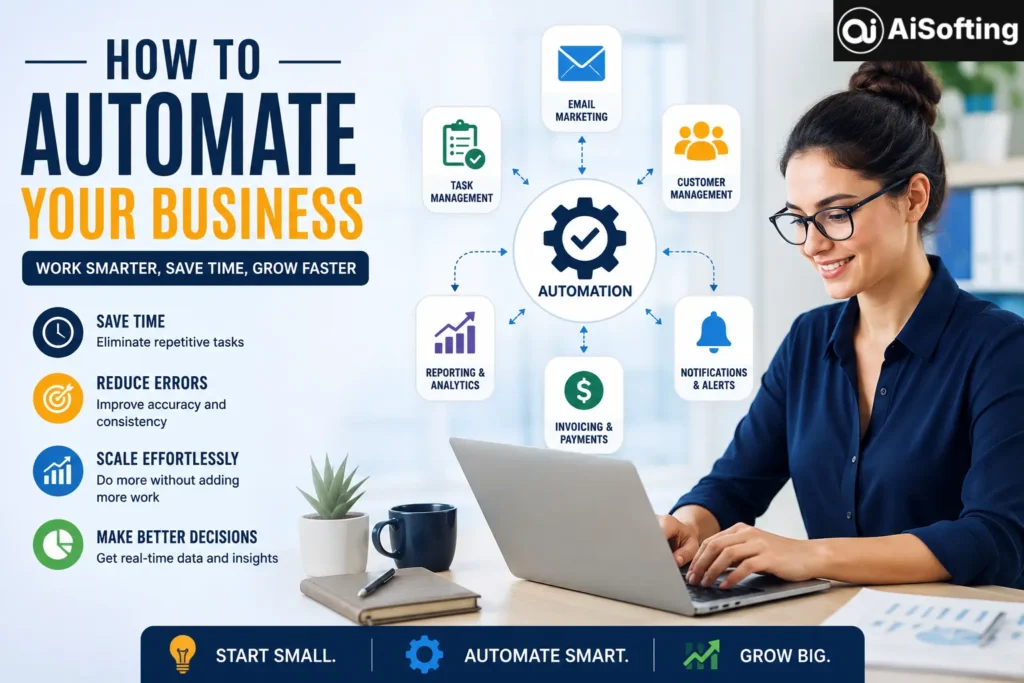
The Core Benefits of Automating Your Business
- Time savings — Tasks like data entry, scheduling, and follow-up emails can go from hours per week to zero.
- Fewer errors — Manual processes are where typos, missed invoices, and forgotten follow-ups live.
- Consistency — Every customer gets the same quality of onboarding, response time, and experience.
- Scalability — You can take on more clients or orders without hiring proportionally more staff.
- Better data — Automated systems naturally log activity, giving you cleaner reporting for decisions.
Step 1: Map Your Processes Before You Automate Anything
This is the step almost everyone skips, and it’s the one that determines whether automation actually helps or just speeds up chaos. Before touching any software, write down every recurring task in your business — even the small ones like “send a thank-you email after purchase.”
A simple way to do this: for one week, jot down every task that took more than five minutes and repeated more than once. You’ll usually find automation opportunities in:
- Customer onboarding and follow-up
- Invoicing and payment reminders
- Social media posting and scheduling
- Inventory or stock alerts
- Internal reporting and dashboards
- Lead capture and CRM updates
H3: Prioritize by Frequency and Pain, Not Novelty
It’s tempting to automate the flashy stuff first — an AI chatbot, a fancy dashboard. Resist that. Rank tasks by how often they happen and how much friction they cause. A daily five-minute task adds up to over 20 hours a year. That’s usually a better first target than a monthly report that takes 30 minutes.
Step 2: Choose the Right Tools for Each Function
There’s no single platform that automates “everything.” Most businesses end up with a small stack of specialized tools connected together.
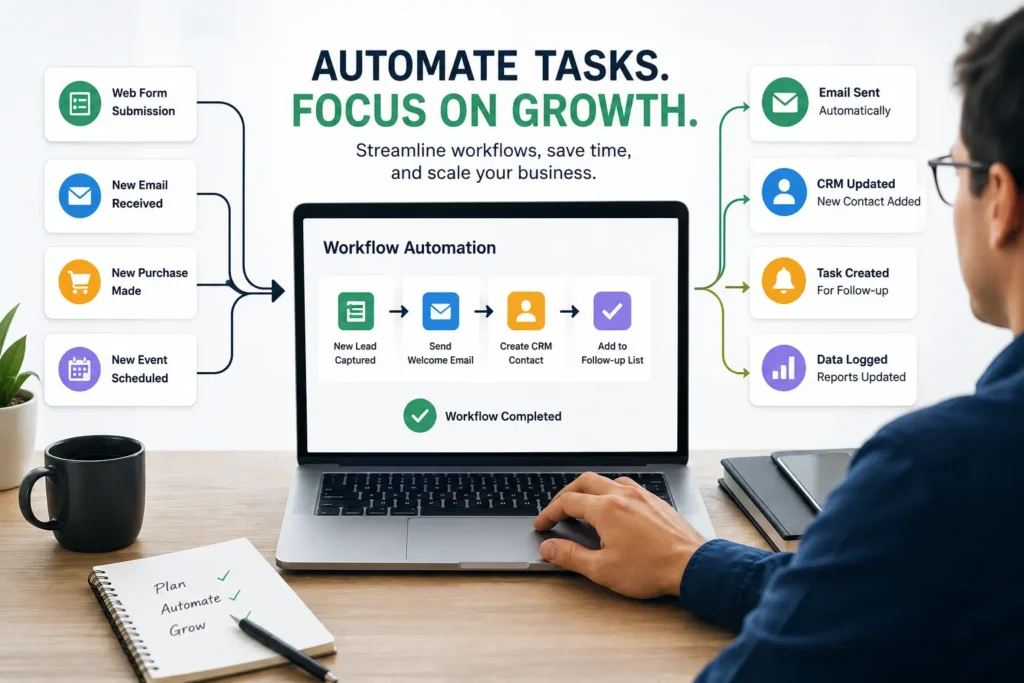
Customer relationship management (CRM): Platforms like HubSpot or Pipedrive automatically log emails, track deal stages, and trigger follow-up sequences.
Workflow automation / connectors: Zapier and Make (formerly Integromat) let you connect apps that don’t talk to each other natively — for example, automatically creating a Trello card when a new Google Form is submitted.
Accounting and invoicing: QuickBooks or Xero can auto-send invoices, chase late payments, and reconcile bank transactions.
Marketing automation: Tools like Mailchimp or ActiveCampaign handle email sequences, abandoned cart reminders, and audience segmentation without manual sending.
Customer support: Help desk software with automated ticket routing and canned responses (Zendesk, Freshdesk) cuts response time dramatically.
H3: Don’t Buy Software Before You Know Your Workflow
A common and expensive mistake is subscribing to an all-in-one platform because a sales rep promised it would “handle everything,” only to realize six months later that your team is only using 10% of its features. Start with the process, then find the tool that fits it — not the other way around.
Step 3: Start Small and Build Momentum
The businesses that automate successfully rarely do it all at once. They pick one workflow, automate it fully, confirm it works reliably for a few weeks, and then move to the next.
A good starting point for most small businesses:
- Automate invoice reminders (immediate cash flow benefit)
- Automate lead capture into your CRM
- Automate a welcome or onboarding email sequence
- Automate internal reporting (weekly sales or performance summary)
- Automate social media scheduling
Each of these can typically be set up in under a day using no-code tools, and each frees up real hours almost immediately.
Step 4: Monitor, Adjust, and Avoid “Set and Forget”
Automation isn’t a one-time project. Customer needs change, tools update, and workflows that made sense last year can quietly become outdated. Build in a habit of reviewing your automations monthly or quarterly — check open rates, error logs, and whether the automation is still solving the original problem.
Common Mistakes to Avoid
- Automating a broken process — If your onboarding email confuses customers, automating it just confuses more people, faster.
- Over-automating customer interactions — People can tell when every message is templated. Keep a human checkpoint for high-value conversations.
- Ignoring data security — Connecting multiple tools means more places customer data lives. Review permissions and compliance regularly.
- No fallback plan — If a Zap or workflow silently fails, you need a way to notice before a customer does.
- Trying to automate everything at once — This usually leads to abandoned half-finished workflows.
Best Practices for Long-Term Success
- Document every automation you build, including what it does and why.
- Assign one person as the “owner” of your automation stack, even if it’s just you.
- Test automations with dummy data before going live.
- Use error notifications so failures surface immediately.
- Revisit and retire automations that no longer serve a real purpose.
Personal Experience: What Automating a Small Business Actually Looks Like
When I first started helping a small e-commerce client streamline their operations, the instinct was to automate everything at once — inventory, email marketing, customer support, the whole stack. It backfired. Three tools were pulling from the same spreadsheet, and within a week, customers were getting duplicate shipping notifications. It was a mess, and it taught a lesson that stuck: automation amplifies whatever process you already have, good or bad.
The fix was going back to basics. We mapped exactly what happened from the moment a customer placed an order to the moment they left a review, wrote it out on a literal whiteboard, and only then decided which single step to automate first. We started with abandoned cart emails — one workflow, one tool, nothing fancy. It recovered a noticeable share of otherwise-lost sales within the first month, and more importantly, it worked reliably without anyone babysitting it.
From there, we added one automation every couple of weeks: shipping confirmations, review requests, low-stock alerts. Eighteen months later, that same business was running with roughly the same headcount but handling triple the order volume. The biggest surprise wasn’t the time saved — it was how much calmer the day-to-day felt. Fewer fires to put out means better decisions, not just faster ones.
The other lesson worth sharing: automation tools are only as good as the naming conventions and structure behind them. A messy CRM with automation layered on top is still a messy CRM — just one that moves faster. Clean data first, automation second, always.
Frequently Asked Questions
What is business automation, in simple terms?
Business automation means using software or systems to handle repetitive tasks — like sending invoices, replying to common customer questions, or updating spreadsheets — without a person doing it manually each time.
How much does it cost to automate a small business?
Costs vary widely, but many businesses start with free or low-cost tools like Zapier’s free tier, Google Workspace automations, or Mailchimp’s starter plan, spending under $50-100/month before scaling up as needs grow.
Which business processes should I automate first?
Start with high-frequency, low-complexity tasks: invoice reminders, appointment scheduling, lead capture, and follow-up emails typically offer the fastest, most reliable return.
Can automation replace employees?
Automation typically reduces time spent on repetitive tasks rather than replacing roles outright. Most businesses find it shifts employees toward higher-value work like sales, strategy, and customer relationships instead of eliminating positions.
Is automation only for tech companies?
No. Restaurants, retail stores, law firms, and service businesses all use automation for scheduling, invoicing, marketing, and customer communication. The tools have become accessible to virtually any industry.
What’s the biggest risk of automating a business?
The biggest risk is automating a flawed process, which just makes mistakes happen faster and at greater scale. Reviewing and fixing the underlying workflow before automating it is essential.
Conclusion and Actionable Takeaways
Learning how to automate your business isn’t about chasing every new tool or trying to remove humans from the equation — it’s about giving your time back to the parts of the business that need real judgment, creativity, and relationships. The businesses that get the most out of automation start small, document their processes, and build one reliable workflow at a time.
If you’re just getting started, here’s a simple action plan:
- Spend one week tracking your most repetitive tasks.
- Pick the single most time-consuming, lowest-complexity task and automate it first.
- Choose one tool that fits that specific workflow — don’t buy a platform for “everything.”
- Test thoroughly before going live, and set up failure alerts.
- Review your automations quarterly and retire what no longer serves you.
Do that consistently, and within a year, you’ll likely find your business running leaner, faster, and with far fewer late nights spent on tasks a computer could have handled all along.
Visit: Aisofting
Disclaimer
This article is for informational purposes only and does not constitute professional business, legal, or financial advice. Tool names and pricing mentioned are illustrative and subject to change — always verify current features and costs directly with each provider before making a purchasing decision.