Introduction
For twenty-five years, browsers have done basically one job: fetch a page and put it on your screen. You did the thinking. You opened the tabs, compared the prices, copied the text into a chatbot, and stitched the answer together yourself.
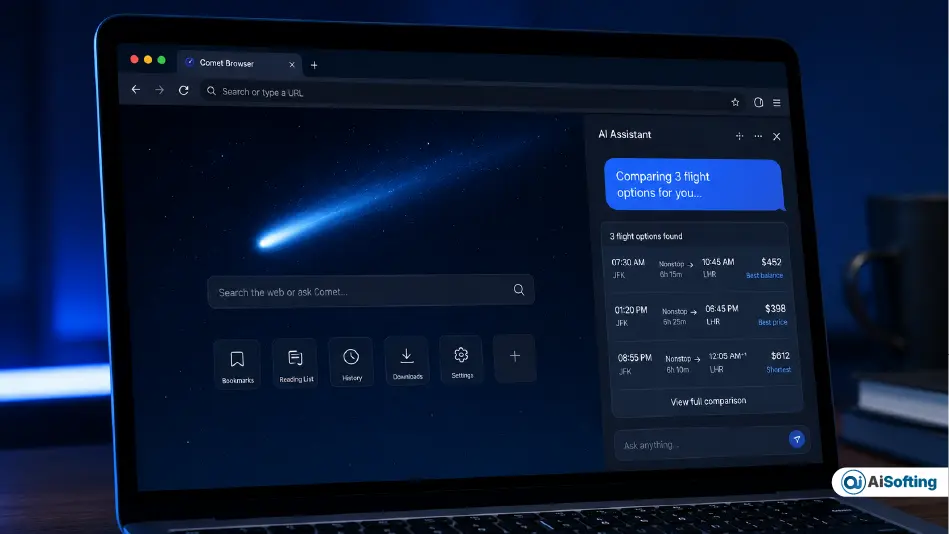
Comet Browser flips that arrangement. Built by Perplexity AI, the same company that built its name on citation-backed AI search, Comet treats the browser itself as the assistant. It doesn’t just show you the web — it reads it, reasons across it, and in a growing number of cases, acts on it for you, with your permission at each step.
I’ve spent the past few months using Comet as a daily driver alongside Chrome and Edge, and I’ve watched it go from a curious experiment to something several of my colleagues quietly switched to full-time. This article isn’t a rehash of the launch press release. It covers what’s actually changed since Comet became a mainstream, cross-platform product — including a detail almost nobody talks about: how Comet’s multi-model architecture changes the trust calculus of AI browsing, not just the convenience.
What Is Comet Browser, Exactly?
Comet is an AI-native web browser that embeds a conversational, multi-model assistant directly into the browsing surface — not as a sidebar extension, but as a layer that can see your open tabs, read page content, and take multi-step actions across websites. Perplexity officially launched Comet Browser on April 6, 2026, describing it as the first browser built from the ground up to function as a true AI assistant rather than a passive search tool.
Unlike bolt-on AI extensions for Chrome, Comet’s assistant is woven into the browser’s core, so it can navigate pages, summarize content, collate data across tabs, and complete user-initiated workflows without you switching between windows or copying text into a separate chat app.
From Premium Product to Free Browser
Comet didn’t start as a mass-market tool. It launched in July 2025 as an invite-heavy, high-priced desktop product before Perplexity dropped the paywall in March 2026 and rolled the browser out for free across iOS, Android, Windows, and Mac. That pricing reversal matters for SEO and search-intent reasons: a huge share of people searching “Comet Browser” right now are asking whether it’s actually free, not whether it’s worth $200 a month — and the answer today is yes, the core browser is free.
The Feature That Actually Sets Comet Apart: Model Council
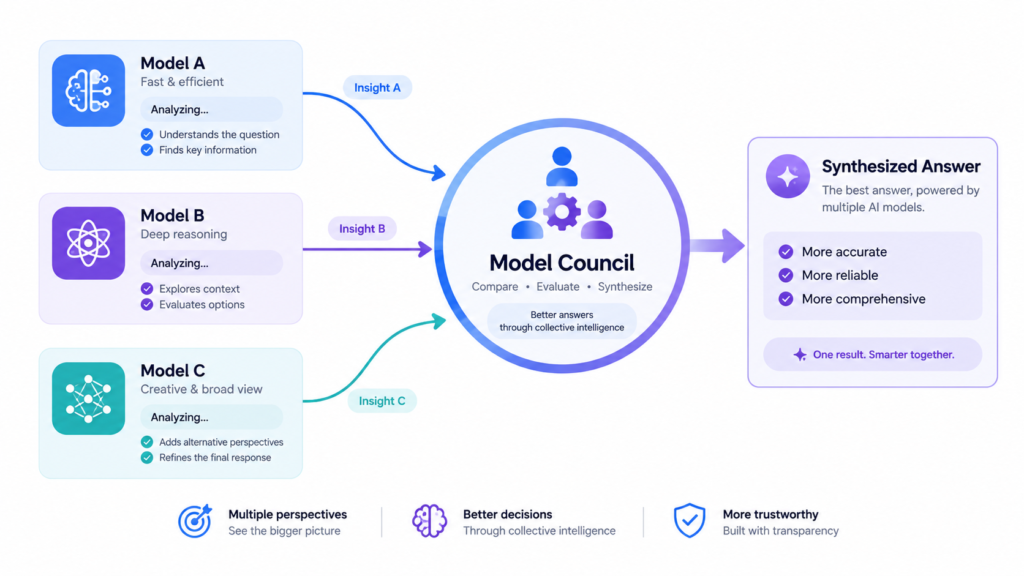
Most coverage of Comet focuses on ad blocking or tab summarization. The feature that deserves more attention — and the one I think is genuinely underexplored online — is Model Council.
Instead of locking you into a single AI model, Comet embeds a multi-model assistant that draws on models like Claude Opus, GPT, and Gemini directly into every tab, and its Model Council feature runs several frontier models in parallel on the same query and synthesizes their answers into one response. This is structurally different from how OpenAI’s Atlas browser works. The key differentiator is model diversity: Comet offers models from Anthropic, OpenAI, Google, and others, while Atlas is limited to OpenAI’s own models.
Why this matters in practice: when you ask a single-model assistant a nuanced question — say, interpreting a contract clause or evaluating conflicting medical study summaries — you get one model’s reasoning, blind spots included. Model Council effectively cross-examines the question across model families before you see an answer, which is a meaningfully different reliability story than “AI browser with a chatbot bolted on.”
Agentic Tasks: Booking, Form-Filling, and Comparison Shopping
Comet’s agent doesn’t stop at answering questions. It can actively perform tasks like booking flights, filling out forms, comparing products, drafting emails, and completing multi-step workflows autonomously. In my testing, the most reliable use case has been repetitive research-heavy tasks — comparing five SaaS pricing pages, or pulling spec sheets into a single summary — rather than anything involving payment details, where I still keep a hand on the wheel.
Platform Availability and Requirements
Comet’s rollout has been staged rather than simultaneous:
- Desktop (macOS & Windows): available since the original 2025 launch
- Android: followed in November 2025
- iOS: arrived on March 18, 2026, bringing the full AI browser experience to iPhone, with in-app purchases for Pro and Max subscriptions
- Minimum specs: 8GB RAM and a modern Intel i5-equivalent processor, with 16GB RAM recommended for smoother AI performance; supported on Windows 10/11, macOS 12+, and major Linux distributions
If you’re on an older laptop, Comet will still run, but the on-device summarization and multi-tab reasoning features feel noticeably snappier once you cross that 16GB threshold.
Comet for Business: The Enterprise Angle Nobody’s Covering
This is the part of the Comet story that most consumer-facing reviews skip entirely, and it’s arguably the more consequential development in 2026. Comet is now available for enterprise organizations, with administrators able to deploy it across macOS and Windows devices via MDM (mobile device management), complete with central control over policies, data handling, and feature access. It includes a Comet Assistant built specifically for in-page research and summarization under enterprise compliance requirements, aimed at use cases like financial services analyst desks, legal research firms, and journalism organizations doing heavy desk research.
Separately, Perplexity has been pushing distribution through hardware partnerships rather than just direct downloads. Comet’s agentic browsing capabilities have been integrated into Samsung Internet, with Perplexity available as an optional default search engine on Samsung devices — a meaningful distribution win given Samsung Internet is preinstalled on hundreds of millions of phones. That’s a very different growth strategy than Chrome’s or Edge’s, and it’s one reason Comet’s user numbers have grown faster than a browser download page alone would suggest.
Privacy and Security: What Changed After CometJacking
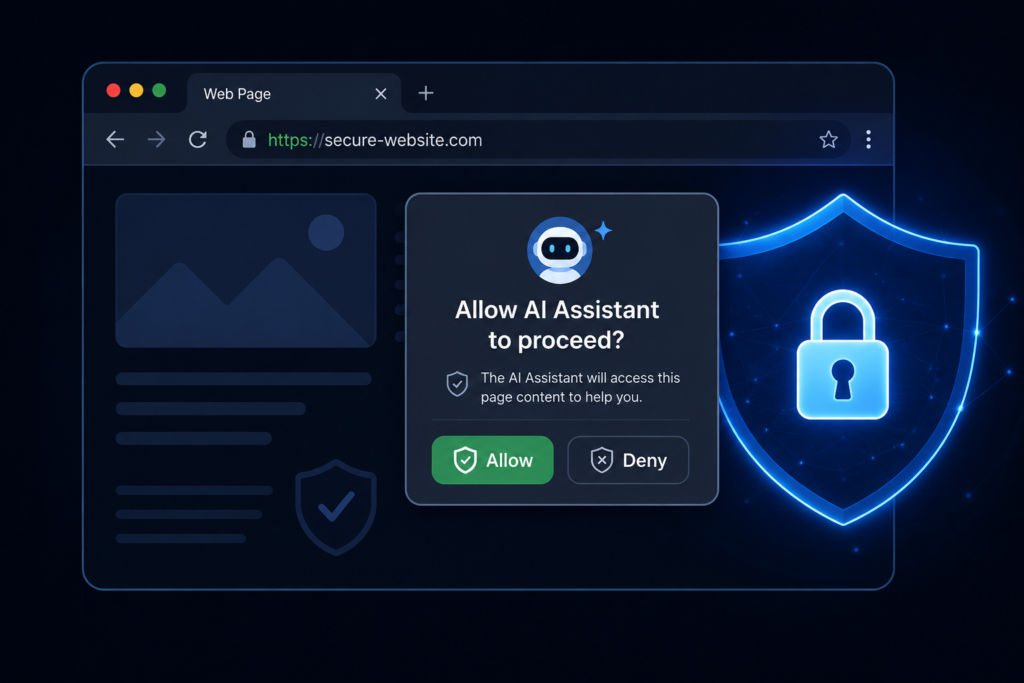
Any honest review has to address security, because Comet had a real incident. The browser faced a prompt-injection vulnerability nicknamed “CometJacking,” where malicious web pages could potentially manipulate the AI assistant into taking unintended actions — a flaw that has since been fully patched. In response, Comet now uses a permission-first model that requires explicit user approval before the assistant takes any action on your behalf, and it stores most browsing data locally on-device, only sending what’s necessary to Perplexity’s servers for AI processing.
Practically, that means for anything sensitive — banking portals, medical records, tax filing — you can simply disable the AI assistant on those specific tabs for extra peace of mind rather than trusting a blanket privacy setting. I’d treat this the same way you’d treat any browser extension with broad permissions: useful by default, worth switching off deliberately on the tabs where a mistake actually costs you something.
Comet vs. Chrome vs. Atlas: Where It Actually Wins
- Chrome still wins on raw extension ecosystem, developer tooling, and enterprise familiarity.
- Atlas (OpenAI) wins if you’re fully committed to a single-model workflow and want tight ChatGPT integration.
- Comet wins when you want model diversity, agentic task execution, and don’t want to pay for a premium tier just to get useful AI browsing — the free tier is fully functional, and Pro/Max subscribers get Comet Plus included at no extra charge.
Common Mistakes People Make With Comet
- Letting the agent act on financial tabs by default. Turn it off there; turn it on for research tabs.
- Assuming Model Council is “slower, so skip it.” It’s genuinely more reliable for ambiguous, high-stakes questions — use it selectively, not never.
- Treating it purely as search. Comet’s real value is task completion across tabs, not just answering trivia faster than Google.
- Ignoring the enterprise/MDM option if you’re rolling this out to a team — the compliance-focused deployment path exists precisely so IT doesn’t have to say no.
Personal Experience: What Switching to Comet Actually Felt Like
I moved to Comet as my primary browser for about six weeks while researching AI tools for client work, and a few things surprised me.
First, the tab-summarization habit changed how I research. I used to keep 15–20 tabs open “just in case” and mentally reconstruct the comparison later. With Comet, I started closing tabs faster because I trusted the assistant to have already extracted what mattered — that alone cut my end-of-day browser clutter dramatically.
Second, Model Council genuinely earned its keep on one specific occasion: I was cross-checking a claim about a software pricing change, and three different single-model assistants I’d tried elsewhere gave subtly different numbers. Running it through Comet’s Model Council flagged the discrepancy explicitly instead of confidently picking one number — which is exactly the kind of “show your uncertainty” behavior I want from a research tool.
Third, the agentic form-filling feature is good but not magic. It handled a straightforward newsletter signup and a multi-field contact form without issue, but stumbled on a form with a CAPTCHA and a dynamically loaded dropdown — it asked me to step in rather than guessing, which I appreciated more than a silent failure would have been.
The lesson I’d pass on: don’t evaluate Comet as “a browser with a chatbot.” Evaluate it as a research and task assistant that happens to render web pages. Judged that way, it’s one of the more genuinely useful shifts in daily tooling I’ve tried this year — not because it’s flashy, but because it quietly removes small, repetitive cognitive tasks.
Frequently Asked Questions
Is Comet Browser free to use?
Yes. Comet dropped its paywall in March 2026 and is now free on desktop, iOS, and Android, with optional Pro ($20/month) and Max ($200/month) tiers for premium models and unlimited queries.
Is Comet Browser safe to use?
Comet patched its known “CometJacking” prompt-injection vulnerability and now runs on a permission-first model that asks before taking any action, with most data processed locally rather than sent to servers by default.
What’s the difference between Comet and OpenAI’s Atlas browser?
Comet offers a mix of models from Anthropic, OpenAI, and Google through its Model Council feature, while Atlas relies solely on OpenAI’s own models — so Comet gives you cross-model verification, and Atlas gives you a single, tightly integrated assistant.
Does Comet work on iPhone?
Yes, Comet launched on iOS on March 18, 2026, with in-app purchases available for Pro and Max subscriptions.
Can businesses deploy Comet across a whole team?
Yes. Comet supports enterprise deployment via MDM on macOS and Windows, with centralized policy and data-handling controls designed for regulated industries like finance and legal research.
Does Comet replace Google Search?
Not entirely — Comet is built by Perplexity, which positions itself as a citation-grounded answer engine, but for many day-to-day queries it functions as a full search replacement inside the browser itself.
How much RAM does Comet need to run smoothly?
A minimum of 8GB RAM is required, but 16GB is recommended for the AI features to feel responsive, especially with multiple tabs open for cross-tab summarization.
What is Comet’s Model Council feature?
It’s a mode that runs multiple frontier AI models on the same question in parallel and synthesizes their answers, which is useful for catching disagreements or errors that a single model might miss.
Conclusion and Takeaways
Comet Browser isn’t just Chrome with a chatbot glued on — it’s a genuine rethink of what a browser is for, built around the idea that the browser should do research and small tasks on your behalf, not just render pages. The free tier is capable enough for daily use, the Model Council feature is a real differentiator for anyone who cares about answer reliability, and the enterprise/MDM rollout signals Perplexity is playing a longer game than just consumer downloads.
If you’re deciding whether to try it: start on the free tier, keep the assistant switched off on financial and medical tabs, and actually use Model Council for the questions where getting it wrong would cost you something. That’s where an AI-native browser like Comet stops being a novelty and starts being genuinely useful.
If you’re building an AI-first workflow more broadly, it’s worth also reading up on agentic AI systems and how AI productivity tools are evolving in 2026, since Comet’s agent behavior draws on the same underlying trends.