Chroma AI can refer to several different products. Chroma Studio creates and edits images and videos, ChromaDB provides search infrastructure for AI applications, and Studio Ray’s Chroma is an iPhone photo editor. Another service, Chroma: The Ad Alchemist, describes an advertising content workflow.
For business owners, marketers and website developers, the first decision is identifying which product matches the job. A subscription for photo editing, a browser-based creative platform and a database service involve different features, costs and responsibilities.
Which Chroma AI Product Do You Mean?
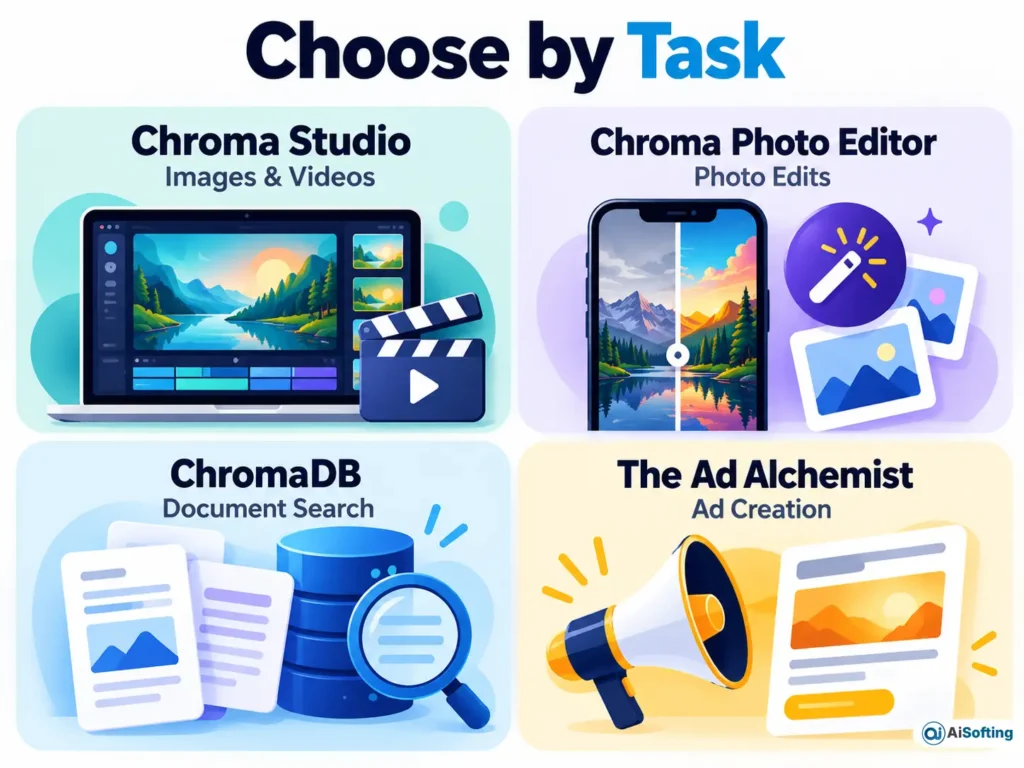
The product name alone is not enough to identify the right service.
| Product | Identifying website or publisher | Main purpose | Relevant business task |
|---|---|---|---|
| Chroma Studio | chromastudio.ai | Browser-based AI image and video creation | Draft campaign visuals and animate images |
| Chroma, often called ChromaDB | trychroma.com; the chromadb software package | Store and retrieve data for AI applications | Build document search or a knowledge-based assistant |
| Chroma – AI Photo Editor | Studio Ray Inc., on Apple’s App Store | Photo editing, filters and portrait effects | Prepare individual photos and explore visual styles |
| Chroma: The Ad Alchemist | chromaai.org | Describes generating advertising copy and visuals from supplied material | Explore an ad-focused content workflow |
These offerings should be evaluated individually. Do not assume that an account, payment, privacy promise or feature associated with one applies to the others.
For an ordinary marketing project, start with the required output: an image, a video, an edited photo or an answer retrieved from business documents.
Chroma Studio: Images and Videos for Business Content
Chroma Studio presents a browser-based collection of image and video tools. Its public pages describe text-to-image generation, image editing, background removal, upscaling, style effects and image-to-video generation.
The practical appeal is having several creative steps available within one platform. A small business could explore a campaign illustration, refine the selected image and then animate it for a short promotional clip. That is a possible workflow, not evidence that every generated result will be ready to publish.
A Practical Image-to-Video Workflow
Chroma Studio’s tool instructions support the following approach:
- Write a focused visual brief. Specify the subject, setting, colors, lighting and composition. For example: “A cream ceramic coffee mug on a navy desk, soft window light, minimal background, empty space on the right for a headline.”
- Choose the image model and aspect ratio. Decide where the asset will appear before generating it.
- Review the image before animating it. Check product shape, unwanted objects and consistency with the brief.
- Describe the motion. In the image-to-video tool, upload the selected image and describe a restrained movement, such as a slow camera push toward the mug.
- Inspect and download the result. Review the complete clip before using it in a campaign.
For a branded banner, add the final headline, offer and logo in an editable design layout. This makes later corrections easier than rebuilding an entire image whenever the wording changes.
Aisofting’s guide to AI banner creation for businesses explores the broader production workflow. For consistent colors, typography and reusable assets, a clear brand identity and graphic design process gives the creative brief a stronger foundation.
ChromaDB: Search Infrastructure for AI Applications
ChromaDB serves a different business need: finding relevant information within stored data.
According to Chroma’s documentation, it stores documents, metadata and embeddings. Embeddings represent information numerically so a system can search for similar meaning. Metadata adds useful labels, such as document type, product category or publication date.
For example, a retailer could index its approved delivery and returns documents. When a visitor asks about returning a damaged item, the application could retrieve relevant passages and pass them to a language model to draft an answer. This illustrates retrieval-augmented generation, or RAG: retrieval supplies information to a generation step.
ChromaDB provides the retrieval component; a complete assistant also needs an application interface, a generation model and rules for handling the answer.
How to Start a Business Document Search Project
A manageable first implementation follows these steps:
- Select a narrow document set. Start with approved support articles or product documentation.
- Prepare searchable records. Keep document sections understandable and attach source information.
- Create a collection and add records. Chroma’s getting-started documentation explains collections, unique record IDs and document queries.
- Check retrieval before adding answer generation. Review whether realistic customer questions return the appropriate passages.
- Plan persistence and maintenance. Decide how documents will survive restarts and how changed policies will replace outdated material.
A public assistant also needs access controls, error handling and a clear route to human support. These decisions belong within the wider website development and integration process.
Two Technical Details That Matter
An in-memory example does not save your database permanently. Chroma’s Python quickstart uses an in-memory client whose data is lost when the program ends. Its persistent client saves and reloads database files from disk.
Local and Cloud features are not completely interchangeable. Chroma’s documentation currently identifies the newer Search API as Cloud-only, with local support planned. That limitation applies to that API; local Chroma still supports its documented query and retrieval interfaces.
Before following a tutorial, check which deployment and API it uses.
Chroma’s iPhone Photo Editor
Apple’s US App Store identifies Chroma – AI Photo Editor as an app from Studio Ray Inc. The developer’s own website also lists Chroma as a mobile photo-editing product.
The App Store description includes text-directed edits, professional-style headshots, cartoon effects, face swaps and virtual clothing try-on. It is designed for iPhone and is free to download with in-app purchases.
For business use, consider it for individual photo tasks rather than an entire campaign production system. Inspect whether an edit preserves the subject’s identity and whether clothing, accessories or other details have changed in ways that could misrepresent the original.
What About Chroma: The Ad Alchemist?
The Chroma: The Ad Alchemist website describes turning text, a URL or a document into advertising copy and platform-specific visuals.
That positioning is relevant to marketers, but promotional language about “high-converting” ads does not establish campaign performance. An ad still needs an accurate offer, a suitable audience, an appropriate landing page and measurement against a business objective.
Its publicly readable pages did not establish a sufficiently clear pricing schedule for inclusion here. Avoid borrowing prices or features from another Chroma product to fill that gap.
Chroma AI Pricing: Understand What You Are Paying For
There is no single Chroma AI price. The products use different billing models.
| Product or deployment | Documented pricing structure | What to evaluate |
|---|---|---|
| Chroma Studio | A free tier and paid credit-based plans; the pricing page displays annual billing options | Billing period, included credits and the cost of the selected generation |
| Studio Ray’s photo editor | The US App Store lists Chroma Pro Weekly at $9.99 and Chroma Pro Yearly at $99.99 | The subscription period, included access and the purchase confirmation |
| Open-source ChromaDB | Available under the Apache 2.0 license | Hosting, storage, maintenance and any external model costs |
| Chroma Cloud | Usage-based charges; Starter has a $0 monthly base fee plus usage | Data written, storage, queries and returned data |
Chroma Studio’s pricing page displays monthly-style figures alongside “Billed yearly” wording. Read the billing period and total charge together rather than treating every displayed monthly figure as a month-to-month subscription.
For Chroma Cloud, the official pricing page and billing documentation both list $2.50 per GiB written and $0.33 per GiB stored per month. Reads and returned data have additional charges. These are database costs; budget separately for any paid embedding or generation services used by the application.
Cancellation also deserves attention before spending credits. Chroma Studio’s published policy says cancellation should occur at least 24 hours before the next billing cycle. It lists same-day purchase requests and unused subscription credits as conditions for a refund request, with requests evaluated individually.
Privacy and Commercial Use: Check the Specific Provider
Data handling differs across these products, so a broad statement such as “Chroma AI never stores your files” would be misleading.
Chroma Studio: Its privacy policy describes temporary server storage of images, videos and generated content. Do not treat its browser interface as proof that processing happens entirely on your device.
Studio Ray’s app: Apple’s privacy label says photos or videos may be collected and linked to the user. Apple also explains that the developer supplies this information and that Apple has not verified it.
Studio Ray’s privacy policy says personal uploaded content is not used to train its models or third-party models. It also describes third-party AI processing and exceptions to immediate deletion when content is saved to an account. Those are provider statements, rather than an independent privacy audit.
ChromaDB: Chroma supports locally generated embeddings and embeddings created through remote APIs. Running the database locally therefore does not, by itself, establish that the entire application keeps data on the same machine. The embedding and generation services must also be considered.
Before using client assets, confirm the applicable commercial terms and permission to process the source material. Keep confidential documents and unreleased creative assets out of an unapproved workflow.
Practical Insights
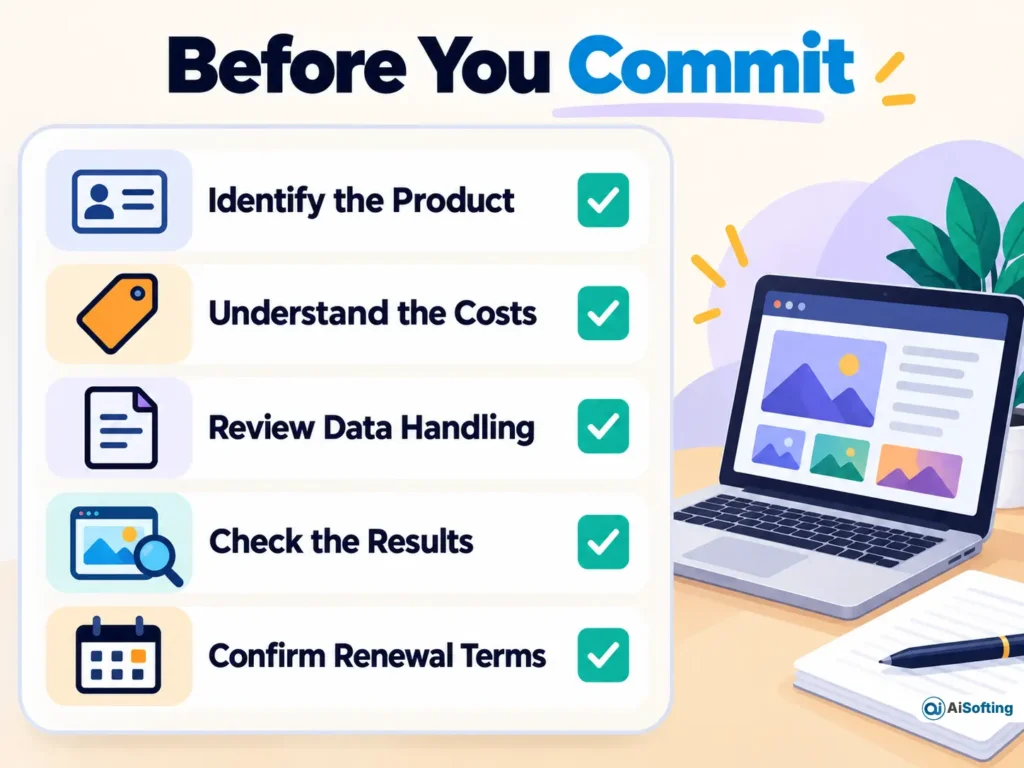
The following recommendations are editorial reasoning based on the documented workflows, billing structures and policies.
Measure Cost per Publishable Asset
A credit allowance tells you how much generation access you have. It does not tell you how many outputs will meet your brief.
For a campaign, compare total generation spending and editing time with the number of assets approved for publication. This gives a more useful purchasing basis than the largest advertised output allowance.
Separate Visual Exploration from Final Brand Production
Use generation to explore a scene, background or creative direction. Keep the final offer, product wording and brand assets editable, and check the exported file at the size customers will actually see.
This is especially useful when one concept must become a website banner, a square social post and a vertical promotion.
Evaluate Retrieval Before Evaluating the Assistant’s Writing
For a ChromaDB project, first inspect the retrieved passages. If the wrong return policy is retrieved, polished wording will not resolve the underlying problem.
Include questions about outdated products, exceptions and information absent from the document set. Define when the application should say it lacks sufficient information or send the visitor to support.
Match Privacy Review to the Material
A generic illustration and an unreleased customer document require different handling decisions. Identify what is uploaded, where it is processed and how it is retained before selecting the workflow.
Use provider policies as the starting evidence, and seek clarification where a requirement is not clearly covered.
Frequently Asked Questions
What Is Chroma AI?
Chroma AI is an ambiguous search term associated with several products. Common results include Chroma Studio, the ChromaDB developer database, Studio Ray’s photo editor and Chroma: The Ad Alchemist.
Is Chroma AI Free?
Some Chroma products offer a free starting point, but their limits differ. Chroma Studio lists a free tier, the iPhone app is free to download with in-app purchases, and open-source ChromaDB can be self-hosted. Chroma Cloud charges for usage after applicable credits.
Are Chroma Studio and ChromaDB the Same Tool?
They have different purposes. Chroma Studio provides creative image and video tools, while ChromaDB provides data storage and retrieval capabilities for developers building AI applications.
Can Chroma AI Generate Videos?
Chroma Studio documents image-to-video and text-to-video tools. Its image-to-video workflow uses an uploaded image, a motion prompt and generation settings; those creative features should not be attributed to the ChromaDB database.
Do I Need Coding Skills to Use Chroma?
Chroma Studio and Studio Ray’s app provide consumer-facing creative interfaces. Integrating ChromaDB into a custom website or assistant generally requires development work and decisions about data preparation, retrieval and deployment.
Can I Use Chroma Content for Business?
Check the terms for the particular provider, model and plan, along with your permissions for uploaded material. A commercial project also needs a review for misleading product details, unauthorized likenesses and brand consistency.
Does Chroma Use Uploaded Photos for AI Training?
The answer depends on the product. Studio Ray’s policy says personal uploaded content is not used for model training, while also describing third-party processing and retention exceptions. Do not apply that statement to Chroma Studio or another similarly named service.
Will ChromaDB Keep My Documents After a Restart?
That depends on how it is configured. The Python in-memory client does not preserve data after the program ends, while the persistent client saves database files to disk and reloads them.
Conclusion
Choose the Chroma product by its role in your business workflow. Chroma Studio is relevant to visual content production, Studio Ray’s app focuses on photo edits, and ChromaDB supports custom information retrieval. Treat The Ad Alchemist’s advertising claims as something to evaluate against a defined campaign need.
Start with a small, nonconfidential project. Review the output or retrieved passages, calculate the relevant costs, and confirm the provider’s terms before making the tool part of an ongoing business process.
Disclaimer
This software guide contains information current as of October 2026. Prices, features, usage allowances and availability can change, so confirm the current details with the specific provider before subscribing or deploying a service. Follow your organization’s approval process before uploading client material or confidential business data.