Introduction
If you’ve scrolled TikTok or Instagram in the last year, there’s a decent chance you’ve seen a video of a “celebrity” saying something ridiculous in a voice that sounds a little too real. Odds are good that clip came from Parrot AI, one of the more talked-about AI voice and video generator apps right now.
But here’s the thing that trips people up: “Parrot AI” isn’t one single product. There’s the viral consumer app built for pranks, memes, and celebrity voiceovers, a completely unrelated B2B tool that financial advisors use for meeting notes and client documentation, and even a third company called Parrot that offers AI-powered deposition and transcription tools for law firms, insurance companies, and law enforcement, and which reportedly closed an $11 million funding round. Same name, three very different audiences.
This guide focuses mainly on the consumer-facing Parrot AI app, since that’s what most people mean when they search the term, and it walks through what the tool does well, where it falls short, real user feedback, and a few lessons I picked up after actually spending time with it.
What Is Parrot AI?
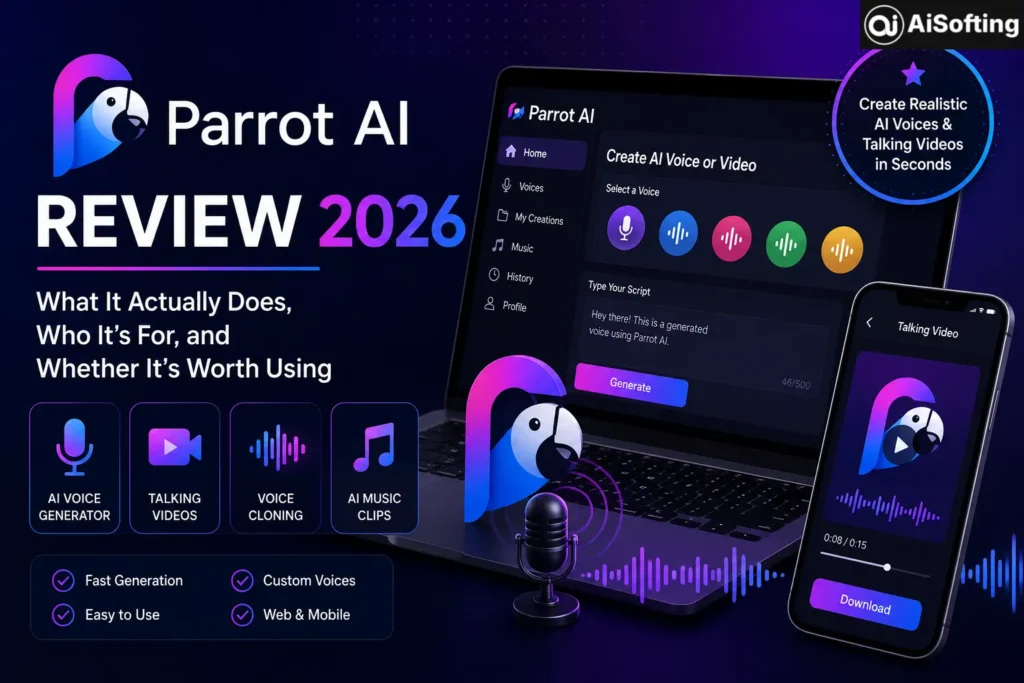
Parrot AI is an AI-powered voice and video generation app that lets users type a script and generate audio or video clips using celebrity-style or custom AI voices. The core pitch is simple: pick a voice, type what you want “them” to say, and the app generates a talking video or audio clip in under a minute.
It’s built primarily for entertainment rather than productivity — think birthday messages, prank calls, meme content, and reply chains for group chats, not business use cases.
Core Features
- Celebrity-style voice generator – a library of AI voices modeled after well-known public figures and personas
- Custom voice cloning – users can upload recordings to create their own AI voice clone
- Talking video generation – turns a photo or template into a lip-synced talking video
- AI music/singing clips – lets a chosen voice “sing” over a track
- Web and mobile access – available as an app and through a browser at tryparrotai.com
How Parrot AI Is Different From a Chatbot
A common point of confusion: Parrot AI is not a conversational AI like ChatGPT, Gemini, or Claude. It doesn’t answer questions or hold a conversation — it’s a media generation tool focused on voice and video output, not text-based reasoning or chat.
Who Uses Parrot AI (and Why)
Most of Parrot AI’s audience skews toward casual, social use rather than professional work:
- Meme creators and TikTok/Reels users making shareable clips for engagement
- Friend groups sending prank audio, roast messages, or birthday greetings
- Small content creators who need fast voiceover tools without hiring talent
- Marketers occasionally testing quick, low-stakes social ad concepts
Notably, this is a very different user base from the other Parrot AI — the one built into Advisor360° for wealth management professionals, which focuses on transcribing client meetings and organizing follow-ups for compliance purposes. If you landed here looking for that tool, it’s worth confirming which “Parrot AI” you actually need before signing up for anything.
Pricing and Plans
Parrot AI runs on a freemium model. The free version (mobile only) lets you try basic generation with limits, while paid tiers unlock more monthly generations, watermark removal, faster processing, and higher-quality exports. One detail that trips people up: mobile and web subscriptions are not linked. A subscription bought through the App Store won’t carry over to the web app, and vice versa, so it’s worth reading the fine print before purchasing on both platforms.
Benefits of Using Parrot AI
- Fast turnaround — clips generate in under a minute in most cases
- Low barrier to entry, no editing skills required
- Decent voice realism for casual, non-commercial content
- Custom voice cloning option for personalized content
- Works across both mobile and web
Common Mistakes People Make
- Assuming subscriptions carry across platforms. As noted above, mobile and web plans are billed separately.
- Using it for commercial or public-facing content without checking usage rights. Voice cloning and celebrity-style content can raise likeness and publicity-rights issues depending on how it’s used and shared.
- Expecting chatbot functionality. Some new users try to “ask it questions” rather than generate voice content — it isn’t built for that.
- Skipping the review of billing terms. Some Trustpilot reviews describe difficulty getting refunds and unexpected recurring charges, so it’s worth reading cancellation steps carefully before subscribing.
Best Practices for Better Results
- Keep scripts short and natural — very long text blocks tend to produce flatter-sounding audio
- Use punctuation deliberately; commas and periods affect pacing and tone in the output
- Test a voice with a short free sample before committing to a paid export
- Always check the app’s refund and cancellation policy before subscribing, given the mixed reviews around billing
Personal Experience
I spent a few days testing Parrot AI mainly out of curiosity after seeing clips pop up in group chats. A few honest takeaways:
The voice quality for short, punchy lines was genuinely better than I expected — the kind of clip that gets a laugh and a “wait, how did you make this?” from friends. Where it struggled was longer scripts; pacing got noticeably robotic past a sentence or two, and I found myself editing text down rather than writing it the way I normally would.
Signing up was painless, but I ran into the mobile-versus-web subscription split firsthand — I’d paid through the app, then couldn’t understand why the web version wanted me to pay again. That’s a real friction point worth knowing about before you commit to a plan.
I also went looking at independent reviews before recommending it to anyone, and the picture is mixed. App store ratings are solid overall, but there’s a consistent thread on third-party review sites about billing confusion and slow refund responses. That doesn’t mean the tool is a scam, but it’s a legitimate reason to be cautious with payment details and to double-check cancellation steps rather than assuming it works like a typical app subscription.
Net takeaway: fine for casual, low-stakes fun with friends; not something I’d build a business workflow around without doing more due diligence on the billing side first.
FAQs
Is Parrot AI free to use?
There’s a free tier on mobile with limited generations and a watermark. Paid plans unlock more generations, watermark removal, and higher-quality output.
Is Parrot AI safe to use?
The app itself functions as advertised for most users, but independent reviews mention billing and refund complaints, so it’s worth reading cancellation instructions carefully before subscribing.
Can Parrot AI clone any voice?
It supports custom voice cloning from user-uploaded recordings, in addition to a library of preset celebrity-style voices. Using someone’s likeness without consent, especially for public or commercial content, can raise legal and ethical concerns.
Is Parrot AI the same as ChatGPT or Gemini?
No. Parrot AI generates voice and video content; it doesn’t function as a conversational chatbot the way ChatGPT, Gemini, or Claude do.
Why do I have two different subscriptions for Parrot AI?
Mobile (App Store/Google Play) and web (tryparrotai.com) subscriptions are billed separately and aren’t automatically linked. You may need to cancel one before upgrading the other to avoid double charges.
Is the Parrot AI used by financial advisors the same app?
No. There’s a separate product also called Parrot AI, built for meeting transcription and client documentation in wealth management — unrelated to the consumer voice/video app.
Is there a Parrot AI for legal or business transcription too?
Yes. A separate, venture-backed company named Parrot builds AI transcription tools for legal depositions and enterprise use, serving law firms and insurers. It has no connection to the celebrity voice/video app covered in this guide.
Conclusion
Parrot AI has carved out a real niche as a fast, easy way to generate celebrity-style voice and video content for social media and group chats. It’s genuinely fun for casual use, and the voice quality holds up well for short clips. That said, it’s worth going in with clear eyes: read the billing terms closely, understand that mobile and web plans don’t overlap, and be mindful of likeness and consent issues if you’re cloning real voices. If you’re looking for a business-grade meeting assistant instead, make sure you’re looking at the right “Parrot AI” — Advisor360°’s version is a different product entirely.
Actionable takeaways:
- Try the free mobile tier first before paying for anything
- Keep scripts short for the most natural-sounding output
- Read the refund/cancellation policy before subscribing
- Avoid using cloned voices for anyone else’s likeness without their consent
- Confirm which “Parrot AI” product you actually need before signing up
Stay ahead with the latest AI tools, tips, and innovations by visiting Aisofting
Disclaimer: This article is based on publicly available information, app store listings, and third-party reviews as of July 2026. Pricing, features, and policies may change, so check the official app or website for the most current details. This is not legal advice regarding voice cloning, likeness rights, or data privacy — consult a professional for specific concerns. Personal experience described reflects one individual’s use of the app and may not represent every user’s results.
Sources: