Introduction
Ask a novelist what they think of AI writing tools and you’ll usually get one of two reactions: either “I’d never let a robot touch my prose” or “have you tried Sudowrite?” That split reaction is exactly why Sudowrite has built the reputation it has. Unlike most AI writing tools that are really built for marketers, blog content, or business copy, Sudowrite was designed from the ground up specifically for fiction — novelists, short story writers, and anyone whose work depends on voice, pacing, and character consistency rather than SEO-friendly headlines.
If you’re researching Sudowrite because you’re stuck mid-manuscript, curious about AI-assisted fiction writing, or just weighing it against ChatGPT or other general-purpose tools, this guide covers what it actually does, how the pricing really works, where it shines, where it falls short, and what I’ve personally learned using it on a real project.
What Is Sudowrite?
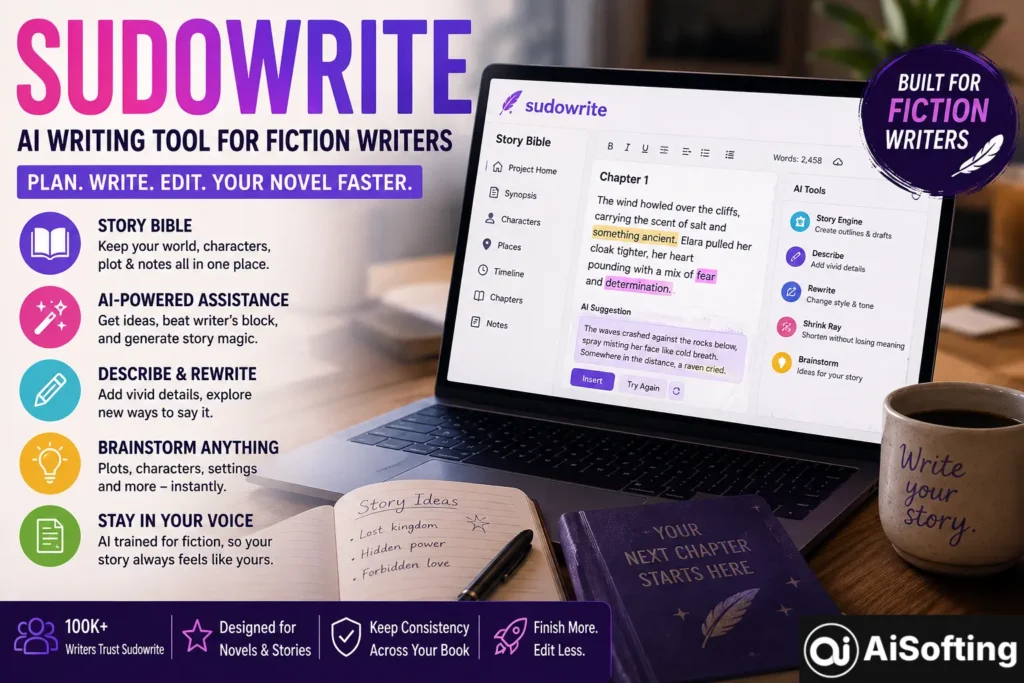
Sudowrite is an AI-powered writing assistant built specifically for fiction writers. Rather than generating generic, corporate-sounding text the way a general-purpose chatbot often does, it’s tuned around narrative craft — pacing, character voice, and scene-building — using both a proprietary model called Sudowrite Muse, optimized specifically for narrative prose, alongside other selectable AI models depending on what you’re trying to accomplish.
The tool has reportedly been used by more than 100,000 writers, ranging from hobbyists working on a first draft to published authors writing against a deadline. Its core value proposition isn’t “write your book for you” — most reviewers are clear that it won’t fully automate a finished novel — but rather breaking through writer’s block and generating creative momentum faster than manually staring at a blank page.
The Story Bible: Sudowrite’s Core Feature
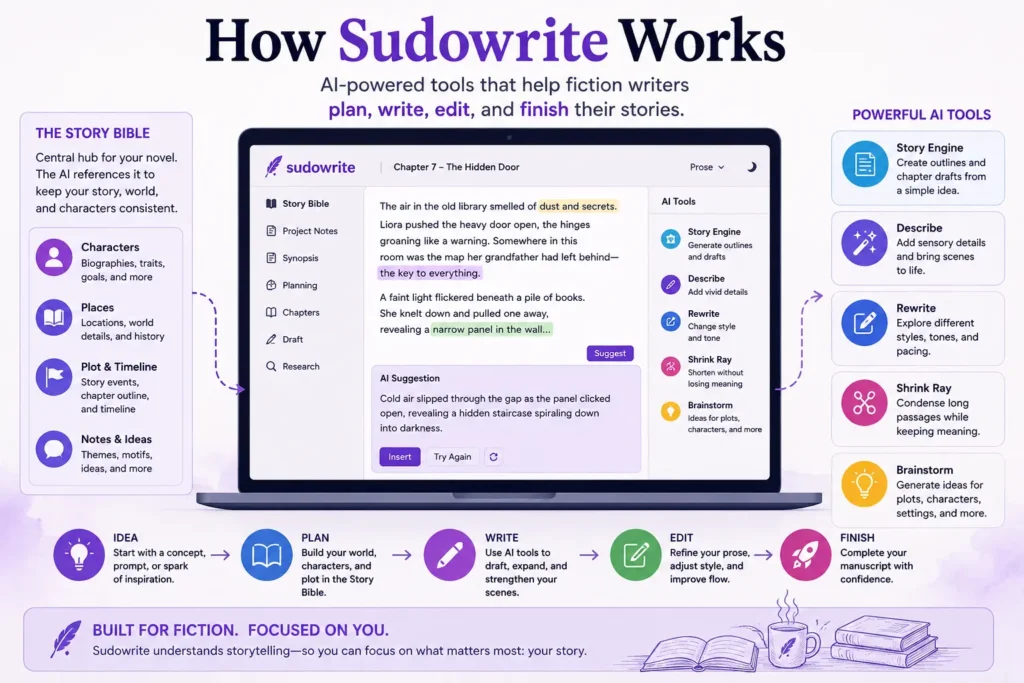
The centerpiece of the platform is the Story Bible — essentially a structured document where you define your novel’s world, characters, plot, and voice. The AI references this before generating any content, which is what allows it to maintain continuity across chapters rather than treating each scene as an isolated prompt. You can build a Story Bible from scratch, or import an existing draft and let Sudowrite auto-extract character and plot details from what you’ve already written.
Story Engine and Other Core Tools
Beyond the Story Bible, Sudowrite’s toolkit includes a few standout features:
- Story Engine — generates full novel outlines and chapter drafts from a concept description, useful for plotting out structure before diving into prose.
- Describe — expands sparse scenes with sensory detail, which is genuinely one of its most-praised individual tools.
- Rewrite — offers style variations on existing text, letting you see the same passage rendered in different tones or paces.
- Shrink Ray — condenses overly long passages without losing the core meaning.
- Brainstorm — generates ideas for plot directions, character quirks, or worldbuilding details when you’re stuck.
How Sudowrite Pricing Works
Sudowrite runs on a credit-based system rather than a flat “unlimited generations” model, and pricing has shifted somewhat over time, so it’s worth checking the official pricing page directly for the current numbers before committing. Broadly, plans have started around the $10-$20/month range on annual billing for lower-usage tiers, scaling up toward higher tiers with significantly more monthly credits for prolific or professional writers. All tiers generally unlock the same feature set — the difference is purely how many credits you get each month and whether unused credits roll over.
One consistent piece of feedback across reviews is that the credit system can deplete quickly with heavy usage or frequent regenerations, which makes total monthly cost less predictable than a flat subscription, especially for writers who like to generate several variations before settling on one.
Real-World Use Cases
- Breaking through writer’s block — feeding Sudowrite a paragraph and asking it to continue in your established voice, rather than facing a blank page cold.
- Drafting under deadline pressure — using Story Engine to quickly outline chapter structure when time is tight.
- Enriching thin scenes — running the Describe tool on a scene that reads too flat or expository, adding sensory grounding without a full manual rewrite.
- Maintaining character consistency across a long manuscript — referencing the Story Bible to keep a character’s voice and quirks consistent from chapter 3 to chapter 30.
- Exploring alternate stylistic directions — using Rewrite to see how a passage might read in a different pacing or tone before deciding which version fits the book.
Benefits of Using Sudowrite
- Genuinely fiction-aware output — unlike prompting a general chatbot for “the next scene,” Sudowrite’s narrative tuning shows up in how it handles pacing and character voice.
- Story Bible continuity — having the AI reference an established world and character set meaningfully reduces the inconsistency problems that plague longer AI-assisted drafts.
- Low barrier to entry — a clean, accessible interface with tools like Describe, Rewrite, and Shrink Ray that don’t require a steep learning curve.
- Free trial before committing — a starting credit allowance with no time limit lets you genuinely test the platform before paying anything.
- Actively developed — the team has a track record of adding features based on direct user feedback, including things like sensory-detail toggles and saved prose-style preferences.
Common Mistakes and Limitations to Know
- Assuming it will write a finished, publishable novel unattended. It won’t. Reviewers consistently describe it as a tool for creative momentum and craft support, not a replacement for actual authorship and editing.
- Expecting perfect voice consistency without any editing. Even with My Voice or Story Bible features active, tone and style can drift over a long project, and manual editing is still needed to keep things fully consistent.
- Not budgeting for credit usage realistically. Because pricing is credit-based, writers who regenerate passages frequently can burn through a monthly allotment faster than expected — it’s worth tracking usage early on to calibrate which tier actually fits your workflow.
- Using it for non-fiction or business writing. Sudowrite is explicitly built for fiction. If you need marketing copy, blog content, or business writing, general-purpose tools or business-focused AI writers are a better fit.
- Overlooking export limitations. Sudowrite is a drafting and craft tool, not a full publishing pipeline — it doesn’t handle things like polished export formatting, cover design, or audiobook production, so plan for a separate step to get from draft to finished, published product.
Best Practices for Getting the Most Out of Sudowrite
- Build out your Story Bible thoroughly before generating large amounts of content — the more context it has, the better the continuity.
- Use Describe and Rewrite selectively on specific scenes rather than generating entire chapters blindly, so you stay in control of pacing and voice.
- Treat generated text as a first draft to edit, not a finished product — the strongest results come from AI-assisted drafting paired with your own revision pass.
- Track your credit usage against your actual writing habits for the first month before committing to a long-term plan.
Personal Experience
I started using Sudowrite while stuck about a third of the way into a manuscript, at the exact point where I knew what needed to happen next but couldn’t get the scene to actually flow on the page. I’d tried prompting a general chatbot for help before, and the results always read a little flat and generic — technically fine sentences that didn’t sound like they belonged in my book.
Sudowrite’s Describe tool was the first thing that genuinely impressed me. I fed it a scene that was mechanically fine but sensory-thin, and the sensory detail it added felt like something I would have eventually landed on myself with more time, rather than something obviously AI-generated. That’s a meaningfully different experience from asking a general-purpose model to “make this scene more vivid.”
Where I ran into friction was exactly what other reviewers describe: voice drift over a longer stretch of writing. Around chapter eight or nine, I noticed the AI-assisted passages had started drifting slightly toward a more generic tone, even with a fairly detailed Story Bible in place. It wasn’t dramatic, but it was enough that I had to go back and do a manual pass to pull those sections back into my actual voice. My takeaway: Sudowrite is genuinely useful for breaking through a stuck scene or adding texture to something thin, but it’s not a “set it and forget it” tool for long-form consistency — you still have to stay actively involved as the editor of your own book.
I also underestimated how quickly credits could disappear when I was in an exploratory mood, running the same passage through Rewrite three or four times just to compare tone options. That’s a genuinely useful feature, but it taught me to be more deliberate about when I actually needed a regeneration versus when I was just procrastinating on making a decision myself.
FAQs
1. What is Sudowrite used for?
Sudowrite is an AI writing assistant built specifically for fiction writers, used for tasks like breaking through writer’s block, drafting and outlining chapters, expanding scenes with sensory detail, and maintaining character and plot consistency across a manuscript.
2. Is Sudowrite good for beginners?
Yes — reviewers consistently point to its clean, accessible interface and tools like Describe and Rewrite as having a relatively low learning curve compared to more complex writing software.
3. Does Sudowrite have a free plan?
Sudowrite doesn’t offer a permanent free plan, but it does provide a free trial with a starting allotment of credits and no strict time limit, letting you test core features before subscribing.
4. How much does Sudowrite cost?
Pricing is credit-based and has varied across tiers and billing periods; entry-level plans have generally started in the $10-$20/month range on annual billing, scaling up for higher usage. Since pricing structures shift, it’s best to check Sudowrite’s official pricing page for current numbers.
5. Can Sudowrite write an entire novel by itself?
No. It’s designed to support and accelerate the writing process — outlining, drafting scenes, expanding prose — but reviewers are consistent that it doesn’t replace an author’s own creative decision-making and editing.
6. Is Sudowrite better than using ChatGPT for fiction writing?
It depends on what you need. Sudowrite offers fiction-specific tools like the Story Bible and Story Engine that general-purpose tools lack, which can meaningfully improve narrative continuity. ChatGPT and similar general models are often cheaper and more flexible, but require more manual prompting skill to get comparable fiction-aware results.
7. Does Sudowrite support collaboration with co-authors?
No — it’s built as a single-writer tool without real-time collaborative editing, so if you’re co-writing a project with another person, you’ll need a separate workflow for that part of the process.
Conclusion
Sudowrite carved out a genuinely useful niche by building specifically for fiction writers instead of trying to be a general-purpose AI writing tool. The Story Bible and Story Engine features solve a real problem — AI-generated continuity across a long manuscript — that generic chatbots handle poorly. It’s not a magic novel-writing machine, credit-based pricing takes some getting used to, and voice drift over longer projects is a real limitation worth planning around. But for breaking through writer’s block, enriching thin scenes, and maintaining narrative structure, it’s one of the more purpose-built tools available for fiction writers right now.
Actionable takeaways:
- Build a detailed Story Bible before leaning on Sudowrite for larger drafting tasks.
- Use it as a drafting and craft-support tool, not a substitute for your own editing pass.
- Track your credit usage in the first month to find the tier that actually matches your writing habits.
- Combine it with a separate editing and publishing workflow, since Sudowrite focuses on drafting rather than final formatting or export.
If you’re building a broader platform or portfolio site around your writing work, it helps to have the surrounding digital presence just as sharp as your manuscript — see how professional web development services can support an author website or portfolio, and how professional SEO strategy helps readers actually find your work once it’s published.
For further reading, see the Alliance of Independent Authors’ guidance on AI tools in fiction writing, Reedsy’s overview of AI writing tools for authors, and The Authors Guild’s position on AI and creative writing.
Disclaimer: This article is for general informational purposes only and does not constitute professional or purchasing advice. Sudowrite’s features, pricing, and plan structures may change over time — always verify current details on Sudowrite’s official website before subscribing. This content is not affiliated with or endorsed by Sudowrite.