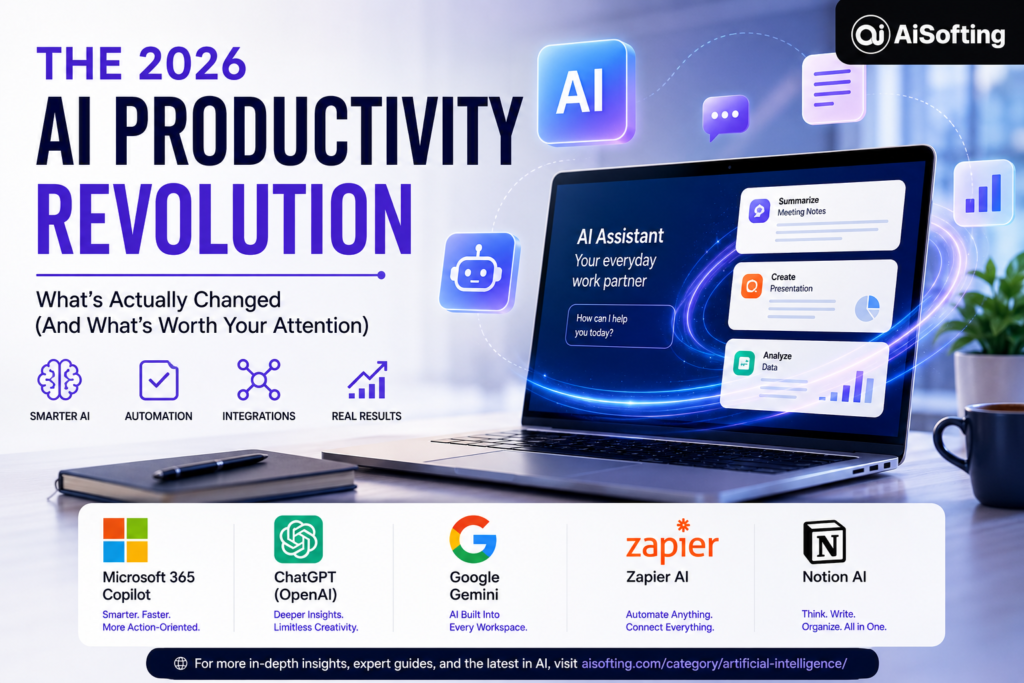
If you’ve been following the AI space for even a few months, you already know the pace of change is relentless. But 2026 feels different. The updates hitting the major AI productivity tools this year aren’t incremental tweaks — they represent a genuine shift in how these platforms think about what they’re supposed to do for you. We’ve moved past the novelty phase. The conversation has pivoted from “can AI do this?” to “how do I actually make it part of how I work every day?”
I’ve spent the better part of this year testing, breaking, and occasionally loving these tools across different workflows. This article covers what’s actually changed, what’s worth the hype, and a few hard-won lessons from real-world use. Whether you’re managing a team, building a business, or just trying to reclaim a few hours each week, here’s what you need to know about the state of AI productivity in 2026.
Why 2026 Is a Turning Point for AI Productivity Tools
There’s a meaningful difference between a tool that helps you do something and a tool that does something on your behalf. For most of 2023 and 2024, AI assistants fell firmly in the first category — smart autocomplete, drafting aids, helpful chatbots. That’s changing fast.
AI productivity tools in 2026 now focus on automation, context awareness, and multi-step task execution. Tools can complete full workflows like research, writing, and reporting — not just assist at individual steps. Better integrations and real-time data understanding are making them more useful for everyday work than ever before.
That shift from assistant to agent is the defining story of AI productivity in 2026. The McKinsey Global Institute estimates that generative AI could add up to 3.3 percentage points annually to labor productivity growth when combined with broader work automation — real numbers that explain why enterprises are no longer treating AI as a pilot program.
Microsoft 365 Copilot: The Enterprise Powerhouse Gets Serious
Microsoft has been playing a long game, and in 2026 it’s starting to pay off in ways that are hard to ignore if you live inside the Microsoft ecosystem.
Copilot Becomes an Action-Taker, Not Just an Advisor
Microsoft’s 2026 Copilot update integrates GPT‑5.2 and introduces “Quick Response” and “Think Deeper” modes, enabling tailored reasoning for different tasks. New features let Copilot create calendar events, draft and route emails, and edit live documents in Word, Excel, and PowerPoint — making it a more execution-focused tool than earlier versions.
That distinction matters enormously in practice. Ask Copilot to “schedule a follow-up with the marketing team after the Q3 review” and it will actually do it — it won’t just tell you how to do it. For anyone managing complex calendars or coordinating across departments, this is a meaningful time save.
The May 2026 Update: 53 Changes Worth Knowing About
According to the official Microsoft 365 Copilot release notes, the May 2026 release was one of the most feature-dense updates in recent memory. It brought federated connectors built on Model Context Protocol (MCP), delivering live, real-time data into Copilot from partners like Canva, HubSpot, Linear, LSEG, Moody’s, and Notion. GPT-5.5 Instant also landed in Copilot Chat, while Plan mode in Excel and Python support finally make spreadsheet edits transparent before they apply.
The federated connector architecture is worth dwelling on. Previously, Copilot worked off indexed snapshots of your data — meaning it might answer a question about your HubSpot pipeline using data that was already hours or days out of date. The new MCP-based connectors query those systems live, at the moment you ask the question. For sales teams, finance teams, or anyone who lives and dies by real-time data, that’s a real step change.
Many organizations are still balancing modern AI experiences with older systems that were never designed to work together, leaving teams stuck maintaining brittle automations and disconnected processes. The May updates specifically target that gap — moving toward more connected, adaptive automation that’s structured where needed and flexible where valuable.
ChatGPT and OpenAI: Pushing the Boundaries of Creative and Technical Work
OpenAI’s GPT‑5.5 shows strong benchmark performance and enhanced image generation, with its 2026 rollouts underscoring the intensifying competition to dominate enterprise and consumer AI workflows.
For creative professionals, researchers, and developers, ChatGPT’s trajectory in 2026 has been about depth. The Deep Research feature has become genuinely useful for competitive analysis, academic literature reviews, and building first-draft intelligence briefings — tasks that used to take hours of manual work. The new Atlas browser integration, which blends ChatGPT with a Chrome-like browsing experience, represents OpenAI’s push into more ambient, always-on productivity.
Where ChatGPT Still Leads
For tasks outside the Microsoft ecosystem — creative writing, coding, research, and image generation — ChatGPT remains the superior choice, making it the go-to for students and independent professionals whose needs don’t center on enterprise document workflows. Many universities now offer discounted or free institutional access, making it especially practical for academic users.
Google Workspace and Gemini: AI Woven Into Every Surface
Google’s approach in 2026 has been thoroughness. Rather than building a separate AI tool you have to context-switch into, the team has been embedding Gemini directly into every product surface in the Workspace suite.
Google’s official March 2026 AI update expanded support for creative writing and coding tasks directly within Search, and made it easier to create with Gemini in Docs, Sheets, Slides, and Drive. AI Ultra and Pro subscribers now get enhanced AI tools across all of these surfaces, and Gemini can securely synthesize information across your files, emails, and the web to uncover useful insights while keeping data safeguarded.
The Gemini in Sheets update deserves specific attention — it has achieved state-of-the-art performance, making it a more powerful partner for complex data analysis and collaborative tasks. For anyone who spends time cleaning messy datasets, building pivot tables, or trying to extract meaning from raw numbers, this is a feature worth actually trying, not just reading about. Google Maps also received a major Gemini upgrade, useful for teams that rely on location intelligence in their workflows.
Zapier and Workflow Automation: The Glue Gets Smarter
If Microsoft Copilot is the AI built into your office, Zapier is increasingly the AI that connects your office to everything else.
Zapier connects thousands of apps through automated workflows, with AI-powered features including Copilot for building automations and MCP for advanced orchestration. According to Zapier’s own roundup of top AI productivity tools, recent updates bundled Tables, Interfaces, and Zapier MCP into standard plans at no extra cost — and the AI Copilot now helps build automations through conversation rather than clicking through configuration screens.
The Agents feature creates AI assistants that can take multi-step actions across your tool stack — so an ops team can automate “when a lead fills a form, add them to the CRM, notify sales in Slack, and trigger a welcome email” without any developer involvement. For operations teams managing dozens of cross-platform processes, Zapier eliminates hours of manual data transfer and reduces copy-paste errors.
Notion AI, ClickUp AI, and the Project Management Wave
The project management space has seen some of the most practical AI upgrades of 2026. ClickUp AI is specifically designed to enhance project management by automating task creation, providing workflow insights, and generating updates — combining cost management, task organization, and automation into a single platform for teams managing complex tasks in real time, starting at $12/month with AI features included.
Notion AI has become a central hub for knowledge workers who need a single place that can handle research synthesis, note-taking, writing, and database management. The integration with Copilot’s new federated connectors means that Notion data now flows directly into Microsoft workflows — a bridge that used to require manual exports and imports.
A focused combination of NotebookLM for research, Claude for generation, and Notion for structure covers most knowledge work needs — a minimal stack that works precisely because it’s minimal.
AI Meeting Tools: Fireflies.ai and the Time-Back Economy
One of the most underappreciated categories in AI productivity has been meeting intelligence. Fireflies.ai analyzes, transcribes, and records meetings automatically, with high transcription accuracy and integrations with Google Meet and Zoom — allowing users to track action items, search past conversations, and collaborate more effectively, starting at $10/month.
The real value isn’t just the transcript. It’s the searchable, action-item-aware record of every decision your team has made. When someone asks three weeks later “wait, did we decide on the Q4 budget?” — you have an answer in seconds instead of a chain of Slack messages.
Building Your 2026 AI Productivity Stack: A Framework
With hundreds of tools competing for your attention and budget, the most important skill in 2026 isn’t knowing which tools exist — it’s knowing which ones to ignore.
Your AI stack should be minimal (two to four tools), focused (each solving one clear problem), and integrated (each one connecting to your existing workflow). Most teams underuse the AI features already built into Microsoft 365, Google Workspace, and Notion before adding new subscriptions — and those built-in features are often the best place to start.
Here’s a practical framework to evaluate any new AI productivity tool before adopting it:
The Bottleneck Test: Does this tool address one of your top three time drains? If not, it’s a distraction. Add a tool because it solves a pain, not because it’s impressive.
The Depth-Before-Width Rule: The marginal gain from switching to a new tool is almost always smaller than the marginal gain from using your current tool 20% better. Go deep before you go wide.
The Integration Check: A tool that doesn’t connect to the rest of your stack creates more friction than it removes. Before adopting anything, confirm it integrates with the two or three systems you use every day.
The 90-Day Commitment: Almost no tool shows its full value in the first two weeks. Give anything you adopt a genuine 90-day run before assessing whether it’s working.
Common Mistakes When Adopting AI Productivity Tools
Many professionals make these avoidable mistakes when building their AI stack:
Chasing novelty over utility. Every major platform releases impressive features constantly. Not every update is a reason to rebuild your stack.
Treating AI output as finished work. Even the best models make errors, especially on nuanced or domain-specific content. Always apply a human review layer before anything important goes out.
Ignoring security and data governance. Pasting confidential client data or proprietary information into a consumer AI tool is a real liability. Know your organization’s policies before you build workflows around any platform.
Optimizing the stack instead of using it. There is a category of person who spends more time reading about productivity tools than producing anything with them. The stack is not the work. The stack exists to disappear.
Personal Experience: What Actually Changed How I Work
I’ll be honest — I came into 2026 a little skeptical. I’d built a workflow around a handful of tools that were working well enough, and every few weeks there was another breathless announcement about some capability that was going to change everything. Most of them didn’t.
But a few things genuinely shifted my day-to-day.
The biggest change was adopting a dedicated AI meeting notetaker. I resisted for months because I thought the transcripts would be noisy and hard to use. I was wrong. Within about two weeks of using Fireflies.ai consistently, I noticed I was spending dramatically less time on follow-up clarification — both asking for it and giving it. Action items that used to fall through the cracks started getting caught.
The second meaningful shift was using Claude for long-form research synthesis. Not for generating finished content, but for processing large documents — research reports, lengthy email threads, competitor analysis — and surfacing what actually matters. The time savings on that kind of work compound fast.
The third was finally, reluctantly, getting serious about Zapier. I’d dabbled with it for years without ever going deep. The new natural language automation builder changed that. I described what I wanted in plain English, the tool built the Zap, and I tweaked it from there. What used to require an hour of configuration now takes ten minutes.
The lesson I keep coming back to: the most valuable AI productivity tools aren’t the ones that do the most impressive things. They’re the ones that quietly eliminate the work that was draining your energy without you even noticing.
Frequently Asked Questions
What are the best AI productivity tools in 2026?
The most widely adopted AI productivity tools in 2026 include Microsoft 365 Copilot (enterprise workflows), ChatGPT (creative and research work), Gemini in Google Workspace (document creation and data analysis), Zapier (cross-app automation), Notion AI (knowledge management), Fireflies.ai (meeting intelligence), and ClickUp AI (project management). The best choice depends entirely on your specific workflows and existing tool stack.
How is AI productivity different in 2026 compared to earlier years?
The key shift is from assistance to action. Earlier AI tools primarily helped users draft, suggest, or explain. In 2026, the leading platforms can execute multi-step tasks autonomously — scheduling meetings, updating records, routing emails, and generating reports without step-by-step human input at each stage.
Is Microsoft Copilot worth it for small businesses in 2026?
For businesses already using Microsoft 365, Copilot’s 2026 updates — especially the live MCP connectors and in-app action capabilities — offer genuine time savings. For teams not embedded in the Microsoft ecosystem, the value proposition is less clear, and ChatGPT or Zapier may offer more flexibility at lower cost.
What is Model Context Protocol (MCP) and why does it matter?
MCP (Model Context Protocol) is an open standard that allows AI tools to query external data sources live, at the time of a request. Instead of working off a pre-indexed snapshot of your data, an MCP-enabled tool pulls the latest information from connected apps. This is significant for use cases where data changes frequently — like CRM pipelines, financial dashboards, or project management boards.
Can AI productivity tools replace human employees?
No, but they meaningfully change what human time gets spent on. The most realistic framing is that AI handles high-volume, low-judgment tasks — transcription, formatting, routing, first-draft generation — freeing human workers to focus on decisions, relationships, and work that requires real context and accountability.
What’s the biggest mistake people make with AI productivity tools?
Tool overload is the most common failure mode. Professionals sign up for too many platforms, never go deep on any of them, and end up spending more time managing their tools than benefiting from them. A focused stack of two to four well-integrated tools almost always outperforms a sprawling one.
How do I protect sensitive data when using AI productivity tools?
Use enterprise-tier versions of tools where your data isn’t used for model training. Review your vendor’s data retention and processing policies before building workflows around any platform. Avoid pasting confidential client data, financial details, or personally identifiable information into consumer AI products unless you’ve confirmed they meet your organization’s compliance requirements.
Will AI productivity tools keep getting more expensive?
Pricing has been mixed. Some tools have consolidated features into standard tiers — as Zapier did with MCP access. Others have introduced usage-based billing that can escalate quickly. The best protection is to clearly define what you need from a tool before subscribing and monitor actual usage quarterly.
What’s the role of AI in project management specifically?
AI is most valuable in project management for three things: reducing the friction of creating and updating tasks (through natural language input), surfacing blockers and dependencies before they cause delays (through pattern recognition), and automating status reporting so managers spend less time chasing updates. Tools like ClickUp AI and Notion AI are leading this category in 2026.
How often should I reassess my AI tool stack?
Quarterly is the sweet spot. The AI landscape moves fast — tools improve, pricing changes, and new entrants appear regularly. Set a quarterly cadence to evaluate whether your current tools are still the best fit or whether something better has emerged.
Conclusion: Focus Is the Real Productivity Upgrade
The 2026 updates across AI productivity tools represent genuine progress — not just incremental feature shipping, but a meaningful shift in what these platforms can do for you. Microsoft Copilot is becoming an enterprise operating layer. ChatGPT is deepening its capabilities for complex creative and technical work. Gemini is weaving AI into every corner of Google Workspace. Zapier is making automation accessible without code. Meeting intelligence tools like Fireflies.ai are quietly giving people hours back each week.
But the technology is only half the equation. The other half is having the discipline to choose a small stack, use it deeply, and resist the gravitational pull of every new launch.
Actionable takeaways:
- Audit your current workflow and identify your top three time drains before considering any new tool
- Don’t adopt a new AI tool until you’ve fully explored the AI features already built into what you’re using
- Give any new tool a genuine 90-day window before passing judgment
- Use MCP-enabled integrations (in Copilot or Zapier) to ensure your AI is working with live data, not stale snapshots
- Establish clear data governance rules for your team before building AI into sensitive workflows
- Reassess your stack quarterly — but only change it when you have clear evidence that something isn’t working
The teams and individuals winning with AI in 2026 aren’t the ones with the most tools. They’re the ones who picked two or three and went all the way in.
Want to stay updated with the latest AI trends, breakthrough technologies, and productivity-enhancing tools? Explore more expert articles and in-depth AI resources at AI Softing’s Artificial Intelligence Hub: Aisofting