Our rating: 4.1 / 5 — Strong for teams already living across Zoom, Slack, and email who want one place to search everything. Less convincing if you just want a simple, cheap notetaker.
Introduction
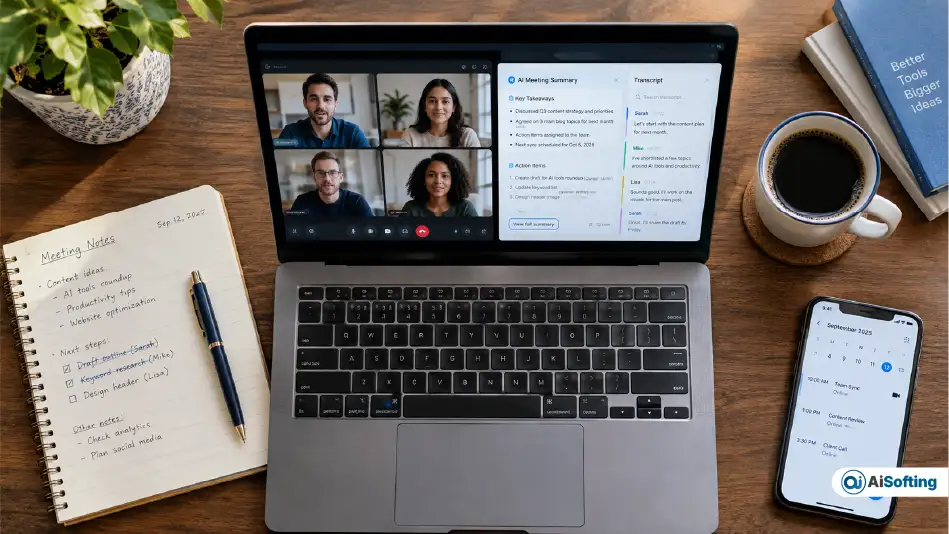
We went into this review expecting another transcription bot with a nicer summary layer. What we found instead was a tool that’s quietly trying to become something bigger: not just a notetaker, but the thing that remembers your work for you, answers questions about it, and — with its newer agents — tries to cut down how many meetings you sit through in the first place.
This review is based on hands-on use of Read AI across several weeks of real team meetings, cross-checked against Read AI’s own product documentation, pricing pages, and official product announcements, plus independent reporting from outlets like TechCrunch and GeekWire. We’ve flagged anywhere we’re relying on the company’s own claims rather than something we verified ourselves.
If you’re deciding between Read AI, Fathom, and Otter.ai, here’s what actually matters and where each one wins. If you’ve also come across the meeting-notes version of Parrot AI in your research, our Parrot AI review breaks down how that tool compares for teams weighing several options at once.
What Is Read AI, Really?
Read AI is a Seattle-based AI meeting and productivity platform founded in 2021 by CEO David Shim, along with co-founders Rob Williams (CTO) and Elliott Waldron (VP of Data Science). It joins video calls to transcribe and summarize them, then connects those meeting insights to your emails, Slack messages, and CRM records — what the company calls a “personal knowledge graph.”
It’s built into the standard meeting stack more deeply than most competitors: Zoom named it an Essential App, and Google made it a launch partner for Meet Add-Ons. That matters practically — setup takes minutes, not a lengthy IT approval process.
What It Does Well, in Practice
- Transcription — accurate in clear audio, on par with what we’d expect from Otter or Fathom. It struggled a bit more with overlapping speakers on a call with six people talking over each other.
- Search Copilot — this is the feature that actually changed how our team worked. Once Slack and email were connected, questions like “what did we agree with the vendor” started returning real, correctly-sourced answers instead of a shrug.
- Engagement and sentiment scoring — genuinely useful for people who run a lot of meetings and want to self-correct talk-time habits. Read AI doesn’t fully disclose the exact methodology behind these scores, so we’d treat them as a directional signal, not gospel.
- CRM Copilot — surfaces deal risk and next steps inside Salesforce or HubSpot. We didn’t test this extensively since it’s outside our own sales workflow, but it’s a clear differentiator for revenue teams based on how it’s built.
Where It’s Weaker
- The free plan caps out at 5 meetings a month with a 1-hour limit — too thin to judge the tool’s real strength (accumulated search) inside a normal week.
- Read AI doesn’t publish the exact mechanics behind its engagement scoring, which makes it hard to fully trust as a coaching tool.
- Some review sites and competitor comparisons document complaints about the recording bot auto-joining calls once calendar permissions are granted, and about difficulty adjusting that behavior afterward. We ran into a milder version of this ourselves (see Personal Experience below).
What’s Genuinely New in 2026
This is the part most “Read AI review” articles are still missing, because it shipped recently.
Ada: A “Digital Twin,” Not a Chatbot
Read AI’s official framing for its new assistant, Ada, isn’t “AI chatbot” — the company calls it a digital twin that handles scheduling, answers knowledge-base questions, and manages follow-ups. You activate it by emailing ada@read.ai.
The detail that impressed us most: Ada doesn’t fire off replies on its own. For anything beyond a scheduling request, it sidebars with you first so you can review, edit, or approve the message before it’s sent — and it never reveals your meeting details to the person it’s coordinating with, only your availability. That’s a more cautious design than most “autonomous” email agents we’ve seen, and it’s the kind of detail that only shows up once you’ve actually configured it.
An MCP Server for Developers
Read AI now ships a public MCP (Model Context Protocol) server and API, letting developers pull meeting content directly into code and other connected AI tools. This is a meaningfully different move than the transcription-vs-transcription comparisons most coverage focuses on — it puts Read AI closer to infrastructure than to a standalone app for technical teams.
The Agentic Workflow Suite: Fewer Meetings, Not Just Better Notes
Built from Read AI’s internal study of behavior across more than 5 million meetings, the Agentic Workflow Suite includes a Monday Briefing, an End of Week recap, and attendance agents that flag whether you actually need to personally join a recurring meeting based on your past engagement. According to Read AI’s own reporting, some users have cut the number of meetings they personally attend by as much as 20% — a company-reported figure we haven’t independently verified, but it’s directionally consistent with what these agents are built to do.
Pricing (Verified Against Read AI’s Official Pricing Page)
| Plan | Monthly | Annual | Best For |
|---|---|---|---|
| Free | $0 | $0 | Testing the product; 5 transcripts/month, 1-hour cap |
| Pro | $19.75/user | $15/user | Individuals and small teams |
| Enterprise | $29.75/user | $22.50/user | Teams needing video playback |
| Enterprise+ | $39.75/user | $29.75/user | HIPAA, SSO, custom data retention |
The free plan is a legitimate way to sample the interface, but it’s not enough to judge the thing Read AI is actually best at — search that gets smarter the more history it has.
How It Compares
- Fathom wins on price — a genuinely unlimited free tier with no watermark.
- Otter.ai wins on live, in-meeting transcription as it happens.
- Read AI wins on connecting meetings to email, Slack, and CRM data over time — but you need to give it weeks, not days, to prove it.
Read AI’s push toward agents that act on your behalf — Ada, the Agentic Workflow Suite — also puts it in the same broader conversation as AI agents built for scheduling and follow-ups elsewhere in the productivity stack; our roundup of 2026’s AI productivity tool updates covers how that shift toward autonomous agents is playing out across the category, not just at Read AI.
Common Mistakes We’d Warn You About
- Letting the bot auto-join everything by default. Set it up deliberately, meeting type by meeting type.
- Skipping consent conversations. Recording bots raise real trust issues, especially on client-facing calls.
- Treating engagement scores as objective. Use them as a nudge, not a verdict.
- Judging the product on the free tier alone. You’ll miss the feature that matters most.
- Not checking data retention before you cancel. Past recordings can become inaccessible once a subscription lapses — export anything you need first.
Our Personal Experience
We rolled Read AI out across a nine-person team and tracked it for about six months.
Week one was underwhelming in a good way — it just worked as a notetaker, and within two weeks nobody was asking “can someone send me yesterday’s notes” anymore. The real shift happened around month three or four, once Slack was connected and enough meeting history had built up. Search Copilot started correctly answering things like “what did we decide about the vendor contract in March,” faster than digging through Slack manually would’ve been.
The engagement scoring split opinion internally. A couple of people found the talk-time feedback genuinely useful for running tighter meetings. Others were uneasy being scored on “engagement” without a clear explanation of how it’s calculated — and honestly, we didn’t have a great answer for them, because Read AI doesn’t spell it out. We’d suggest introducing this feature as optional self-coaching rather than something everyone’s opted into by default.
The auto-join behavior needed real management. The bot joined at least two meetings it had no business being in, purely because those meetings were on someone’s calendar. Once we manually reviewed which meeting types triggered it, that friction went away — but it’s a setup cost most reviews don’t mention, and it cost us a slightly awkward moment in front of a client.
Our bottom line: worth the Pro tier for a team running 15+ meetings a week, mostly for the cross-channel search once it’s had time to build context — not for the notetaking, which every serious competitor now handles well too.
FAQs
Is Read AI safe to use for confidential meetings? Read AI is SOC 2 Type II, HIPAA, and GDPR compliant, and states it doesn’t train its models on your data by default. For genuinely sensitive conversations, we’d still disable the bot manually rather than rely on default settings.
Does Read AI work without a bot joining the call? Yes — Read AI supports bot-free capture via computer audio on Zoom, Google Meet, and Microsoft Teams.
How accurate is Read AI’s transcription? Strong in clear audio, comparable to Otter and Fathom in our testing. It drops off with heavy crosstalk or multiple people talking over each other, as with any speech-to-text tool.
Is Read AI better than Otter.ai or Fathom? Depends what you need most. Fathom wins on price, Otter wins on live transcription, Read AI wins on connected search across meetings, email, Slack, and CRM data.
Can Read AI integrate with Salesforce and HubSpot? Yes, via CRM Copilot, which surfaces deal risk and meeting-derived next steps — a paid-tier feature.
What is Ada in Read AI? Ada is Read AI’s “digital twin” assistant, launched in 2026, that handles scheduling, knowledge-base Q&A, and follow-ups — accessible by emailing ada@read.ai.
Does Read AI actually reduce the number of meetings I attend? Its Agentic Workflow Suite includes attendance agents built for this, and Read AI reports some users cutting attended meetings by up to 20%. We’d treat that as a company-reported figure, not an independently audited one.
Is there a free version of Read AI? Yes — 5 meeting transcripts a month, 1-hour meeting cap, and unlimited enterprise search, with no video playback.
What happens to my meeting data if I cancel my subscription? Past recordings can become inaccessible after cancellation — export anything you need before you downgrade.
Conclusion: Should You Use Read AI?
If your team already lives across Zoom, Slack, and email and you’re tired of context disappearing between them, Read AI earns its price on the Pro tier — but only after you give it enough time to build up search history. If you just want a solid, cheap notetaker and nothing more, Fathom’s free tier is genuinely hard to beat, and you shouldn’t pay for features you won’t use.
What we’d do in your shoes:
- Start on Free, but judge it over real weeks, not a single meeting
- Connect Slack and email immediately — this is where the value actually shows up
- Set explicit rules for which meetings the bot joins
- If you’re technical, check out the MCP server before writing this off as “just a notetaker”
- Compare it directly against Fathom or Otter based on what you personally need, not whichever ranks first on Google
For more hands-on tool breakdowns like this one, see our AI productivity tools updates for 2026 and, if you’re also automating workflows beyond meetings, our guide to AI automation tools on Aisofting.
Disclaimer: This review reflects our team’s hands-on use of Read AI over several weeks, combined with information published on Read AI’s official website, pricing pages, and product announcements, and independent reporting from outlets such as TechCrunch and GeekWire. Product features, pricing, and policies change frequently — always confirm current details on read.ai before making a purchasing decision. Figures attributed to Read AI (such as its 20% meeting-reduction claim) are the company’s own reported statistics and have not been independently audited by us. This is not sponsored content, and aisofting.com has no paid partnership with Read AI at the time of publishing; if that changes, we’ll disclose it here.