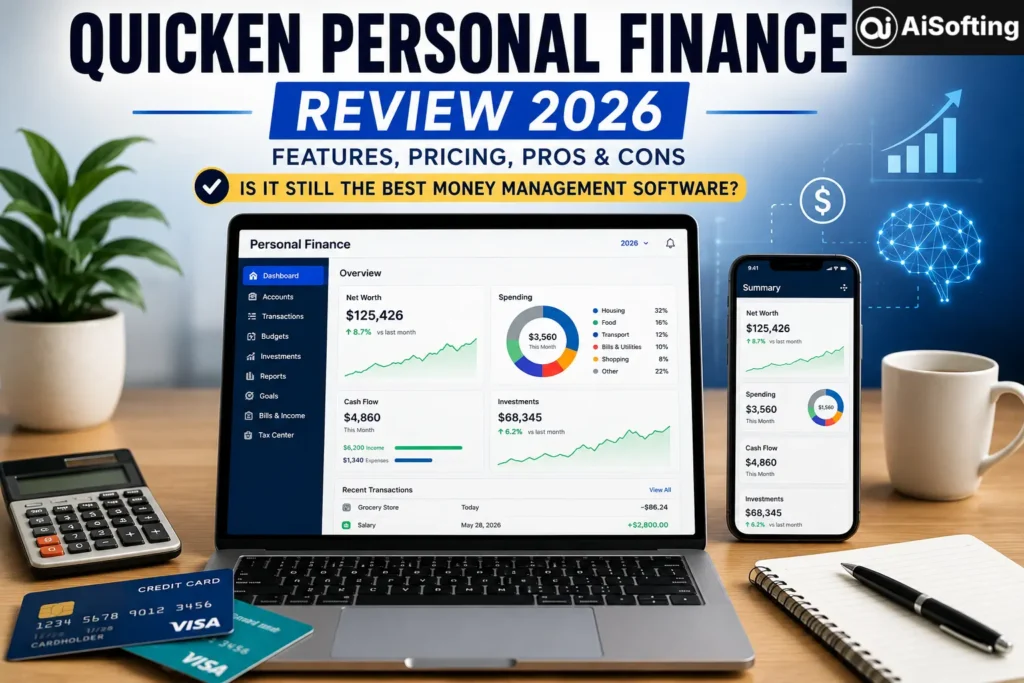
Let’s be honest — managing personal finances in 2026 is both easier and harder than it’s ever been. Easier because there are more tools than ever. Harder because the financial landscape itself is more fragmented: multiple bank accounts, brokerage platforms, credit cards, side-hustle income, crypto holdings, and a subscription economy that quietly drains your budget every month. Into that complexity steps Quicken personal finance software — a platform that’s been around since 1983 and, remarkably, is still one of the most capable financial management tools available today.
But with AI-powered competitors entering the space and newer apps like Monarch Money and Copilot gaining serious traction, Quicken faces more heat than ever. This review cuts through the marketing to tell you exactly what Quicken offers in 2026, what’s genuinely new, what still frustrates users, and whether it’s worth your money — based on verified current data and real-world experience.
What Is Quicken Personal Finance Software?
Quicken is a subscription-based personal finance platform trusted by over 20 million customers across more than four decades. It connects to 14,000+ financial institutions globally and offers tools for budgeting, investment tracking, debt management, bill tracking, tax preparation, and small business accounting — all in one place.
In 2026, Quicken operates two distinct product lines that serve different users:
- Quicken Classic — Desktop-first software for Windows and Mac, with companion web and mobile apps. Best for users who want local data storage, deep investment tracking, and tax reporting.
- Quicken Simplifi — A modern, cloud-native, mobile-first budgeting app. Best for users who want a clean interface, real-time spending alerts, and an intuitive “Spending Plan” model.
Understanding which product line fits your needs is the most important decision before buying — they’re more different than the shared brand name suggests.
Quicken in 2026: What’s Actually New
Quicken has made meaningful upgrades heading into mid-2026. The headline addition is AI-powered insights and forecasting built into both product lines — predictive budgeting, cash flow projections, and spending pattern analysis that go beyond simple categorization. The in-product AI chat (called Quicken Assist) can now answer natural language questions about your own financial data, giving you personalized answers rather than generic FAQ responses.
Other notable 2026 improvements include:
Faster and more stable bank connectivity. A long-standing pain point for Quicken Classic users has been the infamous CC-501 and CC-502 sync errors. The 2026 updates improved connectivity infrastructure significantly, with faster syncing across institutions and fewer dropped connections — though the errors haven’t been fully eliminated.
Quicken Business & Personal — cloud version. The business tier now exists as both a desktop app (Classic Business & Personal) and a cloud-based app (Quicken Business & Personal). The cloud version supports up to 10 businesses per subscription, connects to Stripe for online payments, and is a genuine challenger to basic QuickBooks use cases for freelancers and landlords.
Simplifi investment tracking depth. Quicken Simplifi now offers time-weighted return (TWR), internal rate of return (IRR), and a 15-variable retirement planner — features that previously required the Classic Premier tier. This is a significant upgrade for Simplifi users who also want serious investment visibility.
A Full Breakdown of Quicken’s 2026 Product Tiers
Quicken Simplifi
Simplifi is Quicken’s modern flagship for everyday users. Rather than category-based budgets, it uses an automated Spending Plan that calculates how much you can safely spend based on your recurring income, bills, and savings goals.
Key features include real-time spending alerts, subscription tracking, bill reminders, investment and retirement account monitoring (TWR + IRR), and a cash flow calendar. Customer support is exceptionally strong in 2026 — phone support Monday through Friday, live chat seven days a week, an after-hours AI assistant, and a 24/7 community forum, all included with every subscription.
Simplifi earned notable recognition in 2026: “Personal Finance App of the Year” by the FinTech Breakthrough Awards, “Best App for Planners” by CNBC Select, “Best for an Overall Snapshot of Finances” by CNET, “Reader’s Choice Award for Top Personal Finance Software” by PC Magazine, and “America’s Best Financial Services” by Time.
Quicken Classic Deluxe
The entry point to the Classic desktop line. Covers multi-account budgeting, spending tracking, capital gains tracking for investments, and TurboTax export. It does not include bill payment through Quicken or business accounting features. Best for individuals consolidating personal finances across multiple institutions who don’t need to pay bills through the software.
Quicken Classic Premier
Adds portfolio tracking with professional-grade reporting, investment performance benchmarking, and full tax export capabilities. The right choice for investors tracking multiple brokerages, retirement accounts, and taxable investment accounts in one place.
Quicken Classic Business & Personal
Built for self-employed professionals and landlords. Includes Schedule C, E, and F tax report generation — a capability no major competitor (YNAB, Monarch Money, Copilot) currently offers. Manages rental property income, tenant tracking, invoicing, and small business expense categorization alongside personal finance tools.
Quicken Business & Personal (Cloud Version)
The newer cloud-based counterpart to Classic B&P. Includes everything in Simplifi plus full business accounting, P&L reports, Schedule C support, Stripe payment integration, and up to 10 business entities per subscription. Designed for users who prefer web/mobile over desktop.
2026 Pricing: What Quicken Actually Costs
One important caveat: Quicken regularly runs promotional pricing, especially for first-year subscribers. The gap between introductory and renewal prices can be substantial — in some cases, doubling. Always check the official site for current rates.
| Plan | Regular Annual Price | Notes |
|---|---|---|
| Quicken Simplifi | ~$71.88/year ($5.99/mo) | Often discounted to ~$47.88/yr for new users |
| Classic Deluxe | ~$59.88/year ($4.99/mo) | First-year promo ~$35.88/yr |
| Classic Premier | ~$95.88/year | Best for investors |
| Classic Business & Personal | ~$119.88–$150/year | Self-employed + landlords |
| Business & Personal (Cloud) | ~$47.88–$95.88/year | Newer cloud-native tier |
Verify current pricing at quicken.com — promotional rates change frequently.
One thing worth flagging: after your subscription expires, Quicken Classic still works for data access and export, but a persistent renewal banner occupies roughly 20% of the screen. Also note that cloud backups have a 90-day grace period after expiry before stored backups become inaccessible.
Key Features Worth Knowing in Depth
The Spending Plan vs. Traditional Budgeting
Simplifi’s Spending Plan is one of the smartest approaches to budgeting available in any personal finance app. Rather than asking you to set manual limits, it starts with what you earn, subtracts your known recurring bills and savings contributions, and tells you what’s left to spend freely. This “envelope from the top down” approach reflects how most people actually think about money.
Investment Tracking That Goes Beyond Balances
Quicken Classic Premier and Simplifi both now offer investment tracking that goes well beyond just showing account balances. You get time-weighted return calculations, asset allocation views, cost basis tracking, and a retirement planner with 15 adjustable variables — income sources, inflation assumptions, contribution rates, and more. For someone managing a Fidelity IRA, a Vanguard 401(k), and a Schwab taxable account, having unified performance data in one dashboard is genuinely valuable.
Tax Reporting That Saves Real Time
For self-employed users and investors, Quicken’s tax reporting is one of its most defensible features. Capterra’s 2026 AI analysis of user reviews found 96% positive sentiment around Quicken’s tax features. One user put it plainly: “At tax time all I have to do is send the accountant spreadsheets exported directly from Quicken.” Schedule C, E, and F generation through the Business & Personal tier is unique in the personal finance app market.
Honest Assessment: Where Quicken Still Falls Short
No review is complete without the frustrations. Quicken power users are vocal, and their complaints are legitimate.
CC-501 and CC-502 bank sync errors remain a recurring problem for Classic users. These errors occur when Quicken can’t connect to financial institutions to retrieve transactions. Some users report the errors resolving within 24 hours; others experience repeated failures across multiple accounts simultaneously. The 2026 updates improved stability, but didn’t eliminate the issue.
The Mac experience lags Windows significantly. Community forums consistently describe the Mac version as less feature-complete. One longtime user put it bluntly: “Quicken Mac is built on very different underlying technology — the long-term future for Quicken is the browser-based Simplifi product.” Mac users who need the full Classic feature set may find it frustrating.
The mobile app can corrupt desktop data. Sync failures between the mobile app and desktop data file have been reported by multiple users. This is a known issue that hasn’t been fully resolved. The workaround most experienced users recommend: treat mobile as read-only for transaction review, and do all substantive data entry on the desktop.
Renewal pricing jumps. Introductory discounts mask true costs. A user who signs up at $35.88 in year one should expect renewal at $59.88 for Classic Deluxe — a 67% increase. This isn’t hidden, but it’s easy to miss.
How Quicken Compares to Top 2026 Competitors
Monarch Money introduced a two-tier structure in 2026. Monarch Core runs $99.99/year and Monarch Plus runs $199/year — both significantly more expensive than Quicken Simplifi. Monarch’s strengths are household collaboration (separate logins for couples), deeper net worth analytics, and an AI assistant that flags category drift in weekly recap emails. Quicken Simplifi wins on price and customer support breadth; Monarch wins on household sharing and modern interface polish.
YNAB (You Need A Budget) remains the gold standard for zero-based budgeters who want to change spending behavior. At approximately $14.99/month, it’s more expensive than Simplifi. YNAB doesn’t offer meaningful investment tracking. If your primary goal is to stop overspending and build savings discipline, YNAB is excellent. If you want investment visibility alongside budgeting, Quicken Simplifi is the better single-app solution.
Empower Personal Dashboard remains the strongest free option for investment tracking — benchmarking, allocation analysis, risk scoring, and retirement projections with no subscription fee. It’s not a budgeting tool in the same league as Quicken, but as a free portfolio tracker it has no real competition.
Copilot Money (approximately $7.93/month billed annually) is the premium choice for iPhone and Mac users who want AI-powered transaction categorization and polished design. It’s more expensive than Simplifi and US-only, but the Apple-native experience is noticeably smoother.
Personal Experience: What Using Quicken Actually Looks Like in 2026
I’ve used Quicken Classic Deluxe as my primary financial hub for several years now, migrating from Mint after its shutdown and trialing Monarch Money and Simplifi in parallel over the past year.
The 2026 AI-powered insights update is genuinely useful — not in a gimmicky way, but in a practical “I didn’t know that” way. When I asked Quicken Assist why my dining spending spiked in April, it correctly identified three restaurant charges that had been miscategorized as grocery purchases and flagged a recurring weekly pattern I hadn’t noticed. That kind of specific, data-grounded answer is exactly what differentiates an in-product AI from a generic chatbot.
What keeps me on Quicken rather than switching to Monarch or Simplifi is the investment tracking depth. Having my Vanguard retirement accounts, a taxable brokerage, and a small business account all reporting into one dashboard — with actual return calculations, not just balance changes — is something I can’t replicate elsewhere without paying significantly more or cobbling together multiple apps.
The frustrations are real though. I hit a CC-501 error that knocked out three accounts for two days in May. Support was responsive but couldn’t explain the root cause. And the desktop interface genuinely looks like it was designed a decade ago, because most of it was. Every time I open Monarch’s clean dashboard on my phone, I feel the aesthetic gap acutely.
The honest verdict: Quicken personal finance rewards patience and investment in setup. It isn’t trying to be the most beautiful app in your phone. It’s trying to be the most complete financial record you’ve ever kept — and for complex financial lives, that’s a genuinely different and valuable thing.
Who Should Use Quicken in 2026?
Best fit:
- Investors managing multiple brokerage, retirement, and taxable accounts
- Self-employed individuals who need Schedule C/E/F tax reports
- Landlords tracking rental income, expenses, and property values
- Pre-retirees who want a 15-variable retirement planner
- Long-term users who want years of financial history in one place
Consider alternatives if:
- You want a beautiful, mobile-first experience — look at Monarch Money or Copilot
- You’re primarily focused on behavior-change budgeting — YNAB is purpose-built for that
- You want free investment tracking — Empower Personal Dashboard costs nothing
- You’re a Mac-primary user — the Mac version of Classic has meaningful limitations
Tips for Getting the Most Out of Quicken in 2026
Connect every account on day one. Quicken’s value multiplies with completeness. A partial picture defeats the purpose.
Enable Quicken Assist for your financial questions. The in-product AI chat now understands your actual transaction data. Ask it why a category spiked or what your monthly average spending on subscriptions is — it can actually answer specifically.
Reconcile monthly, not annually. Small errors compound over time. A 20-minute monthly reconciliation keeps your data reliable. Annual catch-up reconciliation is painful.
Use tags alongside categories for tax purposes. Categories are broad; tags let you flag specific transactions as business-related, deductible, or rental-property expenses for clean tax reporting at year end.
Back up your data file weekly. Set automatic backups in Quicken’s preferences. Store a copy off your primary device — a cloud drive or external hard disk. Your financial history is genuinely irreplaceable.
Treat the mobile app as read-only. Until Quicken resolves mobile sync issues, use the app for checking balances and reviewing transactions, but do data entry, categorization, and reconciliation on desktop.
External Resources Worth Reading
- Quicken Official Pricing Page — Always verify current plan costs and promotional rates before subscribing
- Consumer Financial Protection Bureau (CFPB) — Free, authoritative guides on budgeting, debt management, and financial planning fundamentals
- Investopedia Personal Finance Hub — Trusted, independent coverage of budgeting strategies, investment basics, and retirement planning
Frequently Asked Questions About Quicken Personal Finance (2026)
Q: Is Quicken personal finance software worth it in 2026?
For users who need investment portfolio tracking, multi-account budgeting, and tax reporting (especially Schedules C, E, and F) in one place, Quicken remains unmatched at its price point. For casual budgeters, Quicken Simplifi is more affordable and now award-winning. For users who only want free basic tracking, Empower works without a subscription.
Q: What’s the difference between Quicken Classic and Quicken Simplifi?
Classic is desktop-first software with local data storage, deep tax reporting, and decades of feature depth. Simplifi is a modern cloud-native app with a better mobile experience, cleaner design, and a Spending Plan budgeting model. Classic is better for complex financial situations; Simplifi is better for users who prioritize ease of use and mobile access.
Q: What happened to Mint, and is Quicken a good replacement?
Mint shut down in January 2024. Quicken Simplifi was explicitly positioned as the leading Mint alternative and has been named “Best Mint Alternative Overall” by Engadget three consecutive years (2023, 2024, and 2026). For users who want more depth than Mint offered, Quicken Classic provides significantly more capability.
Q: How does Quicken handle AI in 2026?
Quicken introduced AI-powered insights and forecasting in its 2026 update. The in-product Quicken Assist AI chat can answer natural language questions about your specific financial data — not just generic advice. It also offers predictive cash flow projections and spending pattern analysis. This brings Quicken closer to competitors like Monarch Money, which added an AI assistant in 2026.
Q: Is Quicken safe for my financial data?
Quicken uses 256-bit encryption and secure data transmission. A key differentiator is that Quicken Classic stores your primary data file locally on your device, not on third-party servers. Cloud sync is optional and only required for web or mobile access. This local-first architecture is a deliberate choice that many power users value — if Quicken’s servers went down, your data would still be on your machine.
Q: Can Quicken handle small business finances?
The Quicken Business & Personal tier (both Classic and cloud versions) is built specifically for this. It supports invoicing, Stripe payment processing, Schedule C/E/F tax reports, rental property tracking, and up to 10 business entities per subscription. It’s not a replacement for full-scale accounting software like QuickBooks for large teams, but for freelancers, consultants, and landlords it’s a compelling single-app solution.
Q: What are the main complaints about Quicken from real users in 2026?
The most consistent complaints are CC-501/CC-502 bank sync errors in Classic, the dated desktop interface compared to modern alternatives, the Mac version being significantly less capable than Windows, mobile-to-desktop sync instability, and renewal pricing that can be nearly double the introductory rate. These are legitimate concerns that informed buyers should weigh.
Q: How does Quicken Simplifi compare to Monarch Money in 2026?
Simplifi is cheaper (roughly $47–72/year vs Monarch’s $99–199/year) and has stronger customer support. Monarch has better household collaboration features (dual logins), deeper analytics, and a more polished interface. For solo users on a budget, Simplifi wins. For couples managing shared finances with heavy investment tracking, Monarch is worth the premium.
Conclusion: The Honest Verdict on Quicken Personal Finance in 2026
After 40+ years, Quicken personal finance software still occupies a unique position in the market — not because it’s the most beautiful or the most hyped, but because it does things that few other tools attempt. The combination of desktop-depth investment tracking, tax report generation (including Schedules C, E, and F), 14,000+ institution connections, and decades of potential financial history in one place is genuinely hard to replicate.
The 2026 updates — AI-powered insights, improved bank connectivity, expanded Simplifi investment features, and the new cloud Business & Personal tier — show that Quicken is actively evolving rather than coasting. Simplifi’s award sweep this year confirms that the company’s modern product line is landing with real users.
That said, the frustrations are real and worth taking seriously: sync errors, dated desktop design, Mac limitations, and a renewal pricing structure that rewards careful attention. These aren’t dealbreakers for the right user, but they’re not minor annoyances either.
Actionable Takeaways for 2026:
- If you’re an investor or self-employed, try Quicken Classic Premier or Business & Personal — nothing in the price range matches its tax and portfolio depth
- If you want modern design and mobile-first budgeting, start with Quicken Simplifi — especially with current promotional pricing
- Always check the renewal rate before subscribing, not just the introductory price
- Connect all accounts on day one and invest two to three hours in the initial setup — it pays off significantly
- Use Quicken Assist (the AI chat) for personalized answers about your own spending data — it’s genuinely useful now
- Back up your Classic data file automatically; treat it like backing up important documents
Visit: Aisofting
Disclaimer: This article is intended for informational and educational purposes only and does not constitute financial, legal, investment, or tax advice. All pricing and feature information was verified as of June 2026 and is subject to change — always confirm current details at Quicken’s official website before purchasing. The author has no financial relationship with Quicken, its parent company, or any competing products mentioned. Individual results with personal finance software vary significantly based on user commitment and financial complexity. Readers are encouraged to consult a qualified financial advisor for guidance specific to their circumstances.