Introduction
Anyone who’s spent time writing for SEO knows the awkward internal debate that happens mid-draft: have I used my target keyword enough, or have I already overdone it? That’s exactly the gap the Zuhio Keyword Count Checker is built to close. It’s a small, single-purpose tool, but it solves a real problem that trips up bloggers, freelance writers, and in-house content teams almost every single week.
Unlike bulky all-in-one SEO suites that try to audit your backlinks, your site speed, and your keyword rankings all at once, the Zuhio Keyword Count Checker does one job and does it fast: it counts how many times your keyword appears in a piece of text and tells you what percentage of your total word count that represents. No sign-up, no dashboard to learn, no plugin to install — just paste, check, and move on with your writing.
In this guide, we’ll walk through what the tool actually does, how to use it effectively, where it fits (and doesn’t fit) in a broader SEO workflow, real mistakes people make with keyword density, and some first-hand observations from actually using it on live content projects.
What Is the Zuhio Keyword Count Checker?
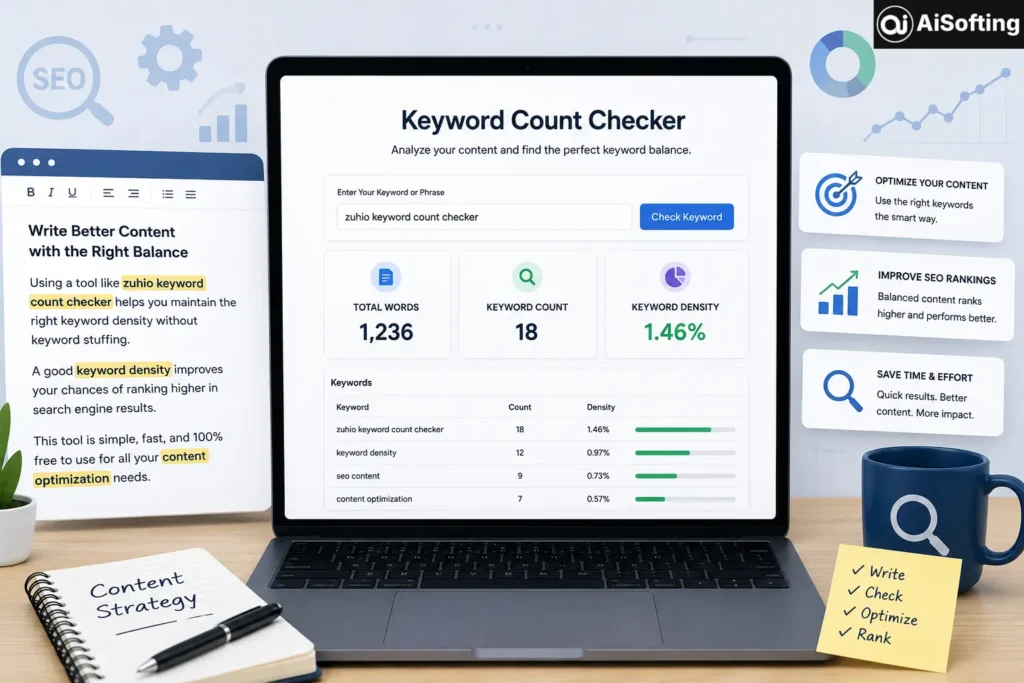
The Zuhio Keyword Count Checker is a free, browser-based utility that scans a block of text you paste in and returns three core numbers: your total word count, how many times your target keyword appears, and the resulting keyword density percentage. It’s part of Zuhio’s broader collection of lightweight “micro-tools” aimed at everyday business and content tasks rather than enterprise-level SEO auditing.
The workflow is intentionally simple:
- Open the tool in your browser.
- Paste your article, blog post, or webpage copy into the text box.
- Enter the keyword or phrase you want to track.
- Click to run the check and review the results.
Because everything happens client-side in your browser, you don’t need to connect your CMS, hand over login credentials, or publish anything first. That makes it a good fit for checking unpublished drafts or content still sitting in a Google Doc.
What It Measures
- Total word count of the pasted text
- Raw keyword count — how many times the exact term (or a case-insensitive variation) appears
- Keyword density — the keyword count expressed as a percentage of total words
- Multi-keyword tracking in some versions, letting you check several target phrases in one pass
What It Doesn’t Do
It’s worth being upfront about the tool’s limits, since overselling a simple utility helps no one. The Zuhio Keyword Count Checker doesn’t analyze title tags, meta descriptions, header structure, backlinks, or overall technical SEO health. It’s not pulling search volume data, and it won’t tell you what topics to write about next. It’s a frequency counter — nothing more, nothing less — and it’s best used alongside broader keyword research tools rather than as a replacement for them.
Why Keyword Density Still Matters
Keyword stuffing largely died as an effective tactic years ago, but keyword presence still matters. Search engines use term frequency as one small signal (among many) to understand what a page is actually about. Google’s own guidance on creating helpful, reliable content emphasizes writing for people first, but that doesn’t mean keyword placement is irrelevant — it just means balance matters more than raw repetition.
Too few keyword mentions and a page can read as thin or off-topic to both readers and crawlers. Too many, and it starts to feel unnatural, potentially triggering both reader annoyance and algorithmic penalties for over-optimization. A quick density check acts as a sanity test before you hit publish.
How to Use It Effectively in Your Content Workflow
Step 1: Write Naturally First
The biggest mistake writers make is trying to hit a keyword quota while drafting. Write the piece the way you’d explain it to a colleague, then run it through the checker afterward. Retrofitting keyword usage into finished prose almost always reads more naturally than forcing it in sentence by sentence.
Step 2: Check Density, Not Just Count
A raw count of “12” means very little on its own — 12 mentions in a 400-word post is very different from 12 mentions in a 2,500-word guide. Always look at the density percentage, not just the number.
Step 3: Aim for a Reasonable Range
Most experienced SEO writers aim for somewhere around 0.5%–2% keyword density for a primary term, though this isn’t a strict rule — it’s a rough sanity check. If your density is well above that, it’s worth rereading the section aloud to see if it sounds repetitive.
Step 4: Check Variations and Related Terms
Because exact-match keyword stuffing is easy for both readers and algorithms to spot, it’s worth pairing a tool like this with a quick pass for semantic variations — synonyms, related phrases, and natural language variants — rather than repeating the exact same string over and over.
Common Mistakes to Avoid
- Obsessing over an exact percentage. There’s no single “magic number” that guarantees rankings — density is a guide, not a ranking factor Google confirms using directly.
- Ignoring context in favor of repetition. A keyword stuffed unnaturally into every paragraph reads poorly and can hurt user trust, even if the density number “looks right.”
- Checking density before editing for readability. Always finalize the readability pass first; running a keyword check on a rough draft wastes time since the wording will likely change anyway.
- Only checking one keyword. Long-form content usually targets a primary keyword plus several secondary or related terms — checking just one misses the bigger picture.
- Treating the tool as a full SEO audit. It measures one metric. Pair it with proper keyword research and on-page SEO review for a complete picture.
Alternatives Worth Knowing
If you need more than a basic frequency count, a few other tools are commonly used alongside or instead of Zuhio:
- Yoast SEO — a WordPress plugin that checks keyword usage directly inside your editor alongside broader on-page SEO signals.
- SEO Review Tools’ Keyword Density Checker — accepts both URLs and raw text, and can process multiple keywords while filtering out stop words.
- SmallSEOTools’ Keyword Density Checker — another free, no-signup option that works from either text or a live URL.
Each serves a slightly different purpose, so the right choice often depends on whether you want a quick standalone check or something integrated into your existing publishing workflow.
Personal Experience: What I’ve Noticed Using Keyword Density Checkers Day-to-Day
Having used keyword density tools across dozens of client articles over the years, a few patterns stand out that don’t always show up in the marketing copy for these tools.
The first is that writers who write naturally almost never have a keyword density problem. When I’ve gone back and checked older articles that were written conversationally first, without thinking about the keyword at all, the density usually lands in a perfectly reasonable range on its own. It’s almost always the pieces where someone tried to force a keyword into every subheading that end up flagged as too dense.
Second, I’ve noticed that a simple tool like this is most useful as a final-pass sanity check rather than something to run every few paragraphs while writing. Checking too early, before the draft is finished, tends to create the exact keyword-stuffing problem you’re trying to avoid, because writers start unconsciously repeating the term to “hit the number.”
Third — and this surprised me the first time I ran into it — long-tail phrases behave very differently from single-word keywords in density calculations. A three- or four-word phrase naturally has a lower density percentage than a single word simply because of how the math works, so comparing density across different keyword lengths isn’t really apples to apples. It’s a small nuance, but it’s tripped up more than one junior writer I’ve worked with who panicked over a “low” density number that was actually completely fine for a long-tail term.
Overall, tools like the Zuhio Keyword Count Checker earn their place in a writer’s toolkit precisely because they’re narrow. They’re fast, they don’t require an account, and they answer one specific question well. The mistake would be expecting them to do more than that.
Frequently Asked Questions
1. Is the Zuhio Keyword Count Checker free to use?
Yes, it’s a free, browser-based tool that doesn’t require account creation or payment to check keyword counts and density.
2. What’s a good keyword density percentage for SEO?
There’s no official rule from Google, but many writers aim for roughly 0.5%–2% for a primary keyword as a general guideline rather than a strict target.
3. Does keyword density actually affect Google rankings?
Not directly in the way it once did. Google’s algorithms focus more on topical relevance, user intent, and content quality, though extreme keyword stuffing can still hurt readability and trust signals.
4. Can I check multiple keywords at once with Zuhio?
Many versions of the tool support tracking several keywords or phrases in a single pass, which is useful for content targeting both a primary and secondary keyword.
5. Is it safe to paste unpublished drafts into the tool?
Since the tool processes text you paste directly in your browser without requiring a CMS connection, it’s generally considered low-risk for checking private or unpublished drafts, though you should always review any tool’s privacy practices before pasting sensitive content.
6. What’s the difference between keyword count and keyword density?
Keyword count is the raw number of times a term appears; keyword density is that count expressed as a percentage of the total word count, which gives more useful context for longer or shorter pieces of content.
Conclusion
The Zuhio Keyword Count Checker isn’t trying to be a full SEO platform, and that’s exactly why it works well. It solves one specific, recurring problem — knowing whether your keyword usage is balanced — quickly and without friction. Used at the right stage of your writing process (after drafting, before publishing), it can help you avoid both under-optimized content and awkward keyword stuffing.
Actionable takeaways:
- Write your content naturally first, then check keyword density as a final-pass sanity check.
- Aim for a reasonable density range rather than chasing an exact percentage.
- Check related and secondary keywords, not just your single primary term.
- Pair a lightweight tool like Zuhio with broader keyword research and on-page SEO practices.
- Don’t mistake a “clean” density score for a complete SEO strategy — it’s one signal among many.
Stay updated with the latest AI, tech, and software news at Aisofting
Disclaimer: This article is for general informational purposes and reflects publicly available information as of mid-2026. Tool features and interfaces can change over time, so it’s worth checking the official Zuhio website directly for the most current functionality before relying on it for professional SEO work.