Introduction
Most businesses only know a fraction of who’s actually visiting their website. Someone spends four minutes reading your pricing page, checks out three case studies, then leaves without filling out a single form and just like that, they’re gone, with no name, no email, no way to follow up. This is the reality for the vast majority of website traffic. Studies on B2B web behavior consistently show that the overwhelming majority of visitors never identify themselves before leaving.
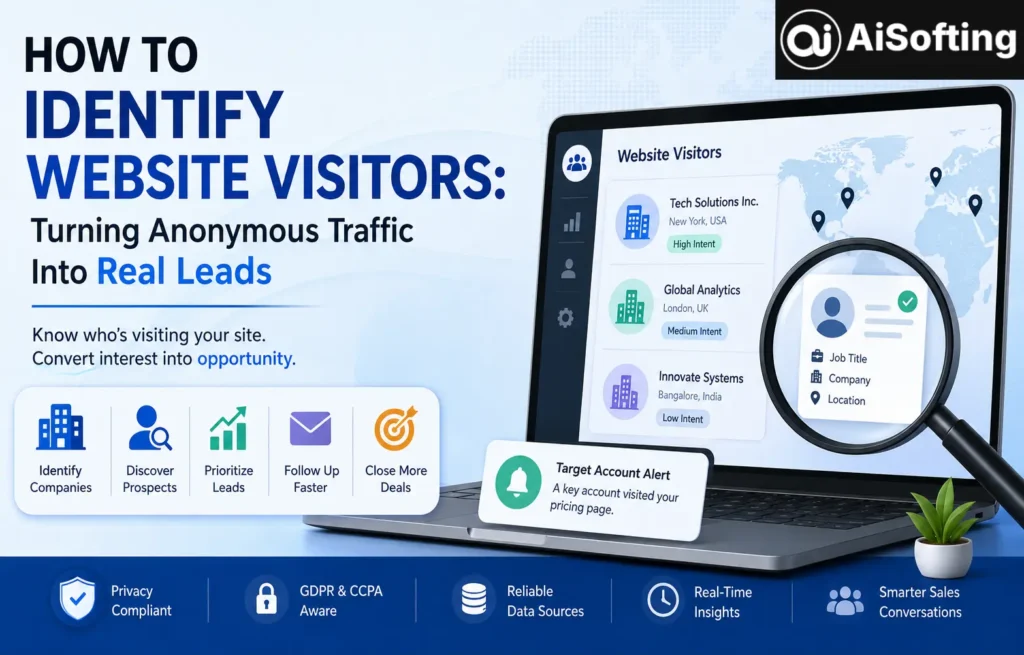
That’s exactly why so many marketing and sales teams have started investing in tools and strategies to identify website visitors not to be invasive, but to stop losing warm prospects who were interested enough to show up but not quite ready to fill out a form. Done correctly, visitor identification can transform a website from a static brochure into an active lead-generation engine.
In this article, I’ll walk through what visitor identification actually means, the main methods businesses use today, the privacy considerations that matter, and what I’ve personally learned implementing these systems for real websites.
What Does It Mean to Identify Website Visitors?
Identifying website visitors refers to the process of uncovering information about who is browsing your site whether that’s the company they work for, their job role, or in some cases, a matched individual profile even before they fill out a contact form. This is different from basic web analytics, which tells you how many people visited and what they did, but not who they are.
There are generally two levels of visitor identification:
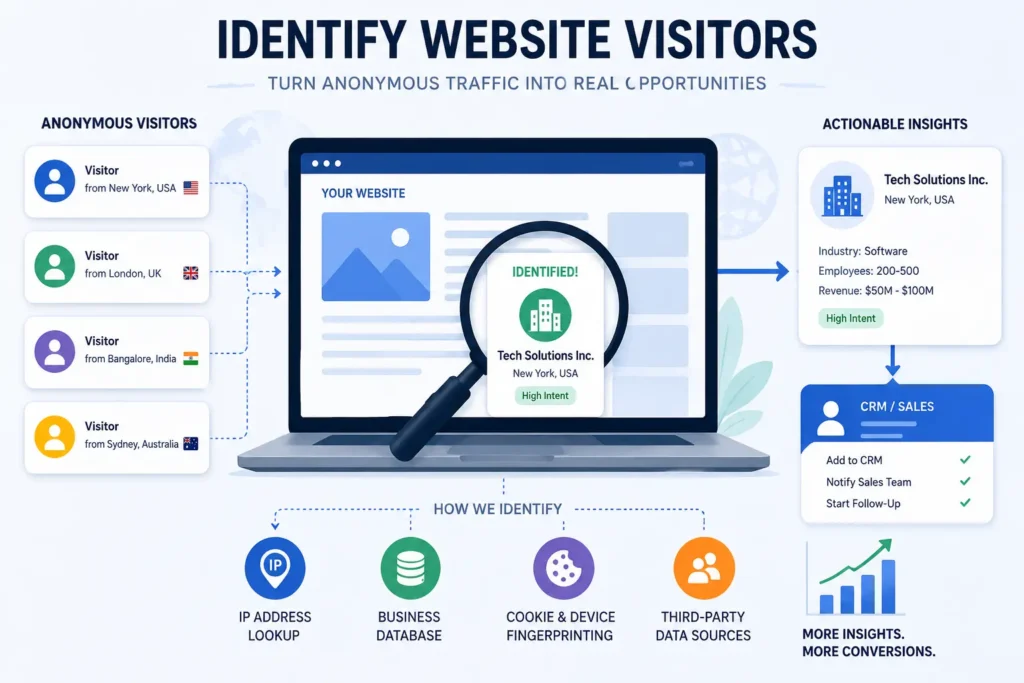
- Company-level identification matching an anonymous visitor’s IP address to a business using databases of known IP ranges
- Person-level identification using cookies, device fingerprinting, or third-party data matching to identify an individual visitor, which comes with much stricter privacy requirements
Why Businesses Want to Identify Website Visitors
The logic is simple: traffic without identification is a missed opportunity. If a company representative from a target account spends fifteen minutes on your product page, that’s a buying signal sales teams want to know about immediately, not weeks later after the lead has gone cold.
Key benefits include:
- Better lead prioritization sales teams can focus on accounts already showing interest instead of cold outreach
- Improved marketing attribution understanding which campaigns bring in visitors from target companies
- Faster follow-up reaching out to warm leads while their interest is still fresh
- Account-based marketing (ABM) support confirming when target accounts are actively engaging with your site
- Reduced wasted ad spend identifying which traffic sources actually bring in relevant company visitors
Common Methods to Identify Website Visitors
1. Reverse IP Lookup Tools
This is the most widely used method for company-level identification. Tools like Leadfeeder, Clearbit Reveal, and Albacross match a visitor’s IP address against a database of known business IP ranges to reveal the company name, industry, and sometimes company size. It won’t tell you the exact person browsing, but it tells you which organization they belong to.
2. CRM and Marketing Automation Integration
Platforms like HubSpot and Salesforce often include visitor tracking features that connect identified companies directly to existing CRM records, helping sales reps see when a known account is actively browsing the site again.
3. Chat and Form-Based Identification
The simplest and most privacy-friendly method: encouraging visitors to voluntarily share information through live chat widgets, gated content, or newsletter sign-ups. It’s lower volume than automated identification but comes with fewer legal complications.
4. Person-Level Identification Tools
Newer tools claim to identify individual visitors by name using data matching techniques. These tools have grown more common but also more controversial, since they often rely on data sourced without the visitor’s direct knowledge. Businesses using these tools need to be especially careful about compliance.
Privacy and Compliance Considerations
This is the part too many businesses skip. Identifying website visitors especially at the individual level intersects directly with data privacy law. The European Commission’s overview of GDPR requirements makes clear that personal data collection, including certain forms of visitor tracking, requires a lawful basis and often explicit consent. In the U.S., the California Attorney General’s guidance on the CCPA outlines similar disclosure obligations for businesses collecting consumer data.
Company-level identification via reverse IP lookup is generally considered lower risk since it doesn’t identify a specific person, but individual-level identification tools sit in much murkier legal territory depending on jurisdiction. Before implementing any visitor identification tool, it’s worth reviewing your privacy policy, cookie consent banners, and how your chosen tool sources its data. If you’re layering this into a broader lead-generation or AI-driven marketing stack, our guide to choosing the right AI tools for your business covers how to evaluate vendors on data practices as well as functionality.
Best Practices for Identifying Website Visitors
- Start with company-level identification before considering individual-level tools, since it carries fewer compliance risks
- Make sure your cookie consent banner and privacy policy accurately reflect the tracking tools you’re using
- Integrate visitor identification data directly into your CRM so sales teams can act on it quickly
- Set clear internal rules for how identified visitor data can and can’t be used in outreach
- Regularly audit third-party tools for how they source and verify their data
Common Mistakes to Avoid
- Treating every identified visitor as a hot lead. Someone from a large company visiting your site doesn’t always mean genuine buying intent context matters.
- Ignoring consent requirements. Businesses in regulated regions can face real penalties for improperly tracking visitors without proper disclosure.
- Overloading sales teams with unqualified data. Flooding reps with every identified visitor, regardless of engagement level, leads to alert fatigue and ignored leads.
- Relying on a single data source. IP-based identification isn’t perfect VPNs, shared networks, and ISP-level IP assignment can produce inaccurate matches.
- Not following up quickly enough. Identification is only useful if it triggers timely action; data sitting unused in a dashboard provides no value.
Personal Experience: What I’ve Learned Implementing Visitor Identification
The first time I set up a visitor identification tool for a B2B client, I expected it to feel like magic instantly knowing which companies were browsing the site. In reality, the raw data was messy. A huge chunk of “identified” visitors turned out to be internet service providers or hosting companies, not actual prospects. It took real filtering and manual review before the data became genuinely useful to the sales team.
One lesson that stuck with me: identification tools work best when paired with clear internal processes. On one project, we set up automated Slack alerts every time a target account visited the pricing page. Sales loved it at first, but after a few weeks, the alerts became noise because too many low-intent visits triggered the same notification as high-intent ones. We had to build simple scoring rules time on page, pages visited, repeat visits before the alerts actually became useful signals instead of distractions.
I’ve also seen the compliance side bite businesses that didn’t take it seriously. One client using a person-level identification tool got flagged by their legal team months after implementation because their cookie consent banner hadn’t been updated to reflect the new tracking behavior. It was an easy fix, but it could have been a much bigger problem if it had gone unnoticed longer. Since then, I always recommend looping in a privacy or legal reviewer before turning on any new identification tool, not after.
The biggest shift in how I approach this now: identification tools are only as valuable as the process built around them. The tool tells you who’s on your site what you do with that information is where the actual ROI comes from.
Frequently Asked Questions
What does it mean to identify website visitors?
It means uncovering information about who is browsing your site, typically at the company level through reverse IP lookup, or in some cases at the individual level through data matching tools.
Is it legal to identify website visitors?
Company-level identification is generally lower risk, but individual-level identification must comply with privacy laws like GDPR and CCPA, which often require proper consent and disclosure.
What tools are commonly used to identify website visitors?
Company-level identification is generally lower risk, but individual-level identification must comply with privacy laws like GDPR and CCPA, which often require proper consent and disclosure.
Can I identify individual visitors, not just companies?
Some tools claim to do this, but they carry higher legal and ethical risk since they often rely on third-party data matching without the visitor’s direct knowledge.
Does visitor identification work if someone uses a VPN?
Not reliably. VPNs mask the visitor’s real IP address, which can prevent accurate company-level matching.
How accurate is reverse IP lookup for identifying companies?
It’s generally reliable for businesses with dedicated IP ranges, but accuracy drops for visitors on shared networks, mobile connections, or smaller ISPs.
Conclusion
Learning to identify website visitors isn’t about turning your website into a surveillance tool — it’s about not letting genuine buying interest slip through the cracks. The businesses that get real value from this aren’t necessarily using the most advanced tools; they’re the ones pairing identification data with clear processes, quick follow-up, and proper privacy compliance.
If you’re just getting started, begin with company-level identification, integrate it directly into your CRM, and make sure your privacy policy is updated before flipping the switch. That foundation will get you further than jumping straight to more aggressive, and riskier, individual-level tracking tools. For more insights on AI-driven tools and strategies for your business, visit Aisofting.
Disclaimer: This article is for informational purposes only and does not constitute legal advice. Data privacy laws such as GDPR and CCPA vary by jurisdiction and change over time, so businesses should consult a qualified privacy or legal professional before implementing any website visitor identification tool.