Introduction
If you’ve ever waited around all day for a technician who was supposedly “on the way,” you already understand why dispatch software matters. Behind every internet service provider that keeps its promises about arrival windows, there’s usually a system quietly doing the heavy lifting — matching jobs to technicians, calculating drive times, and keeping the office and the field in sync. One name that keeps coming up in this space is Sonar dispatch, the scheduling and field service module built into the broader Sonar Software platform used by ISPs and fiber providers.
This isn’t a flashy consumer app. It’s the kind of operational backbone most customers never see, but absolutely notice when it’s missing — through missed appointments, double-booked technicians, or dispatchers scrambling with sticky notes and spreadsheets. In this article, I’ll walk through what Sonar dispatch actually does, how it fits into day-to-day ISP operations, the mistakes teams commonly make when adopting it, and some honest lessons learned from watching (and helping) teams roll it out.
What Is Sonar Dispatch?
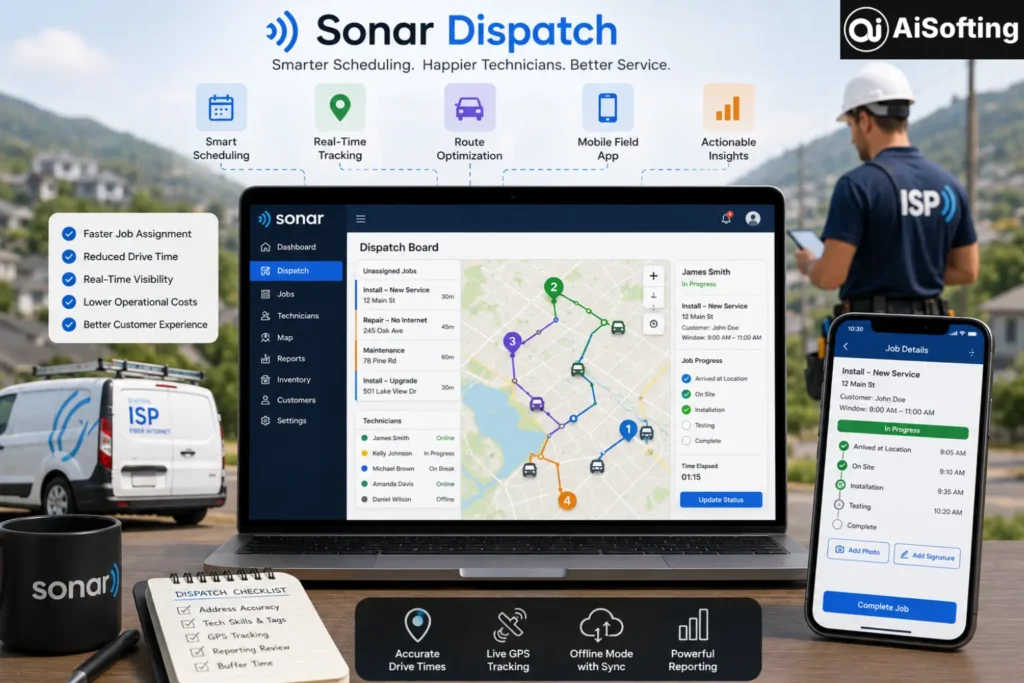
Sonar dispatch is the field service and scheduling component of Sonar Software, a platform built primarily for internet service providers and fiber and broadband companies. At its core, it gives dispatchers a centralized view of technician schedules, job assignments, and real-time field activity, so they can quickly and accurately schedule jobs instead of juggling calendars and technician availability manually.
Core Features
A few features tend to stand out when people describe why they moved to this kind of system:
- Drag-and-drop scheduling, so dispatchers can visually assign and reassign jobs without digging through paper work orders
- Drive-time calculations pulled from mapping data (similar to how Google Maps Platform handles routing) between the technician’s starting point and each job location, which means accurate service addresses genuinely matter
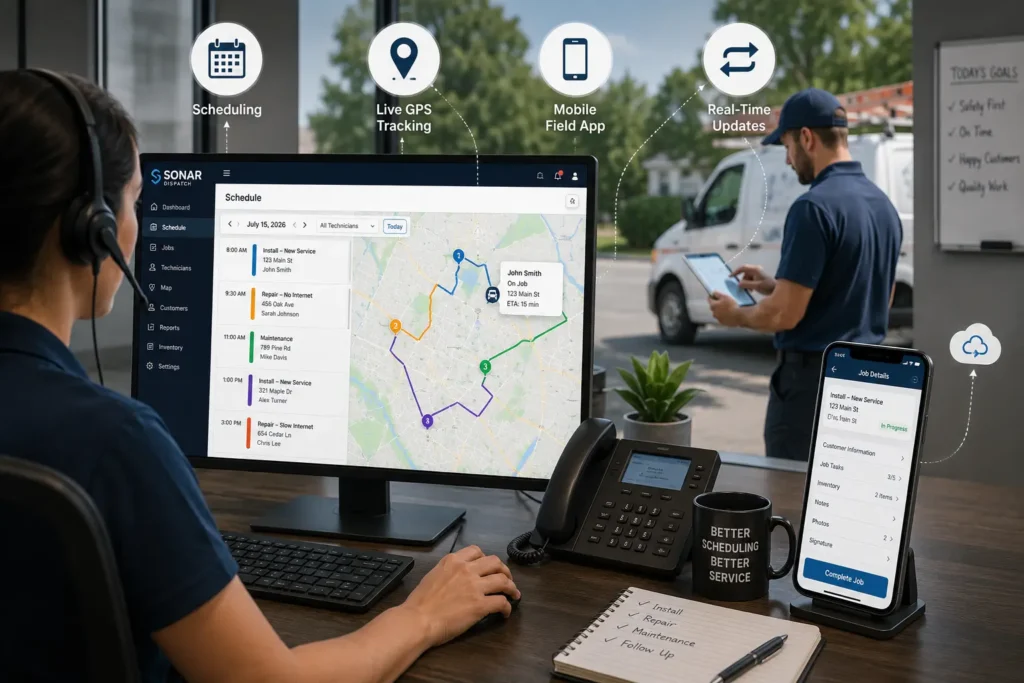
- Live GPS integration with popular vehicle tracking providers, letting dispatchers see where technicians are in real time and adjust plans mid-day if needed
- A mobile field app where technicians can view job details, update statuses, mark tasks complete, upload photos, manage inventory, and even capture signatures — with offline updates cached and synced once the device reconnects
- An elevation and terrain planning tool that helps plan wireless installs around hills, valleys, and other environmental challenges before a technician heads out
How It Differs From Generic Dispatch Tools
Plenty of general-purpose field service tools exist, but Sonar’s dispatch module is built specifically around ISP workflows — ticketing, network monitoring, billing, and inventory all live in the same ecosystem. That matters because ISP dispatch needs to tie scheduling, task assignment, real-time updates, and customer communication together in one coordinated system, rather than bolting a scheduling tool onto unrelated billing or CRM software. For a broader look at how this discipline works across industries, TechTarget’s overview of field service management is a useful reference point.
Why Dispatch Automation Matters for ISPs
Manual dispatching — phone calls, whiteboards, radio check-ins — breaks down fast once a company grows past a handful of technicians. Automated dispatch systems weigh technician location, skillset, job priority, and even real-time traffic conditions to optimize scheduling and routing, which is a very different experience than a dispatcher guessing who’s closest to a job.
There’s also a real cost to human error in this process. Manual data entry is prone to inaccuracies, while automated systems consistently follow predefined rules and logic, which reduces mistakes and rework. For a growing ISP, that difference compounds over time — fewer errors mean fewer truck rolls, less wasted technician time, and more predictable customer experiences.
Benefits at a Glance
- Faster, more accurate technician-to-job matching
- Reduced windshield time and fuel costs through smarter routing
- Real-time visibility for both office staff and field crews
- Fewer scheduling conflicts and double-bookings
- Better data for spotting recurring problems, like failed installs or defective hardware trends across a network
Common Mistakes ISPs Make With Dispatch Software
- Skipping proper setup of user roles and permissions before rollout, which leads to basic access issues on day one
- Ignoring address accuracy, since drive-time estimates depend entirely on clean mapping data
- Not training technicians on the mobile app, which leaves the dispatcher’s map view stale and unreliable
- Treating automation as “set and forget” instead of something dispatchers still need to actively manage
- Underusing reporting data and only checking dashboards when something already went wrong
Best Practices for Getting the Most Out of Sonar Dispatch
- Audit and clean up service addresses before go-live
- Set clear technician skill tags so job-matching filters actually work
- Integrate GPS tracking early rather than as an afterthought
- Review reporting dashboards weekly, not just reactively
- Build in buffer time for terrain-heavy or rural installs
Personal Experience
I spent time consulting with a mid-sized regional ISP that was transitioning off a shared calendar and a group chat for dispatching technicians — which, if you’ve never seen it, is exactly as chaotic as it sounds. The first week after switching to a proper dispatch system was rough. Not because the software was bad, but because nobody had cleaned up their address data. Drive-time estimates were wildly off for rural customers whose addresses had never been standardized, and dispatchers didn’t trust the map view for the first month.
What actually turned things around wasn’t a feature — it was a habit. The office manager started spending fifteen minutes every Friday reviewing the previous week’s data: which jobs ran long, which technicians consistently got stuck in traffic corridors, which install types kept generating callbacks. Within two months, average job completion times dropped noticeably, and technicians stopped grumbling about “the app” because it actually reflected what was happening on the ground.
The biggest lesson: dispatch software doesn’t fix broken processes by itself. It exposes them. Teams that treat the rollout as a chance to clean up scheduling habits, not just swap tools, get far more value out of it.
Frequently Asked Questions
What is Sonar dispatch used for?
It’s used by internet service providers to schedule, assign, and track field technician jobs, including installs, repairs, and maintenance visits, with real-time updates between dispatchers and the field.
Does Sonar dispatch work offline?
Yes. Technicians in areas with poor or no service can still update the app, and their updates are cached and automatically synced once the device reconnects.
Can Sonar dispatch integrate with GPS tracking?
Yes, it supports integrations with several GPS vehicle tracking providers, letting dispatchers see live vehicle locations directly on the scheduling map.
Is Sonar dispatch only for internet service providers?
It’s built and marketed specifically for ISPs and fiber and broadband providers, though the underlying dispatch concepts, like scheduling, routing, and mobile field access, apply across field service industries broadly.
How does dispatch automation reduce costs for ISPs?
By optimizing routes and reducing wasted travel time, cutting down manual scheduling errors, and reducing repeat truck rolls, all of which lower fuel, labor, and rework costs over time.
Conclusion
Sonar dispatch isn’t glamorous, but it solves a genuinely hard operational problem: getting the right technician to the right job, at the right time, without the whole system collapsing into phone tag and guesswork. For ISPs juggling growing customer bases and geographically spread-out service areas — a trend closely tied to ongoing broadband expansion efforts tracked by the FCC — that kind of coordination is the difference between a smooth rollout and a frustrated customer base.
Actionable takeaways: clean your address and technician data before going live with any dispatch system, use reporting dashboards regularly instead of only reactively, invest time in field-side adoption and not just office-side setup, and treat automation as a decision-support tool rather than a replacement for dispatcher judgment.
Visit: Aisofting
Disclaimer: This article is for informational and educational purposes only and reflects publicly available information as of July 2026. It does not constitute professional, technical, or purchasing advice, and product features may change over time. Readers should verify current details directly with the relevant software vendor before making business decisions. Brand names mentioned belong to their respective owners.